
Gunter Severloh
Recognized Creator
-
Joined
-
Last visited
Everything posted by Gunter Severloh
-
 Once you get the mod properly installed review the included ini file as that is where you want to customize the mod for your gameplay style. These settings which are at the top of the ini speaks for itself: // Story settings // DISABLE_DURING_MISSIONS=0 // Set to 1 to disable the mod during story missions, it will also disable it during some missions added by other mods. DISABLE_STORY_LOCATION_HIDEOUTS=0 // Set to 1 to disable bandit hideouts located at major story locations like Beever Hollow, Colter, or Shady Belle. Any questions please ask.
 -
As Redfan said the mod isn't installed in the lml folder, its not an lml mod, the instructions on how to install the mod is at the bottom of the description. Regardless if you installed it correctly, if you are getting alot of enemies then you need to look at the Bandit_hideouts.ini and adjust the numbers for Hideout Reinforcements. Hideouts themselves at max have about 21-23 bandits that depends on the hideout too, any more bandits that you have set for min and max will show up in the reinforcements.
-
v1.7 Added - New ini setting that will allow the player to change between 4 different map icons for hideouts. Added - New ini setting that will enable the player to disable the ambush locations. Added - New ini setting that will allow you to change the gang type for a region. Added - New Hideout: Six Point Cabin Added - New Hideout: Compson's Stead Added - New Hideout: Feral Cave - (this is the cave that the feral man was living in north of Beaver Hollow) Fixed - Hideout at the Dewberry Creek Mill ================================== Update Notes: Please review the new Bandit_Hideout.ini settings, i have notes in the ini next to each setting that best describes what a setting does and how to use it. If you dont understand how something works in the ini please ask and i'll respond as soon as i can.
-
Hello, I'm looking for the ingame map file in OpenIV cant seem to locate it, i see the loading screen jpegs for the loading of the game but not the map itself. Is the map ingame a jpg image that we can scroll around and interact with or is it another type of file? What im looking to do is i need a high quality map that i can update and add icons too for my mod bandit hideouts mod as currently what im using when you scroll in to look at a hideout location the mark on the map becomes all blurry. Any suggestions on a better way to do this?
-
In my opinion i would manually install each mod, i did that for what i use and i'm using about 40 mods and get no issues. In your lml folder there you have rar files, you have to extract those, your getting an error because the mods arent being installed correctly. Read the readmes if there is one for mods, and or read the mod page on how to install mods, it isn't hard lml mods go in the lml folder .asi files go in the main directory. Manually installing mods teaches you more about mod structure in terms of what the files are, where they go, instead of something automatic, it may take you more time but then your only doing it once. Once you have your mods installed and your game is running fine with the mods then back up your entire directory, just make a copy of it and stash somewhere as a back up and a reference for the future if you install more mods. Also add this mod to your mods as well It will disable the legal screens, the shotgun intro, and put you right into story mode, it cuts the loading time in half.
-
v1.6 Added - New ambush location: Ambush16 - Benedict Pass Added - New ambush location: Ambush17 - Benedict Pass RR Bridge Added - New Hideout: Rathskeller Fork Added - New Hideout: Twin Rocks Fixed - Enable/Disable hired gunmen ini setting, this will allow you to turn on/off the hired gunmen feature, if you disable this then you will no longer see the hired gunmen prompt at saloons. Was previously fixed in v1.5 but after further testing and reports it still wasn't working, now working.
-
Update, here is the changelog. The mod gets updated every monday! v1.5 Added - New ambush location: Ambush11 - Stillwater Bridge Added - New ambush location: Ambush12 - Stillwater Pass Added - New ambush location: Ambush13 - Crevace Pass - (South of Stillwater) Added - New ambush location: Ambush14 - Brittlebush - (west of the trawel location) Added - New ambush location: Ambush15 - Jorges Gap - (North of Mercer station) Added - New Hideout: Quaker's Cove - (North of Thieves Landing) Added - New Hideout: Stillwater Cabin - (West of Thieves Landing) Added - New Hideout: Brittlebush Trawel - (On the St.Luis River) Added - New Hideout: Venter's Place Added - Option to hire a gunmen at the inn in Strawberry as there is no saloon there to hire one. Added - New ini setting to enable/disable the hired gunmen which also removes the hire gunmen prompt at saloons if enabled. (Wasn't working in v1.5 but is Now fixed and will be added in the v1.6 update) Added - New ini setting to enable/disable the "You cleared the hideout" Message after clearing a hideout. Added - Two new ini settings for: - Bandit Reinforcements on Horseback - Bandit Reinforcements on foot They will do the following: Reinforcements on foot or horseback depend on your HIDEOUT_BANDITS_MIN and HIDEOUT_BANDITS_MAX settings, it'll be a random number between your set values. If the HIDEOUT_BANDITS_MIN and HIDEOUT_BANDITS_MAX settings are too high and not every bandit can spawn into the hideout initially as there are a set number of positions then they'll spawn in as reinforcements. For example if a hideout's max is set for max=50 then by a hideouts default max 21 setting the remaining 29 bandits will come as reinforcements on horseback (default max 6) and bandits on foot. Updated - The Bandit Hideouts.ini with new settings as listed above as well as rewording of the settings descriptions. Updated - The map with the new ambush and hideout locations.
-
Getting back to you, thanks for your reply, i got this sorted on monday, there was nothing wrong except for the code in one of the scripts in the mod itself, the scriptHookRDR2.DEV was working fine. My issue was not that the scripts in the mod and theres about 130+ of them weren't working, just the placement of some of the code for hideouts wasn't being read because there is 2 other scripts that work with one script that had the code for them in the wrong areas so because of that most of the hideouts werent even spawning in bandits. Ya i did clean restart and everything got same results but again its sorted we know what the issue was and fixed it, and everything is working fine now.
-
Version 1.4 released as of: Update posted on June 13th Here is the changelog: v1.4 Adjusted - Relationship between player and bandits at hideouts to wanted as before they were set to hate, this should at least give some interaction back from the bandits instead of immediately attacking the player. Adjusted - Size, width & height of the Blip icon on the bottom lower of the screen. Changed - The blip icon that shows on the map to another type of icon. Added - A new setting in the Bandit Hideouts.ini that will allow you to enable/disable the blip icon from your screen and map when you approach a hideout or ambush location, the blip icon is on by default. Added - New Feature: Persistent Blip icon The Persistent blip icon will show on every hideout location on the map whether your near a hideout or not, if you clear a hideout the blip icon will be removed until the spawn time for that hideout has returned. The persistent blip icon have their own icon type vs the one on screen. Added - New setting in the Bandit Hideouts.ini that will allow you to enable/disable the Persistent Blip icon for every hideout on the map. Added - New Feature: You cleared the hideout Message Now when you clear a hideout a message will show on the screen briefly that you have cleared a hideout, their will still be at least 2 bandits left alive when this happens. Added - New Feature: Hired Gunmen Voice Lines Now when you tell your hired gunmen to stay or follow, Arthur or John will actually say out loud those commands, and when your crouched and you tell your gunmen to stay Arthur or John will say it in a quiet voice. This feature can also be enabled and disabled in the ini, and is enabled by default. Added - New hideout in Tall Trees: Aurora Basin Added - 3 new ambush locations in Tall Trees Increased - The distance of hired gunmen on horses from the player. Updated - Misc wording of the ini. Updated - The map adding the new hideout and ambush locations. ============== crossed and i spent another 9hrs on this update, fixed some things and added some new features, including new ambush locations and a hideout. I wanted to do more ambush locations and hideouts but ran into an issue with the code which took a day to get sorted but we got it. More updates to come!
-
I been testing my mod's new update and im wondering if my scriptHookRDR2.DEV is fully working. I press ctrl R to disable and then again to reenable but i get no beeps i can see my mods are being loaded and unloaded so i think its working ok. Im using only the dinput8.dll from (July 18th, 2021) and running about 40 mods and have no issues with them. My mod im testing (Bandit Hideouts) im running into an issue with a hideout not showing, im wondering if the dinput8.dll version im using is influencing what's being loaded as in the mod is not being fully loaded when i use the scriptHookRDR2.DEV ingame? Should i try the latest version of the dinput8.dll and see if that changes anything or does it matter? Im not using version.dll just the dinput8.dll
-
.thumb.png.c2d473bfbddd5f01c361323c0ed93dc4.png) Idk why i didn't use this sooner! This literally goes from the black screen loading bar at the start to loading into the story mode. This cuts the time it takes to get ingame to less then half the time. No more: Legal screens This game is not fictional screen Shotgun cinematic Main menu This is crazy it bypasses all that and you go from loading bar to the loading Story mod with the story mode screens, next thing you know your ingame! 😆 This saves you so much freaking time, i needed this early this morning when i was working with crossed99 on updating our Bandit Hideouts mod, i was in and out of game testing for almost 8hrs!
Idk why i didn't use this sooner! This literally goes from the black screen loading bar at the start to loading into the story mode. This cuts the time it takes to get ingame to less then half the time. No more: Legal screens This game is not fictional screen Shotgun cinematic Main menu This is crazy it bypasses all that and you go from loading bar to the loading Story mod with the story mode screens, next thing you know your ingame! 😆 This saves you so much freaking time, i needed this early this morning when i was working with crossed99 on updating our Bandit Hideouts mod, i was in and out of game testing for almost 8hrs!- 10 comments
- 3 reviews
-
A simple gameplay mod request to disable the automatic jump. For the love of God is this f***ing annoying! When you walk up to something (and i mainly play in first person) and want to pick up something, either when looting, or grabbing something from a table or some object, and your character when close to something depending on its height like a crate, automatically jumps on top of it 😣 It breaks the immersion, imo and i think many can agree is if your not choosing to climb or choose to jump on something when you press the corresponding keys then imo there should be no movement or actions to do so most especially something automatic, that goes along with automatic reloading too but thats another subject. So as this "function" in the game has existed since the beginning im not surprised that not one mod unless im blind hasn't been created to disable this, so please create this small mod tweak to disable the automatic jump, again it breaks immersion, and is annoying when your trying to get close to something and look at it. I might have to take on this little project myself since i learned early this morning how to use the OpenV tool, to look at game files, but if someone who has a better idea please let me know, tell me how to do it or link a mod thats already been created for this.
-
Bandit Hideouts News/Update v1.3 releasing soon! Some news for you guys! crossed and i worked on the mod for about 8hrs today (2am-9am) on discord and fixed all the bugs! You can see my notes on the reported bugs that are now changed to fixed if you want. We also built and added a couple new features which i think you guys will really like, i know i do, my game is a bit more exciting now because of them! I think we spent 3-4hrs on the one feature alone trying to make it work but we got it. Only 1 new hideout for now but i promise to build more, didn't have the time yesterday or this morning as i was to busy fixing bugs and adding new features 😉 so dont worry i'll get more built! We also have language support coming for 11 different languages! So soon sometime today (Sunday the 4th if not early Monday the 5th like 1-4am) version 1.3 will be released! Theres just a few things i got to do yet before the update is ready to post, so for now sit tight v1.3 is on the way! Note Language Support files will be downloadable on the Nexus Bandit Hideouts Mod page seen here: https://www.nexusmods.com/reddeadredemption2/mods/2213?tab=files To install the one you need, locate the file for your language. Extract the zip and move the Translation.dat file to your RDR2 Game Directory found here: C:\SteamLibrary\steamapps\common\Red Dead Redemption 2
-
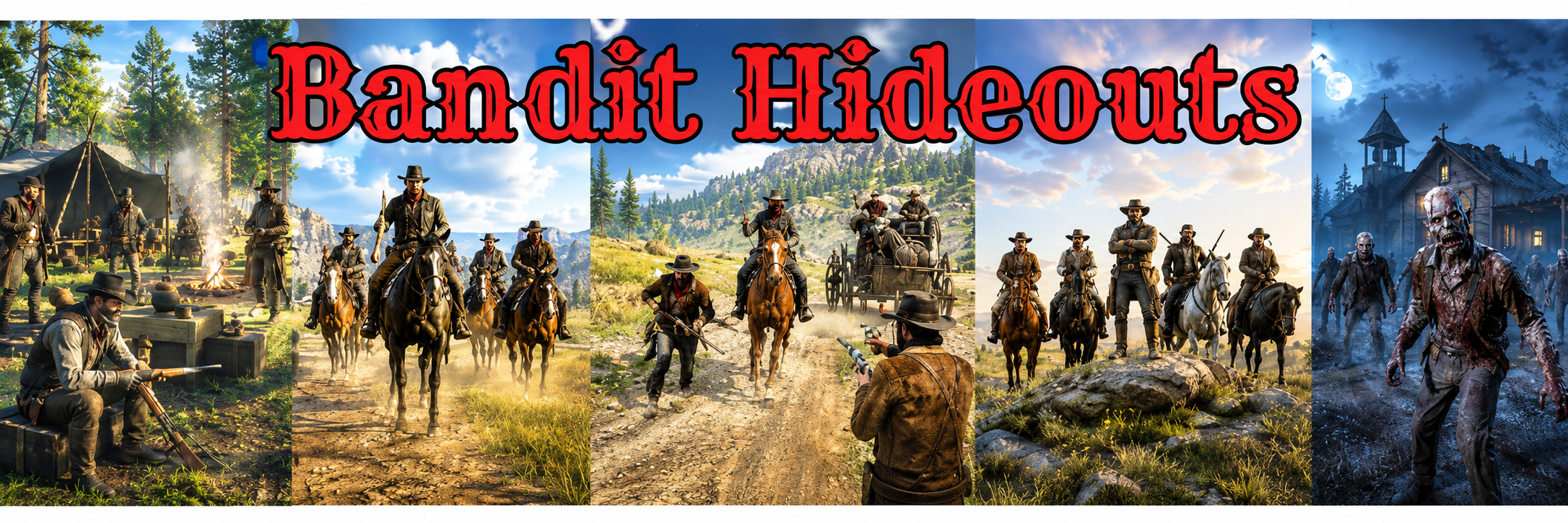
Bandit Hideouts The mod adds 143 new bandit hideouts, 50 ambush points, a bandit posse on horseback that will chase and hunt you,random roaming bandits on foot, horse, or wagon. Hire up to 9 gunmen at saloons, and fight against zombies. Players can customize all features through various settings with the included Bandit Hideouts.ini file. RDR2 Nexus Bandit Hideouts Mod page: https://www.nexusmods.com/reddeadredemption2/mods/2213 RDR2Mods.com Bandit Hideouts Mod Page: https://www.rdr2mods.com/downloads/rdr2/other/358-bandit-hideouts/ Downloads: - High resolution hideout/ambush point Map Legend? LINK - Unload and Load all your mods while ingame: LINK Questions & Answer Articles - Ambush & Hideout ini Questions: LINK - AMJM Transport Mod Questions: LINK - Bandits Interfering with the Story Questions: LINK - General, Installation and ini Questions: LINK - Hired Gunmen Questions: LINK - Problems, and Bugs with the mod? Solutions: LINK - Zombie Questions and Answers: LINK Misc Articles - About the Bandit Hideouts Mod: LINK - Hideout and Ambush default bandit position amounts Reference: LINK - Hideouts and Ambush Points Totals List: LINK - Hideouts in Mexico? See the Bandit Hideouts Mexico Expansion - How to use the CLEAR_HIDEOUTS_PERMANENTLY setting: LINK - How to use the Spawn Amount setting: LINK - How to change the gang that will spawn at individual hideouts & ambush points: LINK - How Hideout and Reinforcement ini settings work: LINK - How Stealth mode works - Guide: LINK - Mods Compatible and Not Compatible with Bandit Hideouts: LINK YouTube - Official Youtube Channel for the Bandit Hideouts Mod Bandit Hideouts Mod
-
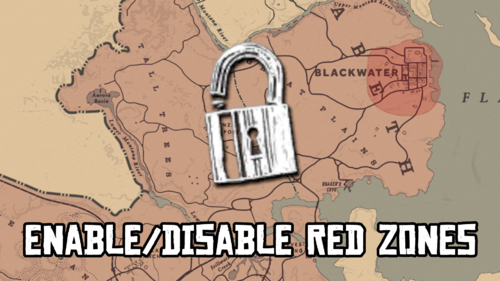 Yes i use it all the time when i play, i've gone everywhere on the map using it, it basically makes you not wanted like if you go to Blackwater area its like entering an area your not wanted, so you can turn everything off. I'm only in chapter 3 ... for the past 2yrs 😄 but i been to the south beyond Blackwater and back, and everywhere else, it dont effect the story, the missions all work regardless.
 -
Bandit Hideouts
-
-
Description Bandit Hideouts is a standalone RDR2 mod created by crossed99 and Gunter Severloh that brings a full bandit world to life across the entire map hideouts, ambushes, roaming gangs, hired guns, posses, and more! Originally created from the bandit features of the AMJM Transport mod, Bandit Hideouts has since grown into its own independent project. As of version 1.43 it is fully standalone, all code, scripts, and features are original and self contained. So you understand what this mod does, it adds 143 bandit hideouts & 50 ambush points all over the map, thats everywhere and anywhere except towns (settlements). That means there are some hideouts that will spawn at story, and mission locations. There are also ambush points that will spawn bandits that may interfere with story missions, or while riding to them. There are also other bandit features like the bandit posse on horseback that will spawn and attack the player anywhere, anytime. That means they may come when your in the middle of a story mission, or traveling with another character from the story during a mission. If you do play the story and dont like the idea of hideouts, and bandits interfering during the story and missions. There is a Bandit_Hideouts.ini file included in the download, it is a configuration file that will allow you to configure every feature in the mod, this includes being able to disable the mod while ingame, or disabling certain features, hideouts, and ambush points that could interfere with the story. As said everything in the mod is configurable, it can be enabled, disabled, or adjusted if it uses numbers. Any questions or problems? Review the articles tab or ask on the posts tab! Features Bandit Hideouts Story and Mod Control Enable or disable the entire mod with a hotkey while in game Automatically disable the mod during active story missions so it never interferes with your play-through Disable every hideout that spawns at story locations, or every hideout that spawns where random encounters can happens, with a single setting Hideout Behavior Over 140+ custom built bandit hideouts are a permanent part of the world and will spawn when you get near their locations Camp props such as lanterns, boxes, tents, wagons, and campfires spawn at hideouts giving each camp a lived in feel The number of hideout props can be scaled based on the number of bandits spawned Choose how bandits at camps behave: Assault mode, where the whole camp once you enter, or Stealth mode take down individual bandits with melee stealth kills, and executions Control how many bandits spawn at each hideout with minimum and maximum numbers Set a custom spawn amount for any individual hideout, overriding the global settings Control the percentage chance a hideout will spawn when you are nearby Assault Mode The whole camp engages at once as you approach, no sneaking, no talking, just a fight Set how close you get before they come for you, or leave it scaled to each hideout's own size Reinforcements arrive once you have killed a few of them, coming from more than one direction Shoot at a camp from any distance and it wakes up immediately Read the full article on how Stealth mode works: LINK Stealth Mode Getting spotted Bandits notice you as individuals, one man spotting you does not alert the whole camp he reacts, and the rest carry on until they see/hear something for themselves How easily you are seen depends on how you carry yourself. Crouching, using solid cover, standing still and staying out of firelight all make you harder to spot, almost invisible, bandits see less at night though moonlight, lanterns and campfires help Being spotted is not instant. A bandit has to register you before he reacts, quickly if you are close and he is looking right at you, slowly at the edge of his vision Sprinting and shooting create sound, creeping does not. A bandit who hears something comes to look at where the sound came from he knows something is there, not who, and not exactly where Explosions carry further than gunfire and bring men to the blast and searching Being warned off Bandits warn you off before they start shooting. Walk into a camp and whoever spots you will call out and tell you to move on. Ignore him and he gets more direct. Ignore that and they will engage you Walking away works, but they remember, come back and the conversation is much shorter Turn up with a gun in your hand and you skip the polite part. Point the gun at a man and the talking is over Or just pay toll. An option comes up to buy your way past, priced on how many bandits are in the camp Get caught crouched or sneaking inside a camp and there's no warning at all you're hunted, and no toll is offered. Kills, bodies and witnesses A silent weapon makes no sound, but a dying man does. Kill someone quietly and if the bandits close by hear him go down they will come to look and know something happened, not where you are Bodies left lying around get found, and the man who finds one goes and investigates it himself with his gun out Whoever finds a body calls it out, and the men within earshot go on alert Hide a body by standing over it and holding the prompt sinks it out of sight, and anything he dropped goes with it Quiet weapons are silent, but the man they kill isn't. Bandits within 20m hear him go down and come to look, without learning where you are A gunshot inside 30m tells a bandit where it came from and he comes straight for you. Further out he only gets a direction to search Bandits hear their own side's gunfire, a fight on one side of the camp pulls in men from the other side Once the shooting starts, nobody stops to investigate at the dead, they deal with you first The men nearest a noise is the one who will respond Distractions Throwing knife distraction, throw it and the bandits nearest to where it lands go and look, pulling them off a position Whistle distraction, draws men to your position Both distractions work on a man out searching for you who has lost line of sight of where you are Four on screen meters show how close you are to being noticed, how much noise you are making, and when your tools are ready. Each can be set to always show, only appear when it matters, or turned off entirely for a minimal HUD Being Hunted A bandit who turns on you commits to the fight he doesn't lose interest the moment you step out of view A man who can see you can call out your position to his friends nearby, break his line of sight and he has nothing left to tell them When a hunt ends they go back to camp, but they stay on edge for a while, walking straight back in is a mistake Guard dogs Some camps have a bandit patrolling the perimeter with a dog beside him. The dog sees and hears further than he does, barks when it notices something, and the pair investigate together A different dog breed each time a hideout spawns Clearing Hideouts After clearing a hideout bandits will eventually return after a cool-down of a set number of ingame hours Enable permanent clear mode so cleared hideouts stay gone forever and are saved between game sessions Earn a random cash reward when a hideout is fully cleared, with a configurable minimum and maximum payout You can set to instantly earn a cash reward, or collect it at a post office or train station and go withdraw it A screen notification confirms when a hideout has been fully cleared Clear a camp in stealth mode without ever being seen or heard and a banner will state "You cleared the hideout with stealth!" Reinforcements Control the percentage chance that reinforcements will show up when a hideout is under attack Reinforcements on foot can arrive to back up the bandits at any hideout Reinforcements on horseback can ride in to join the fight Set the minimum and maximum number of reinforcements that can arrive for each type or dont have any Reinforcements arrive in Assault mode after a few bandits killed, and come at you from more than one direction Gang Spawn Every hideout has a gang that spawns based on the region its in by default Choose from 24 different gang types that will spawn at any individual hideout no matter the hideout or location The following gangs can be set to spawn at any hideout you want, other wise it will spawn with its default gang: - Bandits - Murfree Brood - Lemoyne Raiders - O'Driscoll Boys - Skinner Brothers - Del Lobo gang - Nightfolk - Cuban Army - Ku Klux Klan - Wapiti Warriors - United States Army - Laramie gang - Micah's gang - Angelo Bronte's Mob - Cornwall Goons - Braithwaites - Gray Family - Foreman Brothers - Bounty Hunters - Pinkertons National Detective Agency - Chelonians - Vampires - James Langton Boys - Zombies Enable custom gangs in regions to change which gang controls which territory across the entire map, with 16 individual regions configurable Regions include: Great Plains, Roanoke Ridge, Grizzlies East and West, Cumberland Forest, Scarlett Meadows, Bayou Nwa, Bluewater Marsh, Heartlands, Big Valley, Tall Trees, Hennigans Stead, Cholla Springs, Rio Bravo, Gaptooth Ridge, and Guarma Individual Hideout Control Enable or disable any individual hideout through the included Bandit_Hideouts.ini All 143 hideouts are listed by region and ordered to match the downloadable map Regions covered: Ambarino, New Hanover, West Elizabeth, Lemoyne, New Austin, and Guarma - (Mexico in the near future!) Custom Spawn Control Set a specific fixed bandit count for any individual hideout or ambush point, overriding the global min and max settings Every hideout and ambush point is listed individually for precise control Map Icons and Notifications Every hideout is marked on the map with a skull icon this can be disabled through the Bandit_Hideouts.ini Disabled hideouts display a locked house icon on the map so their status is always visible Choose from four different icon styles for the hideout map blip A proximity icon appears in the bottom left corner of the screen when you are near a hideout or ambush point The position of the on-screen proximity icon can be moved anywhere on the screen A text notification appears when a hideout spawns nearby A cleared notification appears on screen when a hideout has been fully cleared Ambush Points Ambush Behavior 50 ambush points are placed at roads, trails, and passes across every region of the map Bandits will spring the ambush the moment you ride or walk through their location Control the percentage chance an ambush point will trigger when you pass through it Control how many bandits appear at each ambush with a minimum and maximum number All ambush points can be disabled at once or individually one by one Reinforcements Additional bandits on foot can arrive as backup at ambush points Additional bandits on horseback can also ride in to reinforce the ambush point Set the minimum and maximum number of reinforcements for each type Individual Ambush Control Enable or disable any individual ambush point in the Bandit_Hideouts.ini Assign a different gang type to any individual ambush point using the gang type reference All 50 ambush points are listed by region: Ambarino, New Hanover, West Elizabeth, Lemoyne, and New Austin Bandit Posse on Horseback A mounted posse of bandits will ride out and attack you anywhere on the map at any time, day or night Control how much time passes between each posse attack using minimum and maximum in-game hour settings Set how many riders are in the attacking posse with a minimum and maximum numbers The posse can be disabled entirely if preferred Control whether the posse spawns in or near towns or completely avoid towns if you enter one The bandit posse will not enter or follow you into player camps Random Roaming Bandits Small groups of bandits roam the world on foot, horseback, or by wagon, or a combination of all three Roaming bandits can attack you on sight, or you set them to simply ignore you as they pass Control how often a new group of roaming bandits appears in the world Groups range from individuals to larger parties and may include a mounted wagon escort Set how many will spawn with a min and max numbers for groups Control whether the roaming bandits spawns in or near towns or completely avoid towns if you enter one Roaming bandits give up and go back to wandering if you break away and stay out of sight, rather than hunting you across the map Set how close they have to be before they come after you Hired Guns Hiring and Combat Hire up to 9 gunmen at bars and saloons across the map Hire from eight presets - Cowhand, Gunslinger, Bounty Hunter, Mountain Man, Skirmisher, Shotgunner, Rifleman and Bow Hunter - each with its own weapons and fighting style Hire a custom, random, or preset type of gunman Hire at more locations, including Manzanita Post and the Emerald Ranch fence Every hiring location is marked on your map with a bullet icon Set the cost to hire a gunman to any amount you choose in the ini Hired guns have increased health making them tougher than standard NPCs Set how much health your hired gun's horse has so it does not go down easily in a fight Disable instant death from headshots to make your hired guns even more durable Revive a downed hired gun by standing next to them Hired guns will flee combat while inside a town by default, or set them to stay and fight Hired guns can drive wagons, or ride shotgun for you Keep your hired guns with you during story missions instead of losing them when one starts Commands and Control Give individual commands to each hired gun using numbered hotkeys 1 through 9 Issue a universal stay or follow command to all hired guns at once with a single hotkey Arthur or John will speak the command out loud when giving orders to hired guns Hired guns can ride in a wagon or carriage and be directed to speed up or slow down Hired guns will find a horse to ride or can be set to spawn their own horse Menu and Language Navigate the hired gun command menu using fully configurable keyboard keys Language translation support for non-English players using a dat language file Zombies Zombie World Enable zombies to replace bandits across the entire world Zombies spawn in groups and wander the world, with spawn frequency and group size fully configurable Set separate maximum zombie populations for daytime and nighttime Nighttime brings significantly more zombies to the world Control how quickly new groups of zombies appear after others are cleared Zombie Behavior Zombies can detect the player from a very long distance during the day Zombies can detect the player from a very long distance during the night Optionally prevent zombies from sensing you while you are indoors, allowing you to take shelter in buildings Optionally stop zombies from entering or attacking inside town perimeters Set zombies to only target the player and leave all other NPCs alone Zombie Lairs Enable zombie lairs to replace bandit hideouts across the map with zombie infested camps Assign zombies to any individual hideout without enabling global zombie lairs Control whether hideout props such as tents and wagons spawn at zombie gang hideouts Zombie Combat and Health Set the health of zombies to make them take more or fewer shots to kill Enable zombies to burst into flames upon death for a dramatic effect Mod Customization All of the features in the mod can be customized by editing the Bandit Hideouts.ini file. Each setting in the ini has a description on what it does and how to enable/disable or adjust it. Open the ini file with notepad to edit it, also run it as administrator if you are being denied access, be sure to save your changes before you start the game, mid game changes wont be accepted until you restart the game. Installation Move the following files: Bandit_Hideouts.asi Bandit_Hideouts.ini Bandit_Hideouts_CustomPeds.txt to your RDR2 directory which can be found here: C:\SteamLibrary\steamapps\common\Red Dead Redemption 2 Requirements AB Scripthook by Alexander Blade is required to run the mod. https://www.dev-c.com/rdr2/scripthookrdr2/ If AB Scripthook gives you issues then use: ScriptHookRDR2 V2 https://www.nexusmods.com/reddeadredemption2/mods/1472 Credits Crossed99 for his help and support, and patience in helping me create and update this version of his great mod! LittleBigSmoak & Moth-man for their help in creating the Bandit Hideouts high resolution downloadable map showing all the locations of the hideouts, and ambush points and sorting them based on color and gang. Bandit Hideouts Youtube Channel Bandit Hideouts Mod Check out the Bandit Hideouts Youtube Channel for gameplay, guides and how to videos on the mod.
-
 If you guys love crossed99 mod here, he has another mod on the nexus called Survival Mechanics https://www.nexusmods.com/reddeadredemption2/mods/1261?tab=description
- 113 comments
- 3 reviews
-
-

- 1
-
-
 Very late reply but if anyone else is asking the same question then there is a mod for it on the Nexus here: No AUTO Horse Holstering https://www.nexusmods.com/reddeadredemption2/mods/1954
 -
Thanks for your reply WesternGamer, but i got everything working. Im running latest version of the game, latest scripthook, and latest LML, and running over 30 mods with reshade and everything starts and runs fine, so no issues now anymore!
-
Looks like im back to square one with this, with the latest version of the game which im now running, i tried running my version the 1436.28 which i was running fine with 30+ mods but the game will launch get past the shotgun intro, and then gives error 16 launcher. Now if i run the game without scripthook, vfs.asi, and dinput8.dll the game loads up fine, and i even have all my saves and profile and everything. A few weeks ago April 4th my computer wouldn't boot, so i had to reinstall windows 10 on a new SSD, thing is i had to reinstall the game, i restored my previous game files, but then i go to launch the game and i get the error 16 and it wont go to the main menu. I tried everything, to fix the launcher, so now that its "fixed" i got to resort to testing one mod at a time to see what will actually work, and i do have the latest scripthook so i hope that makes a difference. Anyone with any suggestions on lml, should i use the latest version? or stick with lml 9 as i was using before?
-
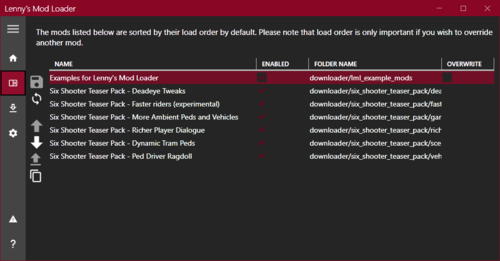 No never, the mod loader itself could be the problem, try without it and just install mods requiring lml into the lml folder, and go with that, it should work.
- 785 comments
- 9 reviews
-
Here's how to fix crashing on the build 1491.17 Download ScriptHookRDR2 V2 https://www.nexusmods.com/reddeadredemption2/mods/1472 and replace ScriptHookRDR2.dll in the game directory. List of updated files These mostly address security issues. Steam\steamapps\common\Red Dead Redemption 2\Redistributables Rockstar-Games-Launcher.exe Social-Club-Setup.exe Steam\steamapps\common\Red Dead Redemption 2 installscript.vdf appdata0_update.rpf RDR2.exe shaders_x64.rpf update_1.rpf update_2.rpf update_3.rpf update_4.rpf =========== Or you can always revert your game to a previous version, see my post here: https://www.rdr2mods.com/forums/topic/1309-unofficial-troubleshooting-guide-for-non-working-mods/page/5/#comment-5806 Other info https://www.rdr2mods.com/forums/topic/1309-unofficial-troubleshooting-guide-for-non-working-mods/?do=findComment&comment=6161
-
Seeing that there is a new update to the game, and nothing but the Online part being updated, this is sad news for those like myself whom play Singleplayer (Story mode) with mods. I have a solution for you: This is for those whom play in Singleplayer (Story mode) with mods. This will work i just did this and all my mods i use (about 38) plus reshade work np. IF YOU HAVEN'T UPDATED 1. If you haven't updated yet then this should work for you. Locate the following files here: C:\SteamLibrary\steamapps\common\Red Dead Redemption 2 appdata0_update.rpf PlayRDR2.exe RDR2.exe shaders_x64.rpf update_1.rpf update_2.rpf update_3.rpf update_4.rpf BACKUP 2. Back these files up, basically make a copy of them, then apply the update, once the update is complete, try to restart RDR2 if it dont start with your mods loaded, or acts like its starting but doesn't or your mods aren't working, then go back to the directory, and delete those files listed above, then replace them with your backup! IF YOU UPDATED If you have updated the game already prior to my post here, and have not backed up the files listed above in #1 then do this, revert your game: Revert your game to a previous version If you have updated and the game crashes or the mods dont work then follow my tutorial and revert your game seen here https://www.rdr2mods.com/forums/topic/1309-unofficial-troubleshooting-guide-for-non-working-mods/page/5/#comment-5806 Once you have reverted your game and its working with mods, then back up those files in step 1, then any time theres an update to the game, you can just replace the new updated files with your backed up files. ============ Another option is to remove scripthook and use the alternative scripthook.