Skip to content
View in the app

A better way to browse. Learn more.

RDR2Mods.com

A full-screen app on your home screen with push notifications, badges and more.

To install this app on iOS and iPadOS
  1. Tap the Share icon in Safari
  2. Scroll the menu and tap Add to Home Screen.
  3. Tap Add in the top-right corner.
To install this app on Android
  1. Tap the 3-dot menu (⋮) in the top-right corner of the browser.
  2. Tap Add to Home screen or Install app.
  3. Confirm by tapping Install.
403 files
  1. small visual changes
    • 1,978 Downloads
    • 28032 Views
    • 41.47 kB File Size
    Updated
    • 5,500 Downloads
    • 45767 Views
    • 104.66 kB File Size
    Updated
    • 3,122 Downloads
    • 39504 Views
    • 60.88 kB File Size
    Updated
  2. A callout pack with in depth & longer callouts
    • 3,306 Downloads
    • 35060 Views
    • 112.25 kB File Size
    • 3 Comments
    Updated
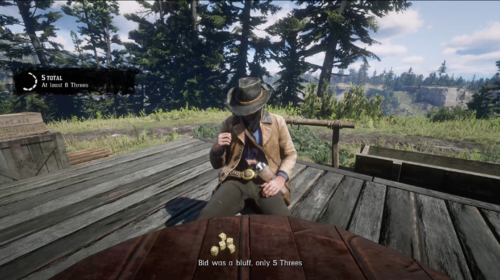
  3. Liar's dice in Red Dead Redemption 2
    • 659 Downloads
    • 12421 Views
    • 805 kB File Size
    Updated
    • 1,178 Downloads
    • 10733 Views
    • 2.93 GB File Size
    Updated
  4. reduces taa intensity
    • 1,304 Downloads
    • 20685 Views
    • 59.26 kB File Size
    Updated
  5. Randomizes Ped Guns and Ammo types! Forget realism for a moment and have fun!
    • 793 Downloads
    • 13344 Views
    • 123.82 kB File Size
    Updated
    • 2,742 Downloads
    • 26496 Views
    • 9.62 MB File Size
    • 1 Comments
    Updated
    • 264 Downloads
    • 8754 Views
    • 4 kB File Size
    Updated
  6. Gang outposts
    • 891 Downloads
    • 12138 Views
    • 7.54 kB File Size
    Updated
    • 12,082 Downloads
    • 80766 Views
    • 444.2 kB File Size
    Updated
    • 10,020 Downloads
    • 105004 Views
    • 45.72 MB File Size
    • 32 Comments
    Updated
    • 2,865 Downloads
    • 35086 Views
    • 113.93 kB File Size
    Updated
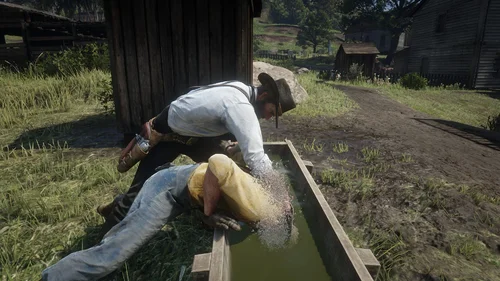
  7. euphoria ragdoll realistic live leak
    • 23,892 Downloads
    • 128121 Views
    • 81.67 kB File Size
    • 2 Comments
    Updated
    • 7,967 Downloads
    • 42747 Views
    • 37.31 MB File Size
    • 3 Comments
    Updated

Account

Navigation

Search

Search

Configure browser push notifications

Chrome (Android)
  1. Tap the lock icon next to the address bar.
  2. Tap Permissions → Notifications.
  3. Adjust your preference.
Chrome (Desktop)
  1. Click the padlock icon in the address bar.
  2. Select Site settings.
  3. Find Notifications and adjust your preference.