Skip to content
View in the app

A better way to browse. Learn more.

RDR2Mods.com

A full-screen app on your home screen with push notifications, badges and more.

To install this app on iOS and iPadOS
  1. Tap the Share icon in Safari
  2. Scroll the menu and tap Add to Home Screen.
  3. Tap Add in the top-right corner.
To install this app on Android
  1. Tap the 3-dot menu (⋮) in the top-right corner of the browser.
  2. Tap Add to Home screen or Install app.
  3. Confirm by tapping Install.
410 files
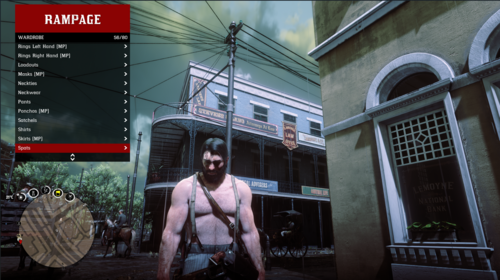
  1. YMT Editing simple trainer
    • 2,255 Downloads
    • 19193 Views
    • 255.2 kB File Size
    CID9 in Tools
    Updated
    • 685 Downloads
    • 8410 Views
    • 37.68 MB File Size
    Updated
    • 7,015 Downloads
    • 58039 Views
    • 132.77 kB File Size
    • 3 Comments
    Updated
    • 60,389 Downloads
    • 328079 Views
    • 9.19 MB File Size
    • 6 Comments
    Updated
    • 4,594 Downloads
    • 26955 Views
    • 207.45 kB File Size
    • 1 Comments
    Updated
    • 599 Downloads
    • 17079 Views
    • 11.78 MB File Size
    Updated
    • 2,579 Downloads
    • 16485 Views
    • 34.94 MB File Size
    • 1 Comments
    Updated
    • 1,683 Downloads
    • 152815 Views
    • 2.65 MB File Size
    Updated
    • 2,949 Downloads
    • 20431 Views
    • 10.67 kB File Size
    • 1 Comments
    Updated
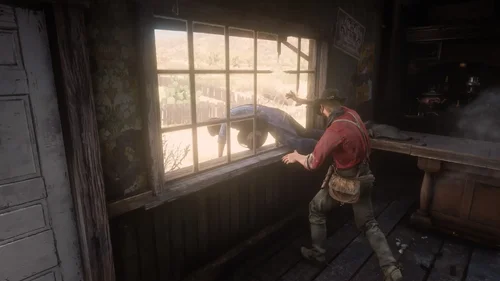
  2. Have you been in a gunfight in RDRFR, and frantically searched for the N button on your keyboard for
    • 829 Downloads
    • 20261 Views
    • 37.11 MB File Size
    Updated
    • 698 Downloads
    • 16198 Views
    • 36.74 kB File Size
    Updated
    • 13,901 Downloads
    • 65108 Views
    • 198.52 kB File Size
    Updated
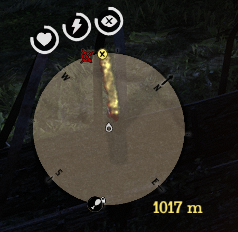
  3. This mod shows distance between waypoint and player.
    • 2,267 Downloads
    • 13211 Views
    • 62.48 kB File Size
    • 1 Comments
    Updated
    • 1,412 Downloads
    • 19329 Views
    • 43.27 MB File Size
    Updated
    • 6,202 Downloads
    • 27532 Views
    • 1.02 MB File Size
    Updated
    • 117,035 Downloads
    • 496854 Views
    • 14.24 MB File Size
    • 194 Comments
    Updated

Account

Navigation

Search

Search

Configure browser push notifications

Chrome (Android)
  1. Tap the lock icon next to the address bar.
  2. Tap Permissions → Notifications.
  3. Adjust your preference.
Chrome (Desktop)
  1. Click the padlock icon in the address bar.
  2. Select Site settings.
  3. Find Notifications and adjust your preference.