
Skip to content
View in the app

A better way to browse. Learn more.

RDR2Mods.com

A full-screen app on your home screen with push notifications, badges and more.

To install this app on iOS and iPadOS
  1. Tap the Share icon in Safari
  2. Scroll the menu and tap Add to Home Screen.
  3. Tap Add in the top-right corner.
To install this app on Android
  1. Tap the 3-dot menu (⋮) in the top-right corner of the browser.
  2. Tap Add to Home screen or Install app.
  3. Confirm by tapping Install.
400 files
    • 3,161 Downloads
    • 14871 Views
    • 1.02 MB File Size
    Updated
    • 108,225 Downloads
    • 461941 Views
    • 14.24 MB File Size
    • 194 Comments
    Updated
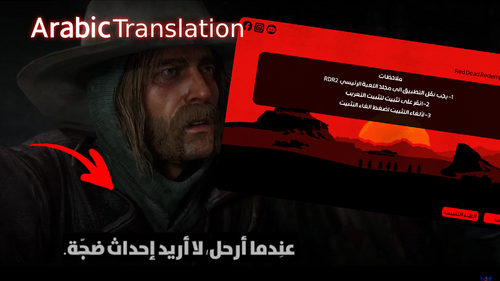
  1. Arabic Translation
    • 21,153 Downloads
    • 75962 Views
    • 6.89 MB File Size
    • 1 Comments
    Updated
  2. Adds 143 bandit hideouts, 50 ambush locations, bandits posse will hunt the player on horseback.
    • 60,450 Downloads
    • 369080 Views
    • 28.7 MB File Size
    • 34 Comments
    Updated
    • 3,662 Downloads
    • 17814 Views
    • 159.62 kB File Size
    Updated
  3. Go on patrol anywhere, and everywhere!
    • 1,865 Downloads
    • 28141 Views
    • 22.23 kB File Size
    Updated
  4. First/Third person cutscenes + cinematic freecam!
    • 1,868 Downloads
    • 41435 Views
    • 143.31 kB File Size
    • 2 Comments
    Updated
    • 155 Downloads
    • 5473 Views
    • 860 B File Size
    Updated
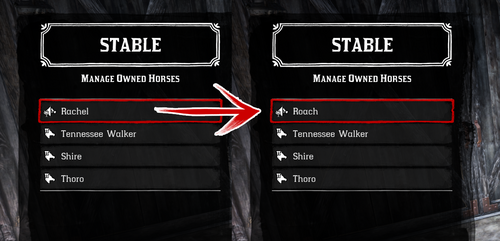
  5. Every horse available fresh out of Chapter 2!
    • 11,466 Downloads
    • 87456 Views
    • 23 MB File Size
    • 17 Comments
    Updated
  6. A mod for Red Dead Redemption 2 that adds a permanent bonfire to every location an NPC dies.
    • 99 Downloads
    • 11398 Views
    • 5.13 MB File Size
    • 1 Comments
    Updated
  7. Hardcore difficulty from RDR1
    • 2,741 Downloads
    • 67959 Views
    • 1.83 MB File Size
    • 10 Comments
    Updated
  8. Quickly detect and resolve file conflicts between your LML mods for Red Dead Redemption 2.
    • 4,787 Downloads
    • 48440 Views
    • 91.61 MB File Size
    Updated
    • 5,855 Downloads
    • 42634 Views
    • 96.67 MB File Size
    • 1 Comments
    Updated
  9. small visual changes
    • 1,897 Downloads
    • 26787 Views
    • 41.47 kB File Size
    Updated
    • 5,201 Downloads
    • 43066 Views
    • 104.66 kB File Size
    Updated
    • 2,925 Downloads
    • 37162 Views
    • 60.88 kB File Size
    Updated

Account

Navigation

Search

Search

Configure browser push notifications

Chrome (Android)
  1. Tap the lock icon next to the address bar.
  2. Tap Permissions → Notifications.
  3. Adjust your preference.
Chrome (Desktop)
  1. Click the padlock icon in the address bar.
  2. Select Site settings.
  3. Find Notifications and adjust your preference.