





vincemeister55
-
Joined
-
Last visited
Posts posted by vincemeister55
-
-
Edited by vincemeister55
44 minutes ago, dundarrion said:
FUnnily enough tram passengers are still spawning, so what the conclusion? That the whole thing is nonsense.You cant call it nonsense when in fact there are a lot of users who reported that its been happening in their game, too.
Saying that you havent experienced the issue, how about you provide a list of all the mods you have installed when doing your test? Perhaps somebody will try and replicate your mod setup. I for one wouldnt test it, for I already have a working setup. But maybe somebody with the issue still, will replicate.
-
All I can say is install every texture mods that you can find on Nexus. Firearm Cosmetics mod is infamously known to cause the despawning issue. Make sure to install that. Also those upscaled texture series, install all of that. To further test it, install these mods in the stream folder if it uses the File Replacement method, otherwise install as it is. Install WhyEm DLC and equip as many WhyEm DLC items as you can. Dont install Railroad Engineer mod. Play the game and find the trains manually. Dont rely on blips. Dont just do your test for 5 minutes. Make it 20mins tops. And dont stay on one place to test. Roam around so everything in the game world is loaded.
That's all really I could suggest. INSTALL EVERY TEXTURE MODS.
35 minutes ago, dundarrion said:PS: thats a huge amount of mods by the way that you are using im surprised that you are not having issues at this point 😄
Yeah, a couple of my texture mods are edited. Using the original textures causes the despawning issue. It took a lot of time in testing to finally have a working setup.
-
Edited by vincemeister55
17 minutes ago, dundarrion said:I understand where you are coming from, but let me rephrase the quesiton then. How do you actually MAKE the trains stop spawning? I have been experimenting with well over 100 mods now with WHYEM+RDO and Terrain Textrues overhaul just the ''normal'' stream setup and trams still have people, I still see roseta spoonbills, Trains are still spawning, I have been using railroad engineer to track them for now, and they are always there.
All this with full vanilla gameconfig on a save that is not even new....
So how do I definitively stop trains form spawning then? What do I need to do? Tried completing a mission with this setup, save/load manually. I want to break the spawns in the game so I can have a test ground for repair but its impossible to do now for some weird reasonDude, if that's the case then good for you. You're probably the luckiest RDR2 PC gamer out there when it comes to using mods. lol
As for your question about making trains despawn, I cannot give you a concrete answer. It just happens if you are using different combination of mods. Its already been proven. You're the first person I know who uses those mods and still has no issues. So if I were you, I wont bother trying to replicate the problem.
But if you still insists, perhaps you could download every possible texture mods available out there, then install it via the stream folder. Because as far as we know, texture mods are the main culprit on the despawning issue.
-
I finally have a working mod setup now. I am finally playing the game. Currently in Chapter 3 already.
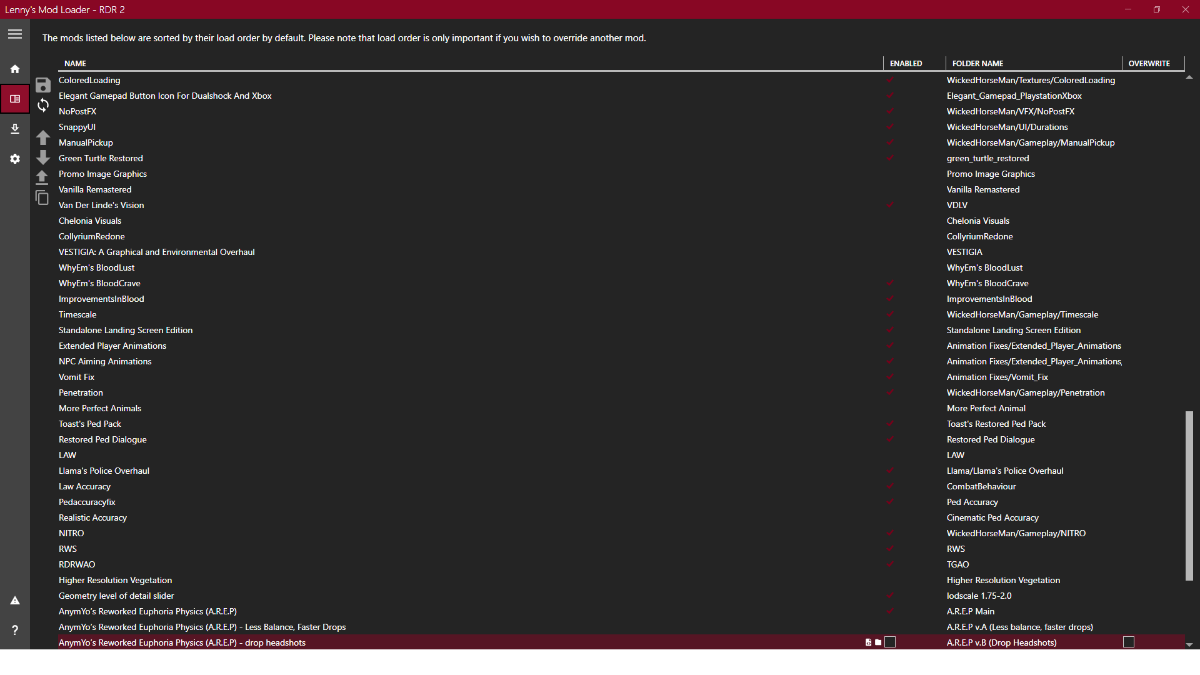
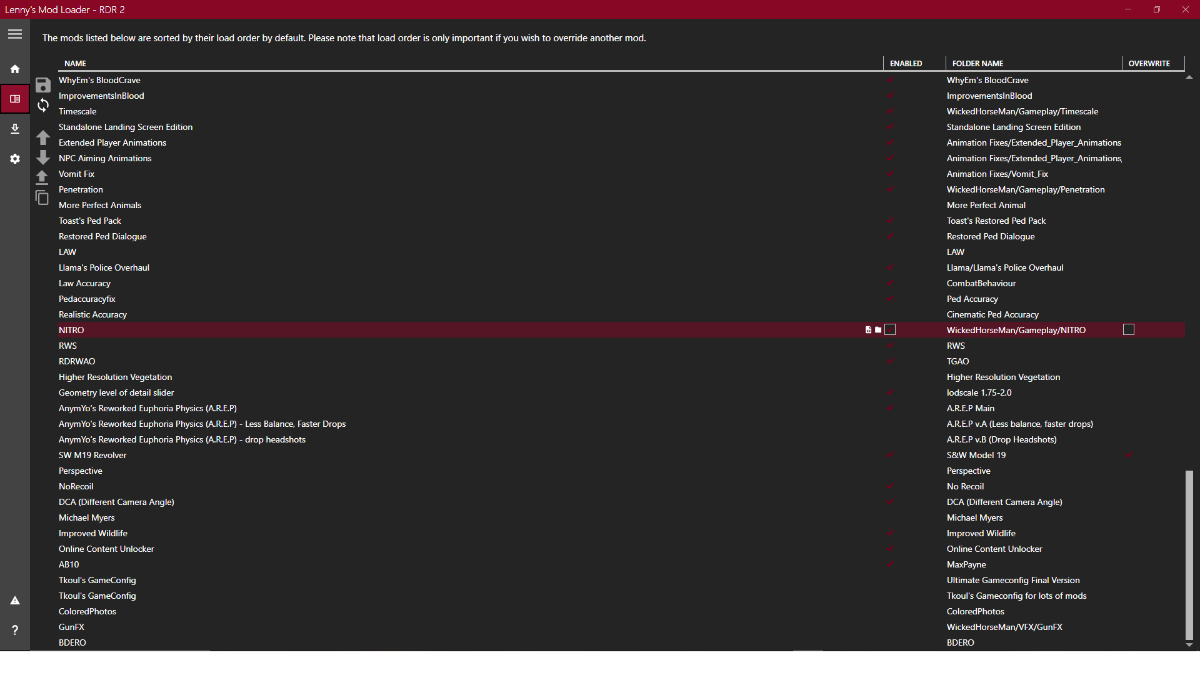
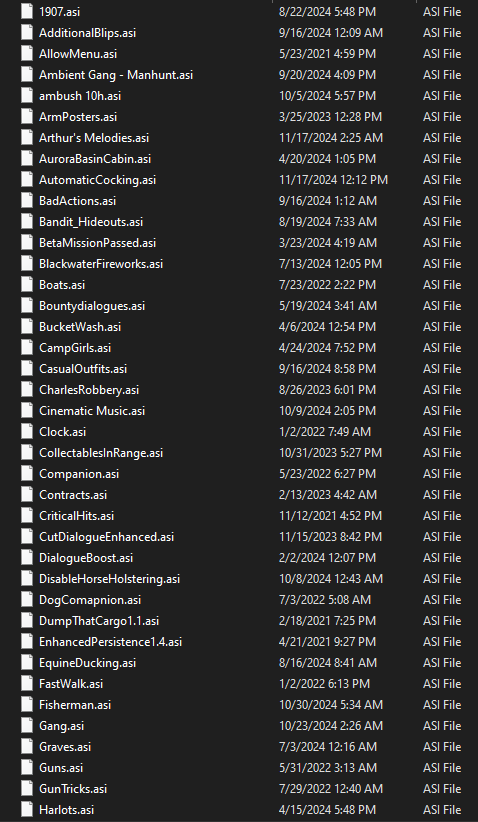
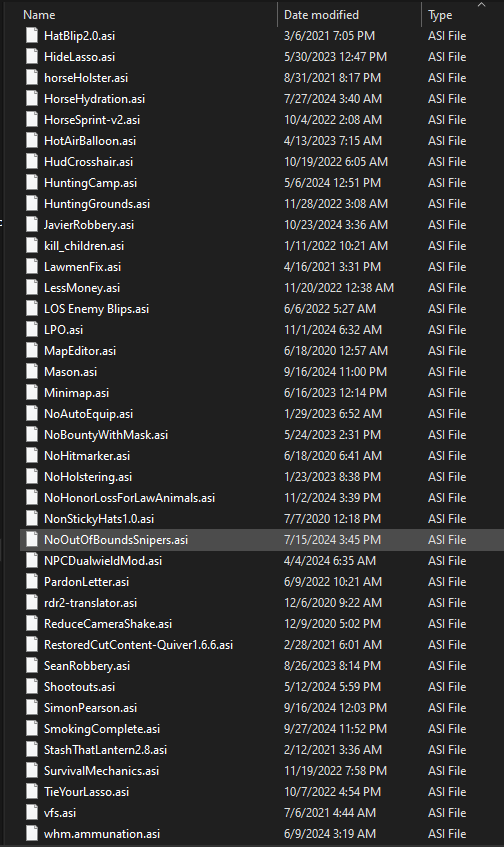
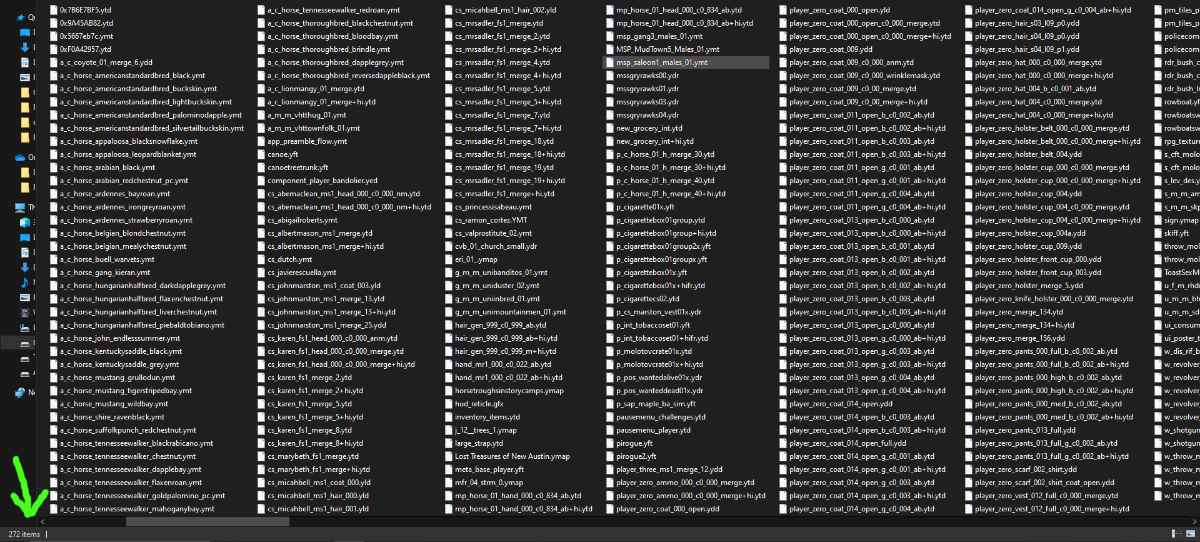
For reference, here is my complete set of mods. My LML-enabled mods, my ASI mods, and the 272 mod items in my STREAM folder.
And for additional info, I'm playing on 1080p, with a 5800X3D CPU, 6700xt GPU, and 32GB RAM. Some say you'll have more leeway on 1080p. I cannot confirm nor deny, as I only have a 1080p monitor and havent tested on 1440p or 4K. But it is fully working on my end. Hope this helps in any way, shape, or form. This is probably my last stop at trying to find a fix for the modding issues about the game. I will play and hopefully finish a playthrough for the first time.
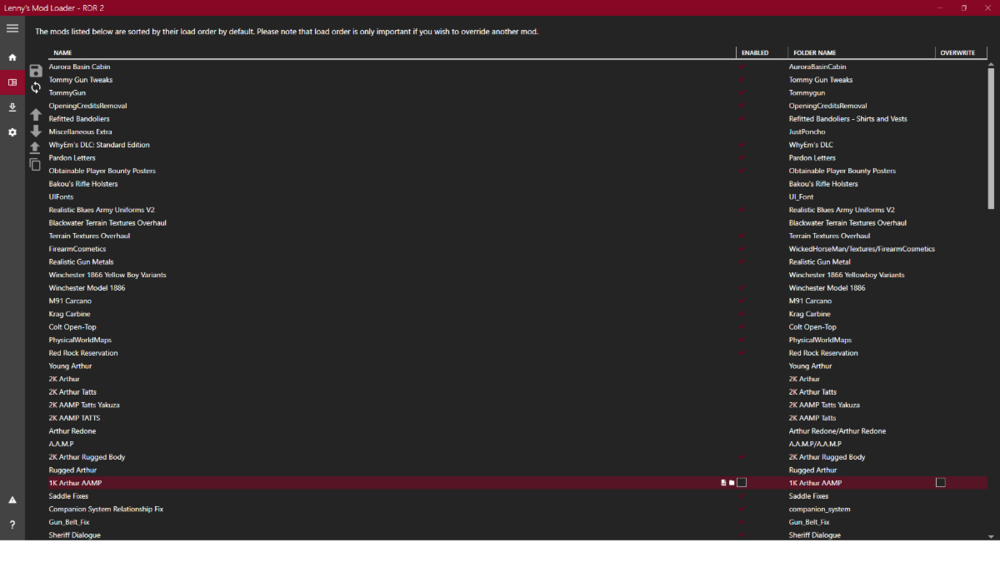
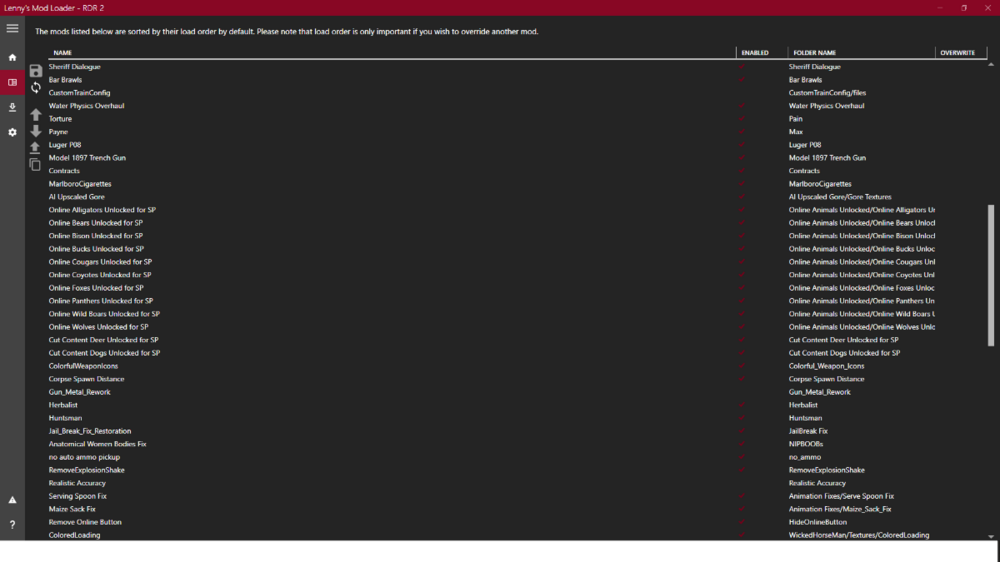
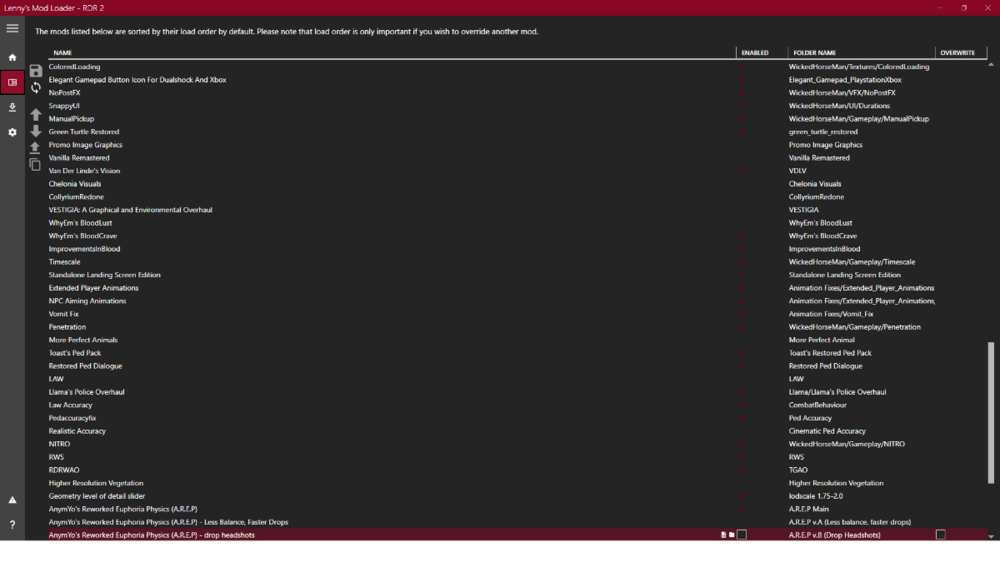
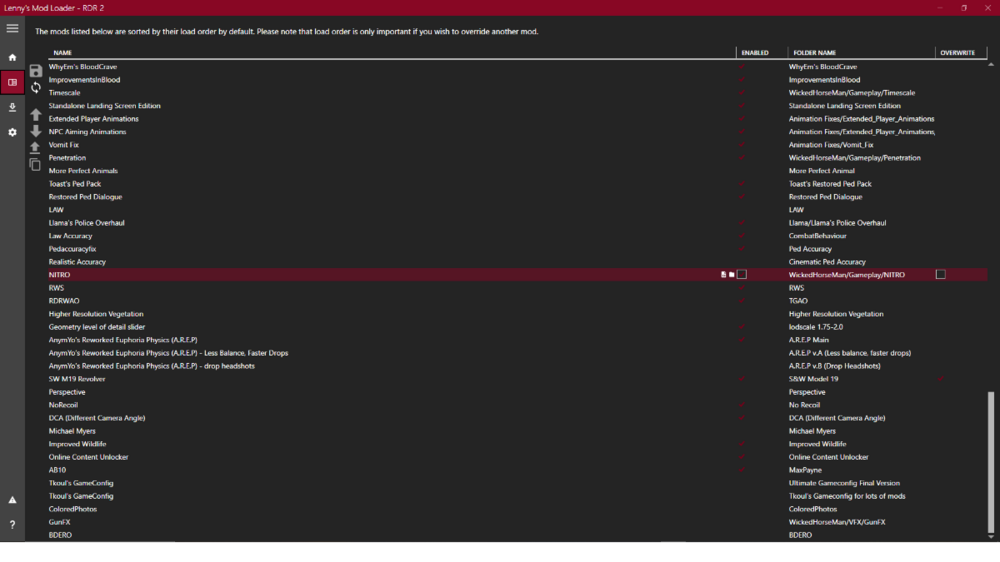
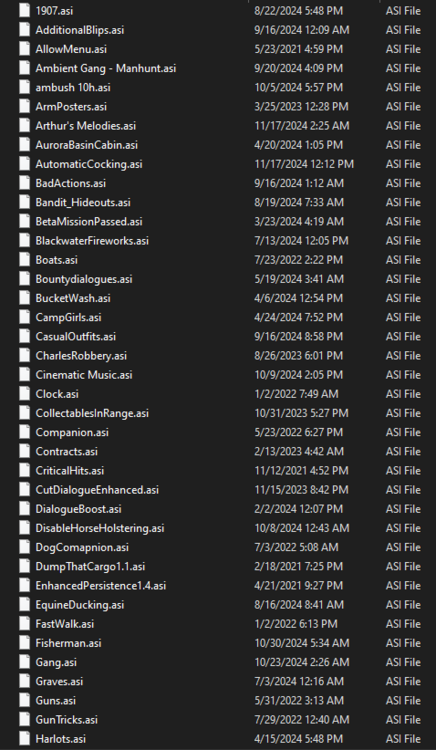
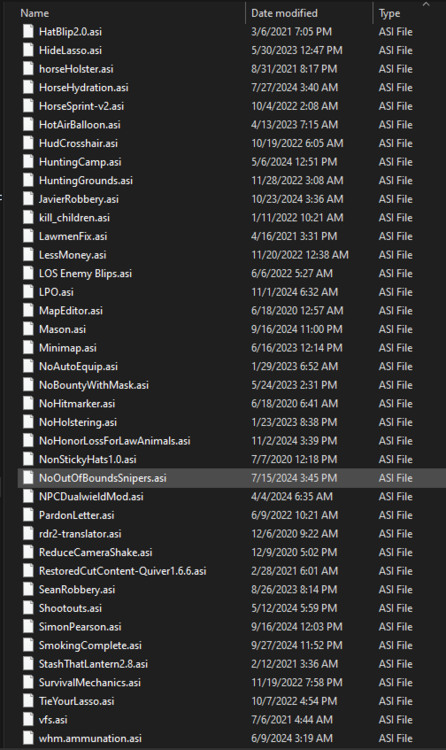

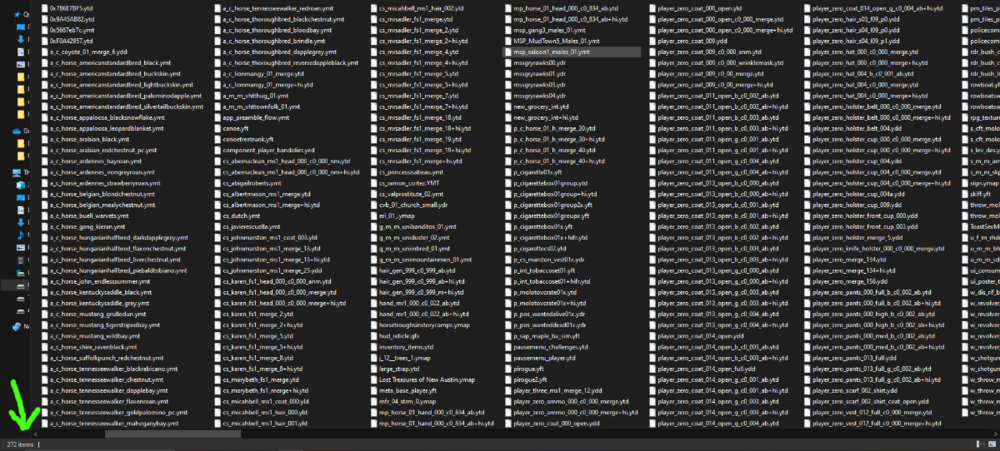
-
The best way to test spawning trains organically, at least on my side, is to travel from one place to another. When I was testing, I traveled from Valentine at 6am all the way to St.Denis. At full gallop, I usually arrive after 10 real minutes, and since Im using the Timescale mod set at 10minutes real life = 1 hr in-game, that is enough time to test the spawns. Because like Ive said in my previous posts, there are times when you thought the spawn issue is fixed after loading a save, but it turns out that after a couple of minutes the problem persists.
In my test, I usually enter St.Denis via the Lemoyne bridge, stop there, and search for the rare bird flamingo, then enter St.Denis, roam around a little to check if the trams have passengers, if there are variation of trolleys and carts. Then return back to the bridge, wait for there for like a minute or 2, then the passenger train will arrive at St. Denis, use the binoculars and spot the passengers. It works every time. At 8am in-game time.
-
Edited by vincemeister55
50 minutes ago, sleazo said:Your edited WhyEm files solve the no trains/ped spawning issue for me, which is great, but there's another problem.
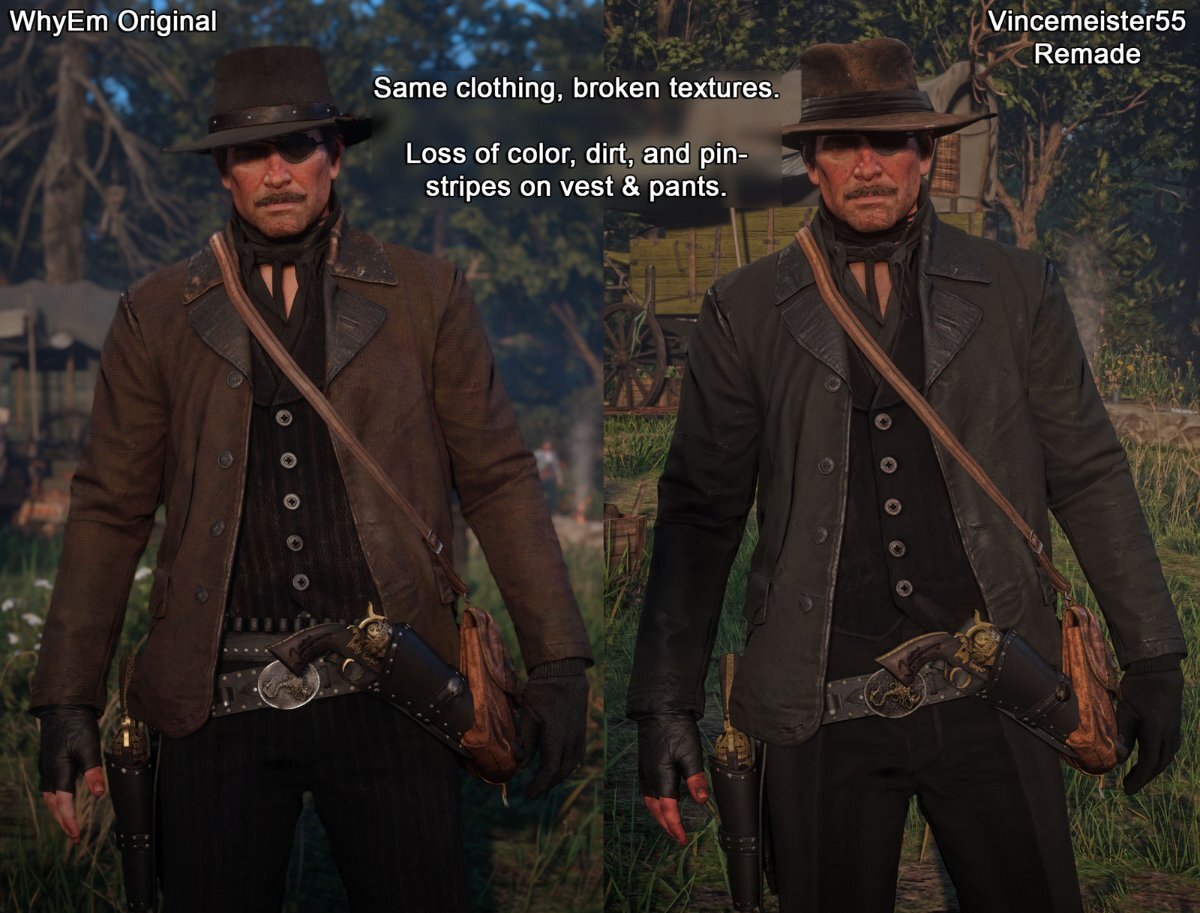
Clothing textures seem broken, with clothes having no colour or details. Everything is way darker and muted, and pinstripes are gone or so faint as to be virtually invisible. The green tinge is still present in certain lighting, too.
So unfortunately this fix isn't viable unless the textures are saved/compressed in a way that retains their original color.
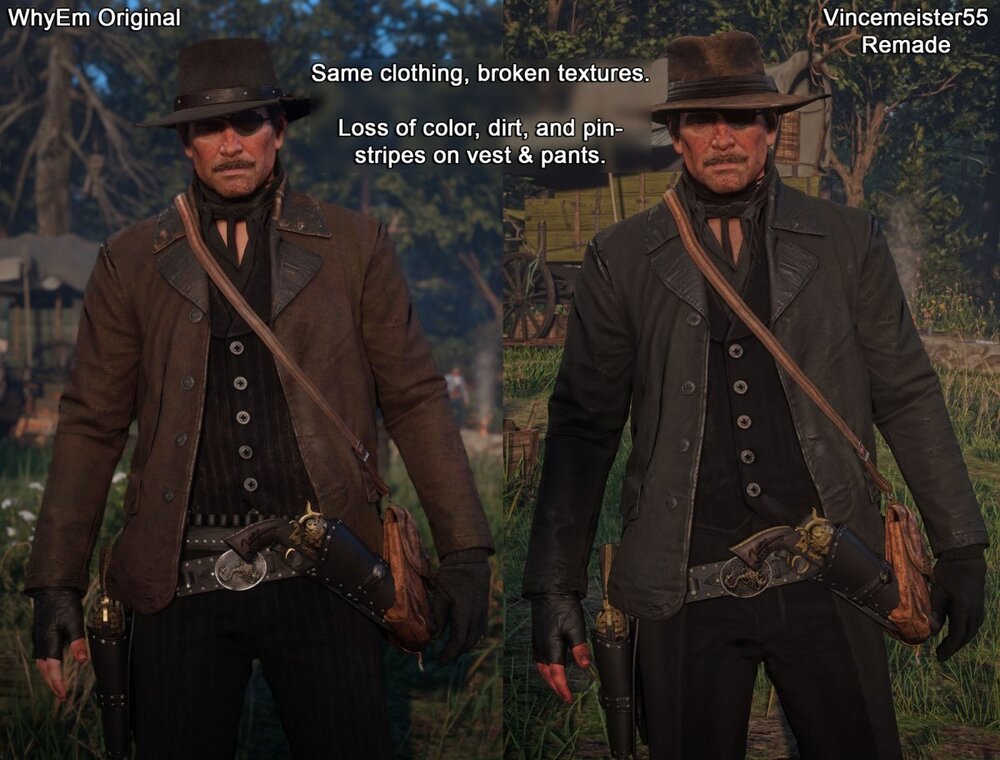
Hi! Yeah, this issue has already been discussed. Just read a couple of comments above. I've already fixed this issue on my end, but I won't upload it anymore. I've already provided a workaround on how to solve it, DIY. I've also provided instructions on what tools to use and how to do it. With werwolf969's help, it will also make the process quicker.
This edit took a lot of my time and effort. Editing 2000+ textures one by one was a pain. That was before werwolf provided the scripts to make it quicker. So, use my edit as base. Then you'll have to fix any bugged textures by yourself.
I'm taking down the link to my edit. As you have said, its not viable.
-
3 minutes ago, HelloImCrimson said:
Gotcha. I will do that.
Have you tried or is it possible to save the textures in BC7 format for RDR 2? BC7 offers very nearly the same quality as uncompressed while still being the same size as DXT5 compressed textures. It works well for Skyrim for instance.
BC7 is okay. I prefer BC1 as it is smaller in size without a noticeable difference in quality. But yeah, its okay to use BC7.
-
5 hours ago, HelloImCrimson said:
Alright, cheers mate. Thank You for all your work man, this really made my day. Can't believe I can have WhyEms with no spawning issues now lol. Thank You so much.
EDIT: So, looking at almost all the 45 javier_wraps, they look way too dark
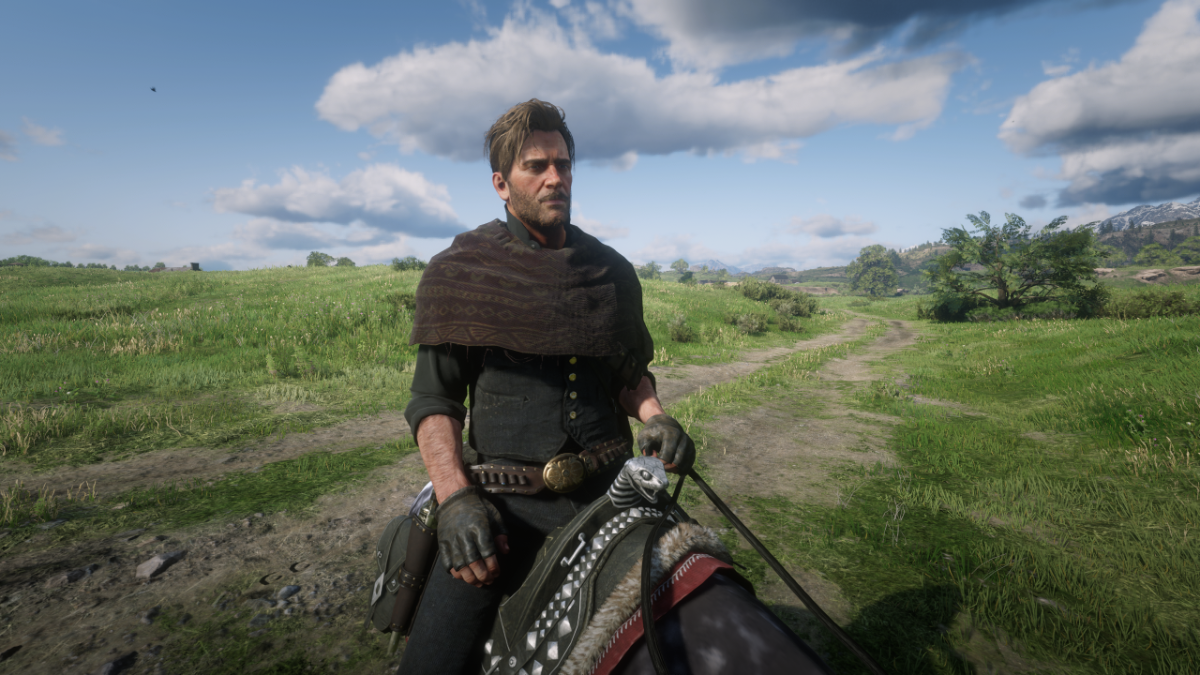
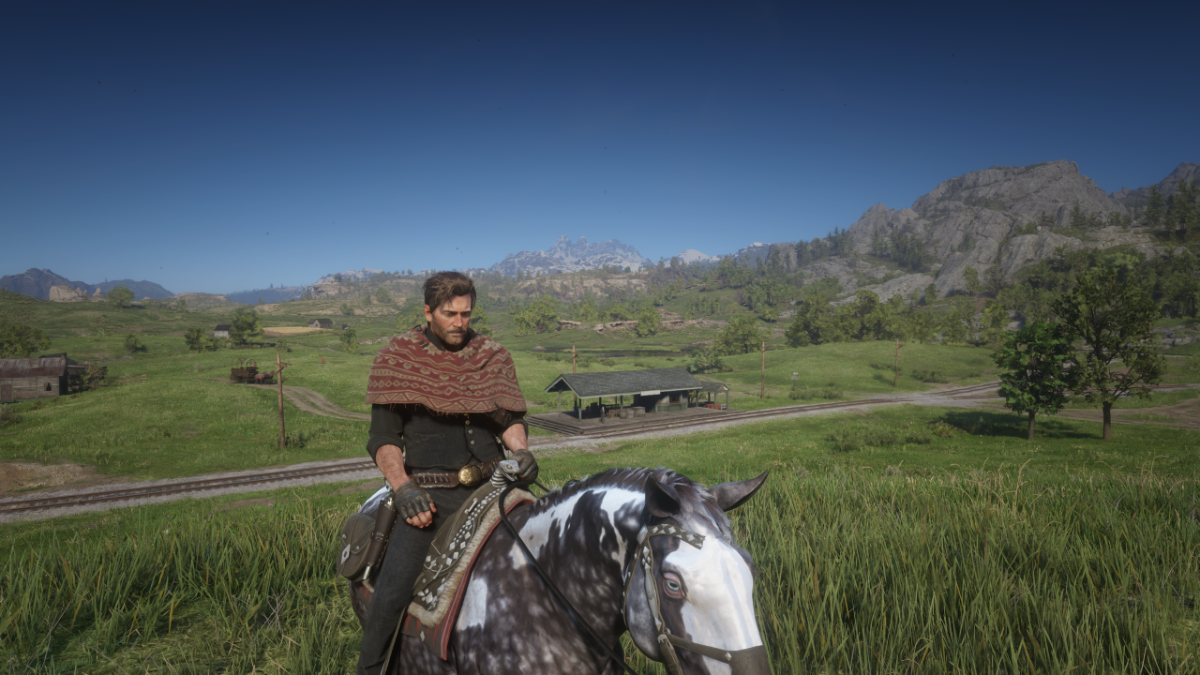
This is what the poncho mediafire link files look like for me. That's way too dark for that texture. Idk why
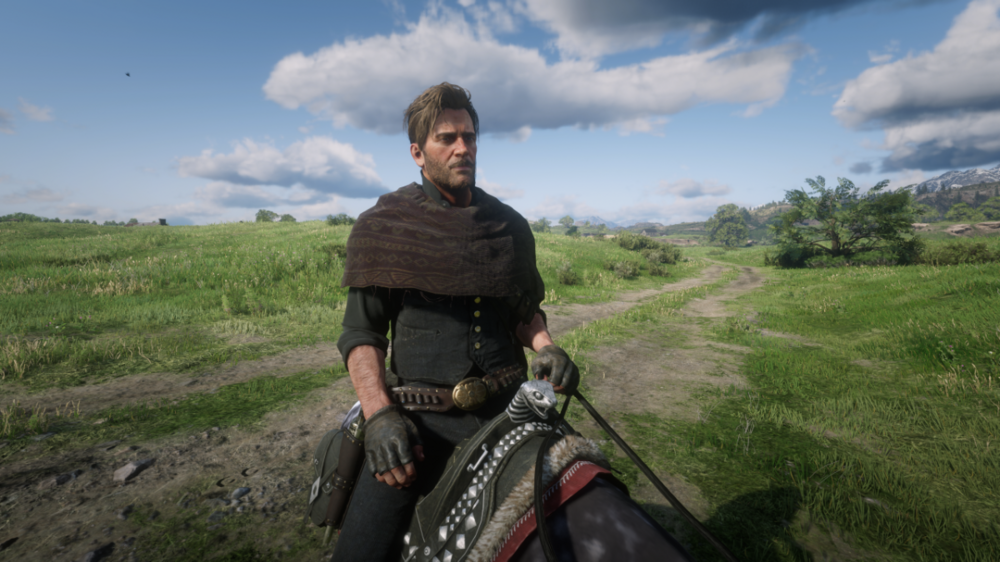
and this is what it looks like in the original.
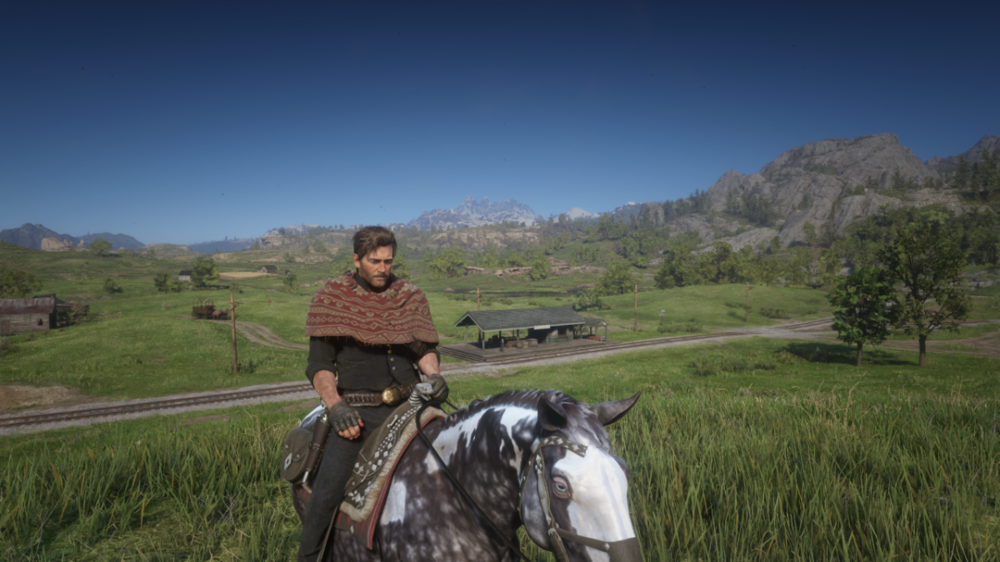
This is probably because when I edited the textures on the updated files, I used the SRGB format, which made the textures darker, and at the same time fixed those greenish tints in some of the dark textures. Most files work in that format, but some may not, like in your ss. That is easy to fix. You need to edit and save that texture into BC1 DXT5 Linear format. Then check it in-game if its fixed.
-
Yes, CodeX is the main exporter and importer of textures and YTDs in RDR2. Edit the textures in any photo editing software.
-
 1
1
-
-
3 hours ago, HelloImCrimson said:
Hey, thanks a bunch for this. This actually does not cause any spawn issues whatsoever. Im using multiple extra weapon mods and horse mods and evry train spawns with passengers around the correct time.
I just wanted to ask you, if you could maybe fix the cover textures, specifically the jorongos and ponchos. The red ones are kind of greenish tinted, idk why
Hi! I've already fixed that in the latest version of my edit. I also just checked it in my game; everything is normal. But if it still bugs in yours, we have already provided instructions on what tools to use and the method of editing. You could try to edit those textures.
-
Edited by vincemeister55
Hey, I dont know about me solving the issue. But thanks for all your kind words. Anyway, here is my new and updated edit of WhyEm textures. The texture discoloration has been fixed, and I think its much more optimized than my previous edit.
https://www.mediafire.com/file/dc3w6bz5qrt1u01/WhyEm_DLC_edited_textures_by_vincemeister55.rar/file
Enjoy fellers!
-
 3
3
-
-
-
1 hour ago, roybreaker said:
Hey man, could you redirect me somewhere where i can learn to do this for myself too? I've never done this but I have no problem giving it a go. thanks
Sure, man! But I really cant direct you to a certain place. Ive learned only by practicing, trial and error. All you have to do is familiarize yourself with these tools Im about to write below;
1. Install OpenIV - this app can open and export RDR2 texture files. The downside is you cant import back those edited textures of yours, so you need another program.
2. CodeX (recommended but it's a paid program. I happened to snag a copy when somebody uploaded it to Nexus last week), or RDR2 Texture Tool (free and available on Nexus) - any of these tools are what you need to import and create new ytds for RDR2. CodeX is recommended because it can import SRGB format, whereas RDR2 Texture cannot.
3. And lastly, any photo editing software. I use paint.net because its free.
P.S - If you can get the CodeX program, then you dont need OpenIV. OpenIV is only needed if you use RDR2 Texture Tool.
-
I made an update on my WhyEm DLC textures edit. In my first edit, I change the original B8G8 format of WhyEm textures to BC3 DXT5. It turned out not okay as it messed up the textures, especially the dark textures to have some kind of shade of green.
This time, I changed the method to BC1 DXT1 SRGB, and edited the normalmap textures too. The textures are normal in colors now, and the biggest thing is I can use all the textures in WhyEm DLC and still have no despawning issue. If you guys remember, in the first edit, I reported that it didnt fix the despawning issue completely. But, so far this time with my new edit, it is well-optimized now.
Im doing this new method for my other texture mods to further optimize it. I just finished editing the AI Upscaled Gore from Improvements of Blood mod, Firearm Cosmetics, Rugged Arthur, Model 1897 Trench Gun, and other big texture mods. I can now use it all together with WhyEm DLC with no despawning issue, unlike before.
-
4 hours ago, rechoungpa said:
VINCEMEISTER55: For your list of installed mods, do you have Lenny's Mod Loader and Script Hook?
yes, of course.
-
1
-
-
4 hours ago, Zealous said:
Does using the custom gameconfig without whyem dlc solve the problem ?
Yes, but. It's not only WhyEm DLC that caused the problem. There are others too, like Firearm Cosmetics, Terrain Texture Overhaul, among others. WhyEm is just the more popular mod that's why it gets talked about a lot.
Also, the File Replacement method that dominator suggested, still can cause the spawning issue. Ive tested it. The good thing about the File Replacement method though is you'll have more leeway in using more big texture mods together unlike the streaming method. But eventually, you'll still reach the limit and the spawning issue. Its just a matter of testing texture mods together to see what's what.
-
1
-
-
oh oaky. Yeah, that's just normal WhyEm. I only deleted a single file, I think its in folder number 2. Its a duplicate of the same file, only separated by a space in the filename, so I deleted it.
-
1
-
-
19 hours ago, Saber23454 said:
I installed your edited whyems dlc by replacing the item textures folder in normal whyems.
But, all the names are invisible, do you know what might cause this?
What do you mean by invisible? Like no text? Do you have a screenshot of it?
-
1
-
-
Edited by vincemeister55
I got finally got WhyEm DLC with my edited textures to work with my mods, without the spawning issue. But I had to make sacrifices for my other texture mods. I downscaled the textures of my edited 2K Artwork Arthur Morgan Project mod to 1K. Disabled my 1K edited version of AI Upscaled Gore, and disabled High Vegetation Resolution in LML. With all these changes, all is working in St.Denis, spawning-wise.
-
2
-
-
Well, I think the benefit would be that you can use other texture mods instead. But it's a tedious process. You have to test every time if it's working or not. If you really like to use WhyEm's textures, make it as the base for your texture mods. From there, whenever you install new texture mods, test every time to check if it'll cause the despawning issues. Until it does, then delete some texture files from WhyEm, then test again.
-
1
-
-
33 minutes ago, emo cat boy said:
yh i tested regular whyems earlier today and even with one item equipped i had empty trams and no trains
The downside of this is youre probably cannot use other texture mods if youre gonna prioritize WhyEm.
-
1
-
-
35 minutes ago, emo cat boy said:
i just did some testing wearing a full outfit from whyems (everything i could possibly equip at once) and trams had passengers at saint denis and the train spawned at valentine between 6-7.
i dont have any other texture mods installed.That's what I have said. It may vary from user to user. It'll probably work if youre not using a lot of other texture mods. I for one has a lot of other texture mods in lml and in the stream folder.
-
1
-
-
5 minutes ago, formul46 said:
Thanks for your effort ! It's a pitty it doesn't work completely.
I'm wondering what if we change the .ytd files to +hi.ytd: , like dominatorgt does on a mod Terrain Textures Overhaul.
I suposse I would have to change the install.xml as well . Ill see what I can do
I dont know about that. WhyEm DLC adds files using a certain method as far as I know. Those other big texture mods, they only replaces vanilla files. but yeah, maybe we're into the first step of finally figuring this out.
-
1
-
-
8 minutes ago, emo cat boy said:
so far ive only done a small amount of testing but with just the jorango equipped im experiencing no spawn issues or train issues.
thats good to know. Im confidently sure my edited textures helped a bit.
-
1
-
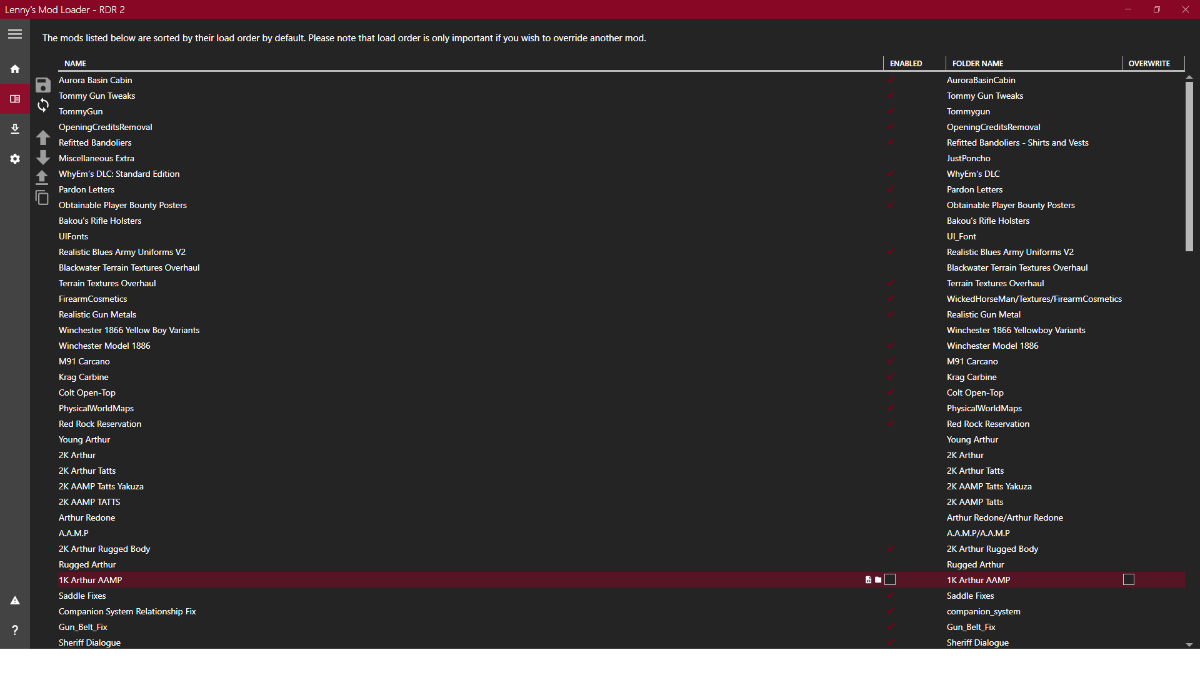
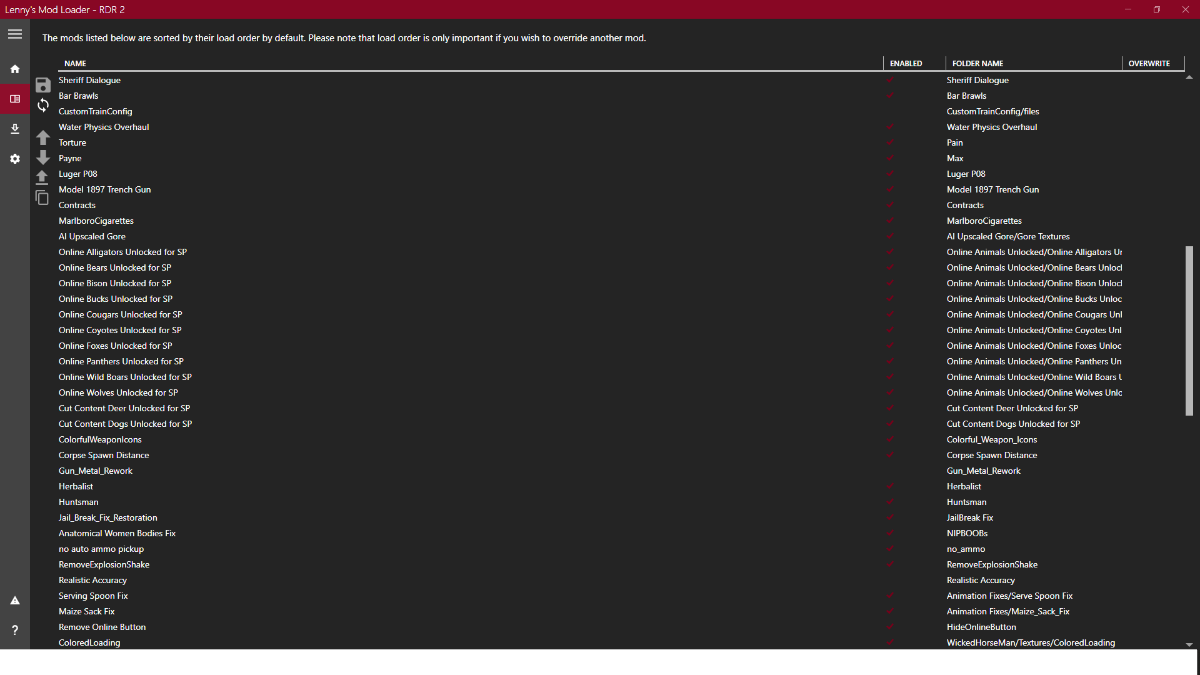
HUGE Problem With Modding RDR2 That No One Is Talking About
in RDR2 Mods Discussion
Yes. I did changed some of them.