
Everything posted by Gan Ceann
-
Hello, I believe what you are looking for is Red Dead Offline? But I haven't modded the game in some time so I'm not 100% sure. As for modding on Linux, goodluck! I don't know if R* Game Launcher games will work, I got GTA V on steam working but have yet to get any mods working, and there is very little to no documentation, so it may not be doable yet. I guess you can try add the launcher as a non steam game and force it to use the proton compatibility layer (GE-Proton tends to be better)
-
Hello, We aren't affliated with Nexus so we won't be able to fix the problem. But, I could suggest trying a different browser. Are you on a VPN maybe? I've never used Nexus myself so not sure
-
-
Usually the best way to do it is to try one mod at a time. Do you have many in your stream folder?
-
This topic has been closed because you are asking for support regarding pirated software. We are unable to provide support to pirates, or people using cracks.
-
I don't, no. Problems like these just involve troubleshooting and figuring out what the issue is as some mods conflict with others. If someone is familiar with the issue hopefully they can reply
-
Okay, well at least you know that one of the other mods is conflicting. I would recommend enabling each mod one at a time and launching to see what the culprit is. As for the missing content I'm not sure, it's possible the mod isn't installed correctly
-
I'm not sure if I'm reading your post correctly but I mean disabling all mods except RDO and Whyems to rule them out. If that didn't work, do RDO or Whyems work on their own?
-
I'm not 100% sure but I know Whyems can conflict with some mods, try running just RDO and Whyems first and see if that works. Then you will know there is another mod conflicting
-
What specifically are you trying to get to work? and what is happening when you try to use it. If you need help you need to provide more information so people can narrow down the issue
-
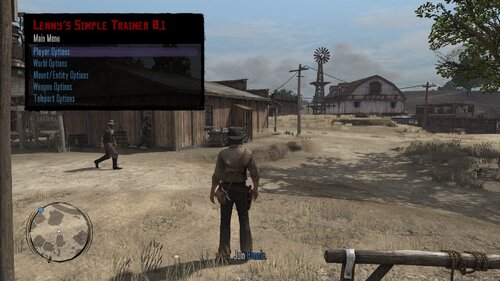 Delete version.dll, lennyssimpletrainer.dll, and lst.ini from your game directory
- 214 comments
- 5 reviews
-
Hello everyone, We have released an official tutorial for installing Lenny's Simple Trainer. Check it out if you need help. Any and all feedback is appreciated!
-
-
Oh, I don't know of any other database unfortunately. It's possible the hash/name hasn't been found yet or maybe it is called something else
-
Most of the items have pictures but they might not always load. Otherwise, you will have to just spawn one at a time and see for yourself. There is only one winter coat from singleplayer in that database so that might be the one you are looking for
-
We have a database on this website for clothes, here: https://www.rdr2mods.com/wiki/clothes/ You might find what you are looking for there
-
You won't find any mods that make other mods compatible with each other, the developers of those mods would have to alter them in order to fix any issues
-
-
Looks great! Nice work
-
Welcome! I hope you have fun with RDRFR
-
At the moment you can't just remove any audio files, however, using LML you can replace the audio files with empty/quiet files already in the game, but you will have to find the files you want to use, here is a link to LML:
-
Hi! RDRFR is single-player only
-
That call-out is currently bugged. The Devs are aware of the issue
-
Glad to hear. What did you do to fix it?
-
I'm not sure if it will help, but have you tried extracting the files while the Rockstar Launcher is not running?