Skip to content
View in the app

A better way to browse. Learn more.

RDR2Mods.com

A full-screen app on your home screen with push notifications, badges and more.

To install this app on iOS and iPadOS
  1. Tap the Share icon in Safari
  2. Scroll the menu and tap Add to Home Screen.
  3. Tap Add in the top-right corner.
To install this app on Android
  1. Tap the 3-dot menu (⋮) in the top-right corner of the browser.
  2. Tap Add to Home screen or Install app.
  3. Confirm by tapping Install.
410 files
  1. Enhanced Ragdoll Fall Physics
    • 330 Downloads
    • 7222 Views
    • 188.71 kB File Size
    Updated
  2. Now in singleplayer!
    • 103,647 Downloads
    • 508166 Views
    • 713.99 kB File Size
    • 102 Comments
    LMS in Weapon
    Updated
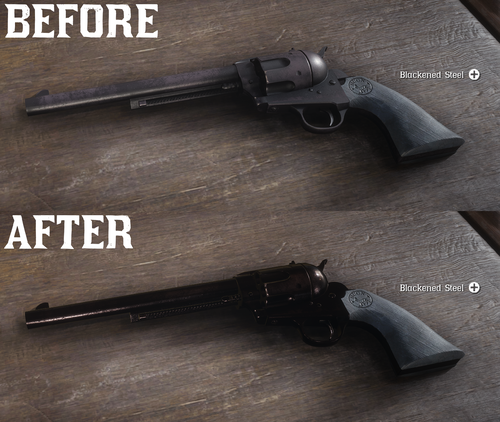
  3. All base gun metals are modified to look more reflective and realistic.
    • 41,921 Downloads
    • 186979 Views
    • 6.41 kB File Size
    • 7 Comments
    Updated
    • 2,817 Downloads
    • 58083 Views
    • 158.74 kB File Size
    • 4 Comments
    Updated
  4. Fixes the annoying bug where camp members say your cold when your not
    • 1,126 Downloads
    • 19946 Views
    • 11 kB File Size
    • 8 Comments
    Updated
  5. Learn how to create LML mods!
    • 14,510 Downloads
    • 114967 Views
    • 2.84 MB File Size
    • 1 Comments
    LMS in Misc
    Updated
    • 324 Downloads
    • 17327 Views
    • 31.26 kB File Size
    Updated
  6. This makes Arthur's gunslinger jacket and hat more worn so it looks older
    • 761 Downloads
    • 46012 Views
    • 8.62 MB File Size
    • 1 Comments
    Updated
    • 38,966 Downloads
    • 170867 Views
    • 345.99 kB File Size
    • 6 Comments
    Updated
    • 11,099 Downloads
    • 85887 Views
    • 158.1 kB File Size
    • 3 Comments
    Updated
  7. I paid for those props too!
    • 2,539 Downloads
    • 37298 Views
    • 55.47 kB File Size
    • 7 Comments
    Updated
    • 959 Downloads
    • 13576 Views
    • 111.45 kB File Size
    Updated
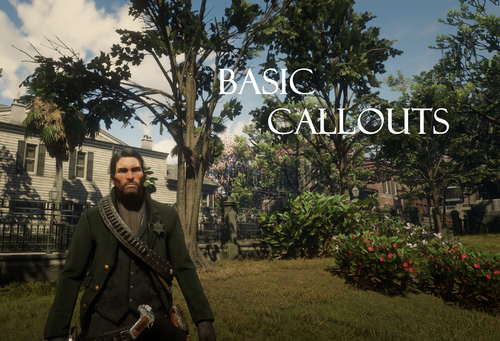
  8. Basic callouts for RDRFR
    • 22,129 Downloads
    • 129139 Views
    • 174.57 kB File Size
    • 28 Comments
    Updated
    • 19,511 Downloads
    • 121862 Views
    • 1.44 MB File Size
    • 21 Comments
    Updated
    • 70,215 Downloads
    • 472358 Views
    • 92.67 kB File Size
    • 62 Comments
    Updated

Account

Navigation

Search

Search

Configure browser push notifications

Chrome (Android)
  1. Tap the lock icon next to the address bar.
  2. Tap Permissions → Notifications.
  3. Adjust your preference.
Chrome (Desktop)
  1. Click the padlock icon in the address bar.
  2. Select Site settings.
  3. Find Notifications and adjust your preference.