





gir489
Creator
-
Joined
-
Last visited
Everything posted by gir489
-
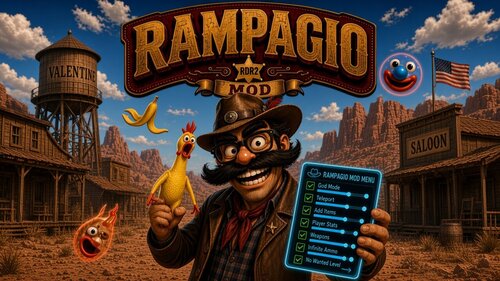 Clean room reverse engineered version of Rampage. GitHubGitHub - Evasion3356/Rampagio: Reverse engineered version...Reverse engineered version of Rampage for RDR2 with new stuff. - Evasion3356/Rampagio
 -
 Thanks for replying. I appreciate it. Someone already implemented the mod called Collector Role on Nexus, and it has the same issue I had, where he's just loading audio assets from the disk as WAV files then invoking PlaySoundA. I actually spent a few days reversing the exact issue, it's just a gap with how LML works, they don't reconstruct the audio asset lookup table. I used my MP cheat HorseMenu to figure out how I could tie RPF indexes in with SP, and to do that, I'd basically have to redo LML, and I guess LML just either doesn't want/didn't think of audio assets. The amount of work for the payoff is insurmountable, and now that someone already has made a mod with the same thing I wanted to do, I moved on. It's really unfortunate that RDRO died, there was a lot of potential there, but I guess Rockstar just ran out of ideas, there's only so many things you can do before you have to go into GTA flying cars/space lasers/jet packs fantasy land GTA went into. The state of affairs of GTAO isn't much better, the content they release is so recycled, you can see they just recycle the assets from previous heists into the new ones, and "fade the camera out" so you don't notice the game teleporting your character around to fit the animation.
- 1364 comments
- 25 reviews
-
This is called FIND_PLAYABLE_HAND_TILES. It's called from the dominoes script, it takes in your hand, and outputs candidates of where you can play them. Returns the number of candidates actually filled in (element 0 of each = a hand index).
-
Just spawn the animal you want the pelt for in the NPC spawner as dead, and then skin them.
-
I hate to continue to be a bother to you and ask for a handout when you've already been so helpful. But would you mind trying to make a simple LML mod that loads an audio asset from RDRO and then use something like the Script Hook RDR2 SDK to make a Menu that plays the sound? I'm absolutely at the end of my rope here trying to get the audio assets to load, to the point where I've just resorted to playing Windows sounds with PlaySoundA from the WinAPI just to move development along. Obviously this is an awful solution and not portable to Linux, and I'd much rather have the experience be 1:1 from RDRO -> RDR2. Is there a LML development discord community or something I could ask as well? I don't see many resources for learning how to work with LML online other than a few READMEs and Nexus.
- 1364 comments
- 25 reviews
-
Thanks for your reply, the idea made me course correct off trying to hack version.dll and instead return to trying to make an LML mod load the assets I needed, although I had tried that before, but I was able to get the icons for the metal detector and coins to load by invoking REQUEST_STREAMED_TEXTURE_DICT. However, I am still not able to load RDRO_COLLECTABLES and request sounds from them, despite trying to use the method from LITE. I am already using Online Content Unlocker, as that is what is allowing me to request the shovel and token model assets. Without it, they just fail to load. I tried making a new LML mod that loads all audio assets in and set the disabled value to false, made it the highest priority load order per LITE's documentation, but I still cannot request any of the MP sounds via the sound set dictionary. I tried RDRO_Ability_Cards_SFX_Sounds/Head_Shot_Ricco found from the fm_mission_controller.ysc script which should be loading it from the base archive (or I think Update 1/MP001 since it came later), but nothing will play. PREPARE_SOUND_WITH_ENTITY returns true, despite internally failing to resolve the sound set. I believe all PREPARE_SOUND_WITH_ENTITY does is just return true that you've requested the sound set, not so much that it actually found it. Internally, it's returning error code -1 (failed to resolve sound set JOAAT), but that is ignored, since the calls are asynchronous. If you could give me some guidance on how to load MP sounds, I'd greatly appreciate it. I've been trying to solve this one last issue to make my Collector Offline mod for 4 days now. I have every other piece of the puzzle solved except audio asset loading...
- 1364 comments
- 25 reviews
-
I'm wondering why you chose to obfuscated how version.dll works? It's not terribly hard to defeat, I figured out you're hooking RDR2.exe+E3125C and RDR2.exe+E36D80. E3125C's code cave wasn't obfuscated and didn't seem to be anything of value. But E36D80 looks like how you've fixed the MP assets to load. You probably saw the same checks I saw when trying to force load the MP RPFs into SP, that Rockstar checks the Online tag and crashes the game. When I use the version.dll from this, the icons for Metal Detector and coins from the Collector DLC show. However, I still can't get the detector to play the proper sounds with bank RDRO_Metal_Detector_Sounds and sound Metal_Detector. My plan is to create a mod that fully recreates the Collector DLC in SP, but it seems every time I try, it just falls flat. Do you know why the audio assets might not be loading?
- 1364 comments
- 25 reviews