
UGUR PRODUCTION
Recognized Creator
-
Joined
-
Last visited
-
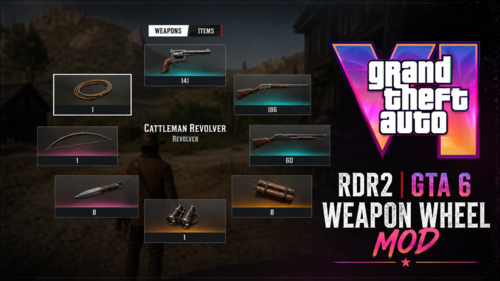 🇹🇷 Özel Siparişler & Mod Mağazası Özel mod siparişleri ve mağazam için aşağıdaki bağlantıları kullanabilirsiniz: Patreon: https://www.patreon.com/cw/UGURPRODUCTION Discord: https://discord.gg/GAn6zJjC8P 🇺🇸 Custom Orders & Mod Store For custom mod orders and my mod store, you can use the links below: Patreon: https://www.patreon.com/cw/UGURPRODUCTION Discord: https://discord.gg/GAn6zJjC8P GTA 6 Weapon Wheel Mod, Red Dead Redemption 2'nin silah seçme sistemine GTA 6'dan esinlenen yeni bir görünüm ve kullanım hissi kazandırır. Mod, silahlar arasında geçiş yaparken daha modern ve farklı bir Weapon Wheel deneyimi sunmak için hazırlanmıştır. TR: Kurulum: Mod dosyalarının tamamını: Red Dead Redemption 2 ana oyun klasörüne kopyalayın. Dosyaları oyunun çalıştırılabilir Hassasiyet Ayarı Modun içerisindeki .inidosyasını açarak Weapon Wheel hassasiyetini kendi kullanımınıza göre değiştirebilirsiniz. Hassasiyet çok hızlı veya yavaş geliyorsa .iniiçerisindeki ilgili sensitivity değerini düzenleyebilirsiniz. ENG: GTA 6 Weapon Wheel Mod brings a GTA 6-inspired look and feel to the weapon selection system of Red Dead Redemption 2. The mod is designed to provide a more modern and different Weapon Wheel experience while switching between your weapons. Installation Copy all included mod files into your: Red Dead Redemption 2 main game directory. Sensitivity Settings You can customize the Weapon Wheel sensitivity by opening the included .iniconfiguration file. If the wheel feels too fast or too slow, simply adjust the relevant sensitivity value inside the .inifile to suit your preference.
 -
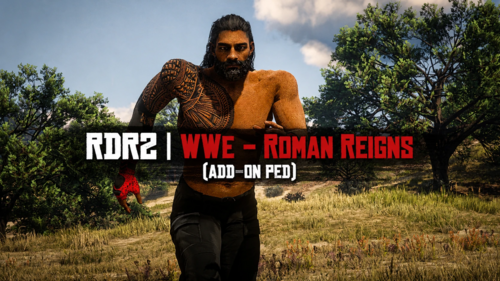 🇹🇷 Özel Siparişler & Mod Mağazası Özel mod siparişleri ve mağazam için aşağıdaki bağlantıları kullanabilirsiniz: Patreon: https://www.patreon.com/cw/UGURPRODUCTION Discord: https://discord.gg/GAn6zJjC8P 🇺🇸 Custom Orders & Mod Store For custom mod orders and my mod store, you can use the links below: Patreon: https://www.patreon.com/cw/UGURPRODUCTION Discord: https://discord.gg/GAn6zJjC8P 📦 Kurulum İndirdiğiniz .zip dosyalarını çıkartın.(Masaüstünde sadece ''addonped'' dosyalı klasör duracak. Mod Loader dosyasını yükleyin.(Yüklemeyi bilmiyorsanız ''Add-On Ped'' Selector modumun kurulumunda var.Ayrıca kullanımıda var o videoyu izleyebilirsiniz,öneririm. Benim modum(Add-On Peds Selector gereklidir). -Oyun içine girdiğinizde ''F11'' tuşuna basın ve hangi karakteri yüklediyseniz karşınıza çıkar ve seçin bu kadar. - Tekrardan karakterin tipi değişirse aynı işlemi bir daha yapın değişir.(F11 ile seçme yani). -Bu modu indirirken 'gerekliler kısmı karşınıza çıkacaktır.Oradan indirirsiniz ve videolar kısmında'da videolu kurulum var' öneririm. 🇬🇧 English 📦 Installation Extract the .zip file you downloaded. (Only the folder with the "addonped" file will remain on the desktop.) Load the folder with Mod Loader. (If you don't know how to install it, it's included in the installation of my "Add-On Ped" selector mod. There's also a video on how to use it, I recommend watching that video.) What I did (Add-On Ped Selector mod is required). -When you enter the game, press the "F11" key and the character you loaded will appear, select it, that's all. -If the character type changes again, repeat the same process, it won't change. (Selecting with F11, that is). -If the character type changes again, simply repeat the same process (i.e., selecting it with F11).
 -
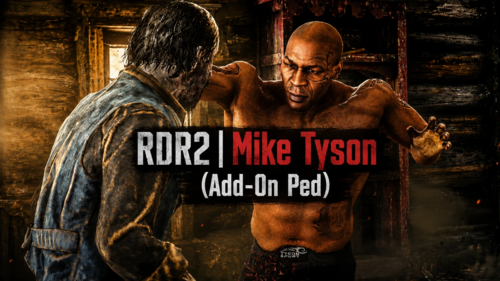 🇹🇷 Özel Siparişler & Mod Mağazası Özel mod siparişleri ve mağazam için aşağıdaki bağlantıları kullanabilirsiniz: Patreon: https://www.patreon.com/cw/UGURPRODUCTION Discord: https://discord.gg/GAn6zJjC8P 🇺🇸 Custom Orders & Mod Store For custom mod orders and my mod store, you can use the links below: Patreon: https://www.patreon.com/cw/UGURPRODUCTION Discord: https://discord.gg/GAn6zJjC8P 📦 Kurulum İndirdiğiniz .zip dosyalarını çıkartın.(Masaüstünde sadece ''addonped'' dosyalı klasör duracak. Mod Loader dosyasını yükleyin.(Yüklemeyi bilmiyorsanız ''Add-On Ped'' Selector modumun kurulumunda var.Ayrıca kullanımıda var o videoyu izleyebilirsiniz,öneririm. Benim modum(Add-On Peds Selector gereklidir). -Oyun içine girdiğinizde ''F11'' tuşuna basın ve hangi karakteri yüklediyseniz karşınıza çıkar ve seçin bu kadar. - Tekrardan karakterin tipi değişirse aynı işlemi bir daha yapın değişir.(F11 ile seçme yani). -Bu modu indirirken 'gerekliler kısmı karşınıza çıkacaktır.Oradan indirirsiniz ve videolar kısmında'da videolu kurulum var' öneririm. 🇬🇧 English 📦 Installation Extract the .zip file you downloaded. (Only the folder with the "addonped" file will remain on the desktop.) Load the folder with Mod Loader. (If you don't know how to install it, it's included in the installation of my "Add-On Ped" selector mod. There's also a video on how to use it, I recommend watching that video.) What I did (Add-On Ped Selector mod is required). -When you enter the game, press the "F11" key and the character you loaded will appear, select it, that's all. -If the character type changes again, repeat the same process, it won't change. (Selecting with F11, that is). -If the character type changes again, simply repeat the same process (i.e., selecting it with F11).
 -
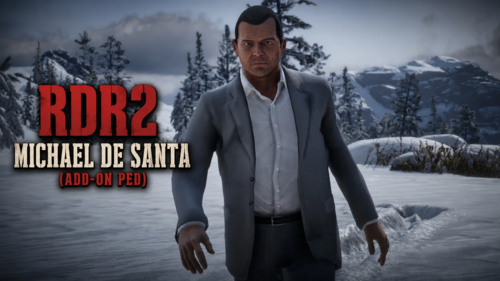 🇹🇷 Özel Siparişler & Mod Mağazası Özel mod siparişleri ve mağazam için aşağıdaki bağlantıları kullanabilirsiniz: Patreon: https://www.patreon.com/cw/UGURPRODUCTION Discord: https://discord.gg/GAn6zJjC8P 🇺🇸 Custom Orders & Mod Store For custom mod orders and my mod store, you can use the links below: Patreon: https://www.patreon.com/cw/UGURPRODUCTION Discord: https://discord.gg/GAn6zJjC8P
 -
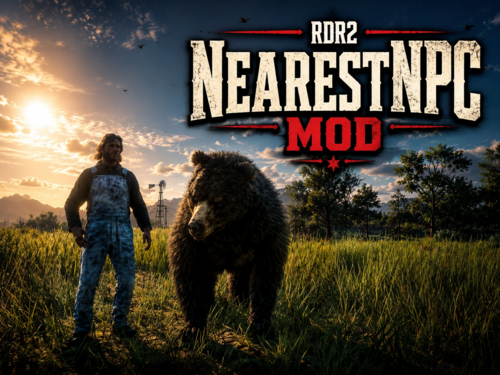 🇹🇷 Özel Siparişler & Mod Mağazası Özel mod siparişleri ve mağazam için aşağıdaki bağlantıları kullanabilirsiniz: Patreon: https://www.patreon.com/cw/UGURPRODUCTION Discord: https://discord.gg/GAn6zJjC8P 🇺🇸 Custom Orders & Mod Store For custom mod orders and my mod store, you can use the links below: Patreon: https://www.patreon.com/cw/UGURPRODUCTION Discord: https://discord.gg/GAn6zJjC8P NearestNPC Mod: Yakınınızdaki herhangi bir NPC’ye veya hayvana doğru gidip F12 tuşuna bastığınızda, doğrudan o karakter veya hayvan olursunuz ve kontrolünü ele alırsınız. İnsanlar ve hayvanlar arasında anında geçiş yapabilirsiniz. Türkçe Kurulum: Mod dosyalarını Red Dead Redemption 2 ana oyun klasörüne, yani RDR2.exe dosyasının bulunduğu konuma atın. Kullanım: Yakınınızdaki bir NPC’ye veya hayvana doğru gidin ve F12 tuşuna basın. Anında o NPC veya hayvanın kontrolünü ele alırsınız. English Installation: Place the mod files into your Red Dead Redemption 2 main game directory, where RDR2.exe is located. Usage: Walk toward a nearby NPC or animal and press F12. You will instantly take control of that NPC or animal.
 -
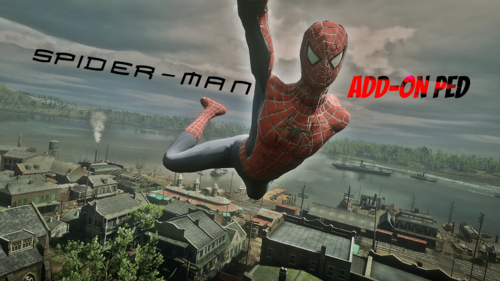 🇹🇷 Özel Siparişler & Mod Mağazası Özel mod siparişleri ve mağazam için aşağıdaki bağlantıları kullanabilirsiniz: Patreon: https://www.patreon.com/cw/UGURPRODUCTION Discord: https://discord.gg/GAn6zJjC8P 🇺🇸 Custom Orders & Mod Store For custom mod orders and my mod store, you can use the links below: Patreon: https://www.patreon.com/cw/UGURPRODUCTION Discord: https://discord.gg/GAn6zJjC8P 🇹🇷 Türkçe 📦 Kurulum İndirdiğiniz .zip dosyalarını çıkartın.(Masaüstünde sadece ''addonped'' dosyalı klasör duracak. Mod Loader dosyasını yükleyin.(Yüklemeyi bilmiyorsanız ''Add-On Ped'' Selector modumun kurulumunda var.Ayrıca kullanımıda var o videoyu izleyebilirsiniz,öneririm. Benim modum(Add-On Peds Selector gereklidir). -Oyun içine girdiğinizde ''F11'' tuşuna basın ve hangi karakteri yüklediyseniz karşınıza çıkar ve seçin bu kadar. - Tekrardan karakterin tipi değişirse aynı işlemi bir daha yapın değişir.(F11 ile seçme yani). -Bu modu indirirken 'gerekliler kısmı karşınıza çıkacaktır.Oradan indirirsiniz ve videolar kısmında'da videolu kurulum var' öneririm. 🇬🇧 English 📦 Installation Extract the .zip file you downloaded. (Only the folder with the "addonped" file will remain on the desktop.) Load the folder with Mod Loader. (If you don't know how to install it, it's included in the installation of my "Add-On Ped" selector mod. There's also a video on how to use it, I recommend watching that video.) What I did (Add-On Ped Selector mod is required). -When you enter the game, press the "F11" key and the character you loaded will appear, select it, that's all. -If the character type changes again, repeat the same process, it won't change. (Selecting with F11, that is). -If the character type changes again, simply repeat the same process (i.e., selecting it with F11).
 -
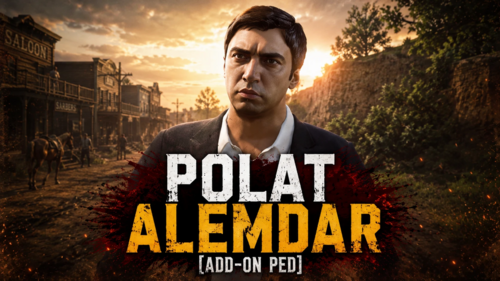 🇹🇷 Özel Siparişler & Mod Mağazası Özel mod siparişleri ve mağazam için aşağıdaki bağlantıları kullanabilirsiniz: Patreon: https://www.patreon.com/cw/UGURPRODUCTION Discord: https://discord.gg/GAn6zJjC8P 🇺🇸 Custom Orders & Mod Store For custom mod orders and my mod store, you can use the links below: Patreon: https://www.patreon.com/cw/UGURPRODUCTION Discord: https://discord.gg/GAn6zJjC8P https://www.youtube.com/watch?v=4tyZJmetbNE&t=3s 🇹🇷 Türkçe 📦 Kurulum İndirdiğiniz .zip dosyalarını çıkartın.(Masaüstünde sadece ''addonped'' dosyalı klasör duracak. Mod Loader dosyasını yükleyin.(Yüklemeyi bilmiyorsanız ''Add-On Ped'' Selector modumun kurulumunda var.Ayrıca kullanımıda var o videoyu izleyebilirsiniz,öneririm. Benim modum(Add-On Peds Selector gereklidir). -Oyun içine girdiğinizde ''F11'' tuşuna basın ve hangi karakteri yüklediyseniz karşınıza çıkar ve seçin bu kadar. - Tekrardan karakterin tipi değişirse aynı işlemi bir daha yapın değişir.(F11 ile seçme yani). -Bu modu indirirken 'gerekliler kısmı karşınıza çıkacaktır.Oradan indirirsiniz ve videolar kısmında'da videolu kurulum var' öneririm. 🇬🇧 English 📦 Installation Extract the .zip file you downloaded. (Only the folder with the "addonped" file will remain on the desktop.) Load the folder with Mod Loader. (If you don't know how to install it, it's included in the installation of my "Add-On Ped" selector mod. There's also a video on how to use it, I recommend watching that video.) What I did (Add-On Ped Selector mod is required). -When you enter the game, press the "F11" key and the character you loaded will appear, select it, that's all. -If the character type changes again, repeat the same process, it won't change. (Selecting with F11, that is). -If the character type changes again, simply repeat the same process (i.e., selecting it with F11).
 -
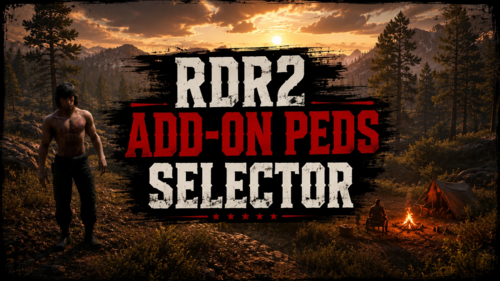 🇹🇷 Türkçe Kurulum Videolu kurulumdur, izlemenizi önerilir. -Toplam 13 Karakteri koyabilirsiniz.Ve sadece görselde'de paylaştığım gibi 2 tarz dosya stili kabul etmektedir. - Tekrardan karakterin tipi değişirse aynı işlemi bir daha yapın.(F11 ile seçme yani). Gerekli Dosya: ScriptHook RDR2 Mod Yükleyici https://www.youtube.com/watch?v=uZTctZRMAxQ 🇺🇸 English İnstall This is a video-based setup; we recommend watching it. - You can add a total of 13 characters. It only accepts the two file formats shown in the image. - If you change the character type again, simply repeat the same process (i.e., selecting via F11).
 -
-
UGUR PRODUCTION changed their profile photo
-
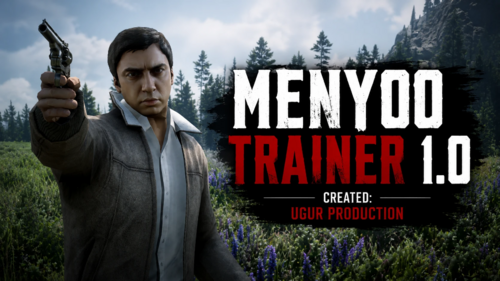 💬 Custom Orders / Özel Sipariş 🇹🇷 Türkçe Özel mod veya karakter siparişleri için bana Discord üzerinden ulaşabilirsiniz. Discord:https://discord.gg/GAn6zJjC8P 🇬🇧 English For custom mods or character commissions, feel free to contact me on Discord. Discord:https://discord.gg/GAn6zJjC8P 🇹🇷 Türkçe Kurulum Tüm dosyaları Red Dead Redemption 2'nin ana dizinine kopyalayın. Küçük hatalar veya eksikler olabilir. Karşılaştığınız sorunları lütfen yorumlar kısmında belirtin. Güncellemeler yayınlanacaktır. Gerekli Dosya: ScriptHook RDR2 🇺🇸 English Installation Copy all files into your Red Dead Redemption 2 main directory. There may be minor bugs or issues. Please report any problems in the comments. Updates will be released. Required: ScriptHook RDR2
 -
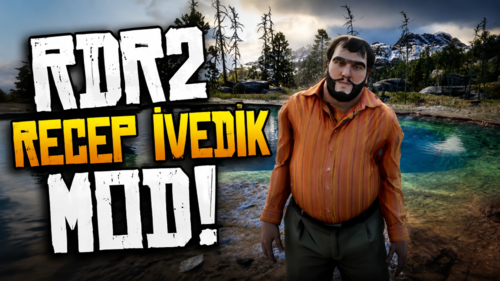 💬 Custom Orders / Özel Sipariş 🇹🇷 Türkçe Özel mod veya karakter siparişleri için bana Discord üzerinden ulaşabilirsiniz. Discord:https://discord.gg/GAn6zJjC8P 🇬🇧 English For custom mods or character commissions, feel free to contact me on Discord. Discord:https://discord.gg/GAn6zJjC8P 📥 Installation / Kurulum 🇹🇷 Türkçe 📦 Kurulum İndirdiğiniz .zip dosyasını çıkartın. Mod dosyalarını Mod Loader ile yükleyin. Mod Loader kurulumunu bilmiyorsanız YouTube'da birçok rehber bulunmaktadır. Oyun içi kullanımını videolarımın son sahnesinde detaylı olarak görebilirsiniz. -Video:https://www.youtube.com/watch?v=pjoWIHXOEwU&t=3s 🇬🇧 English 📦 Installation Extract the downloaded .zip file. Install the mod using Mod Loader. If you don't know how to install Mod Loader, you can find plenty of tutorials on YouTube. You can see how to use the mod in-game at the end of my video.