HK40
Members
-
Joined
-
Last visited
-
-
For those that come across the same issue. You will need version.dll from the trainer with updated DLL. Thanks Lenny
-
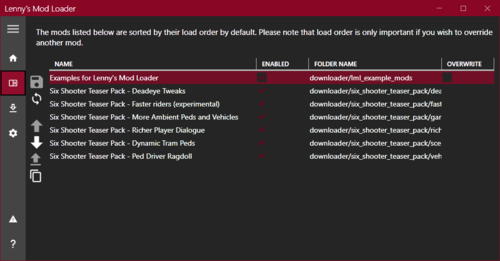 Just purchased RDR2 on steam sale. followed the instruction video and installed LML to the directory and downloaded some mods. games isn't recognized when RD is running by LML and the mods are of course not on the game either. Usually there's options on previous mod loaders I've used to launch the game with the loader, but I don't see this option. How is it linking the mod loader to RD. I'm sure its a steam thing that is causing me problems. Update: I've downloaded the Lenny trainer with the latest dll and now the mod loader can see the game but the mods still aren't loading. Maybe too many mods, will keep testing. vfs.log
- 779 comments
- 6 reviews
-
Installed the game, installed the mod loader LML just like the video says and when I run RDR2 the loader doesn't see the game and none of the mods are loaded of course. Any help would be appreciated. -HK