Skip to content
View in the app

A better way to browse. Learn more.

RDR2Mods.com

A full-screen app on your home screen with push notifications, badges and more.

To install this app on iOS and iPadOS
  1. Tap the Share icon in Safari
  2. Scroll the menu and tap Add to Home Screen.
  3. Tap Add in the top-right corner.
To install this app on Android
  1. Tap the 3-dot menu (⋮) in the top-right corner of the browser.
  2. Tap Add to Home screen or Install app.
  3. Confirm by tapping Install.
20 files
    • 13,864 Downloads
    • 68130 Views
    • 8.38 kB File Size
    Updated
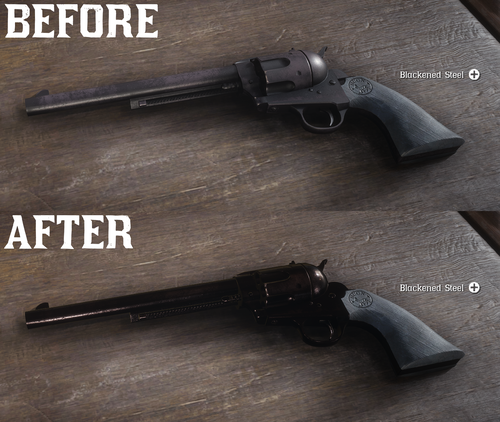
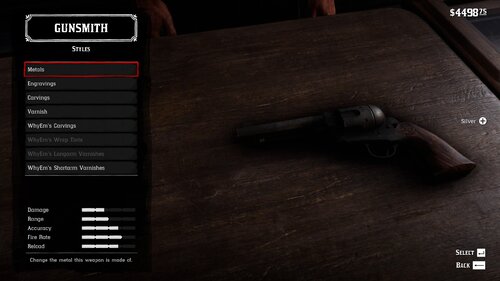
  1. All base gun metals are modified to look more reflective and realistic.
    • 39,710 Downloads
    • 175241 Views
    • 6.41 kB File Size
    • 7 Comments
    Updated
  2. Now in singleplayer!
    • 98,314 Downloads
    • 476375 Views
    • 713.99 kB File Size
    • 102 Comments
    LMS in Weapon
    Updated
    • 62,477 Downloads
    • 204742 Views
    • 6.46 kB File Size
    • 6 Comments
    Updated
    • 1,233,220 Downloads
    • 4432228 Views
    • 23.82 MB File Size
    • 488 Comments
    LMS in Weapon
    Updated
    • 1,662 Downloads
    • 30566 Views
    • 207.14 kB File Size
    • 1 Comments
    Updated
    • 266 Downloads
    • 31292 Views
    • 3.28 kB File Size
    • 3 Comments
    Updated
    • 13,282 Downloads
    • 87969 Views
    • 2.58 MB File Size
    Updated
    • 22,282 Downloads
    • 140257 Views
    • 111.89 kB File Size
    • 3 Comments
    Updated
  3. snub nose.
    • 4,507 Downloads
    • 47597 Views
    • 84.3 kB File Size
    Submitted
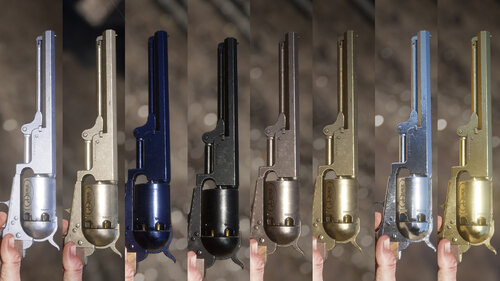
  4. Oxidized Gun Tints by Nateruzz
    • 2,714 Downloads
    • 48566 Views
    • 17.54 kB File Size
    • 4 Comments
    Updated
  5. Don't you just hate how slow the Scofield is? well, this mod is just for you
    • 10,562 Downloads
    • 72714 Views
    • 8.34 kB File Size
    • 3 Comments
    Updated
    • 2,494 Downloads
    • 39465 Views
    • 563 B File Size
    Updated
    • 27,952 Downloads
    • 223951 Views
    • 8.63 kB File Size
    • 10 Comments
    Updated
    • 50,577 Downloads
    • 193442 Views
    • 58.62 MB File Size
    • 26 Comments
    Updated
    • 3,091 Downloads
    • 28696 Views
    • 28.13 kB File Size
    Updated

Account

Navigation

Search

Search

Configure browser push notifications

Chrome (Android)
  1. Tap the lock icon next to the address bar.
  2. Tap Permissions → Notifications.
  3. Adjust your preference.
Chrome (Desktop)
  1. Click the padlock icon in the address bar.
  2. Select Site settings.
  3. Find Notifications and adjust your preference.