Skip to content
View in the app

A better way to browse. Learn more.

RDR2Mods.com

A full-screen app on your home screen with push notifications, badges and more.

To install this app on iOS and iPadOS
  1. Tap the Share icon in Safari
  2. Scroll the menu and tap Add to Home Screen.
  3. Tap Add in the top-right corner.
To install this app on Android
  1. Tap the 3-dot menu (⋮) in the top-right corner of the browser.
  2. Tap Add to Home screen or Install app.
  3. Confirm by tapping Install.
122 files
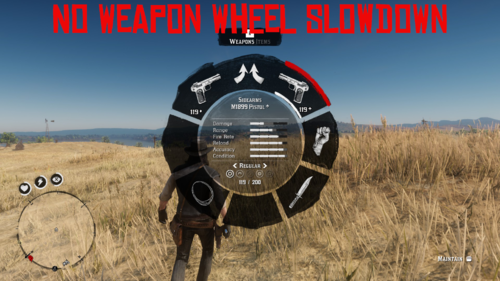
  1. Disables the slow-motion effect while using the weapon wheel
    • 1,026 Downloads
    • 22310 Views
    • 3.27 kB File Size
    • 3 Comments
    Updated
  2. Lets you turn on/off "Wanted Dead Or Alive" zones.
    • 13,259 Downloads
    • 129113 Views
    • 173.33 kB File Size
    • 16 Comments
    Updated
    • 13,218 Downloads
    • 87016 Views
    • 64.06 kB File Size
    • 8 Comments
    Updated
  3. 80 percent chance for a perfect pelt
    • 14,342 Downloads
    • 69510 Views
    • 21.25 kB File Size
    • 6 Comments
    Updated
    • 1,073 Downloads
    • 17277 Views
    • 161.09 kB File Size
    • 1 Comments
    Updated
  4. Change saddles and components on your horse!
    • 27,210 Downloads
    • 296456 Views
    • 5.98 MB File Size
    • 70 Comments
    Updated
  5. Change player clothes and make custom outfits!
    • 519,571 Downloads
    • 2356361 Views
    • 6.39 MB File Size
    • 586 Comments
    Updated
  6. This mod attempts to prevent automatic weapon reload.. with more or less success...
    • 3,164 Downloads
    • 46855 Views
    • 151.82 kB File Size
    • 7 Comments
    Updated
  7. Play as animals, spawn bodyguards, set weather and time.
    • 1,378,630 Downloads
    • 5107433 Views
    • 4.91 MB File Size
    • 1356 Comments
    Updated
    • 11,677 Downloads
    • 113164 Views
    • 192.48 kB File Size
    • 6 Comments
    Updated
  8. Chaotic Ped War
    • 4,679 Downloads
    • 47039 Views
    • 254.61 kB File Size
    • 8 Comments
    Updated
    • 2,781 Downloads
    • 56201 Views
    • 158.74 kB File Size
    • 4 Comments
    Updated
    • 38,068 Downloads
    • 167644 Views
    • 345.99 kB File Size
    • 6 Comments
    Updated
    • 10,953 Downloads
    • 79396 Views
    • 158.1 kB File Size
    • 3 Comments
    Updated
  9. I paid for those props too!
    • 2,520 Downloads
    • 32801 Views
    • 55.47 kB File Size
    • 7 Comments
    Updated
    • 19,214 Downloads
    • 119599 Views
    • 1.44 MB File Size
    • 21 Comments
    Updated

Account

Navigation

Search

Search

Configure browser push notifications

Chrome (Android)
  1. Tap the lock icon next to the address bar.
  2. Tap Permissions → Notifications.
  3. Adjust your preference.
Chrome (Desktop)
  1. Click the padlock icon in the address bar.
  2. Select Site settings.
  3. Find Notifications and adjust your preference.