





Discord - https://discord.gg/d6uHBsRZp8
Feel free to buy me a coffee!!
https://cash.app/pay/link/4z3oc3x7
(if link does not work - $shaun10197)
==============================================================================
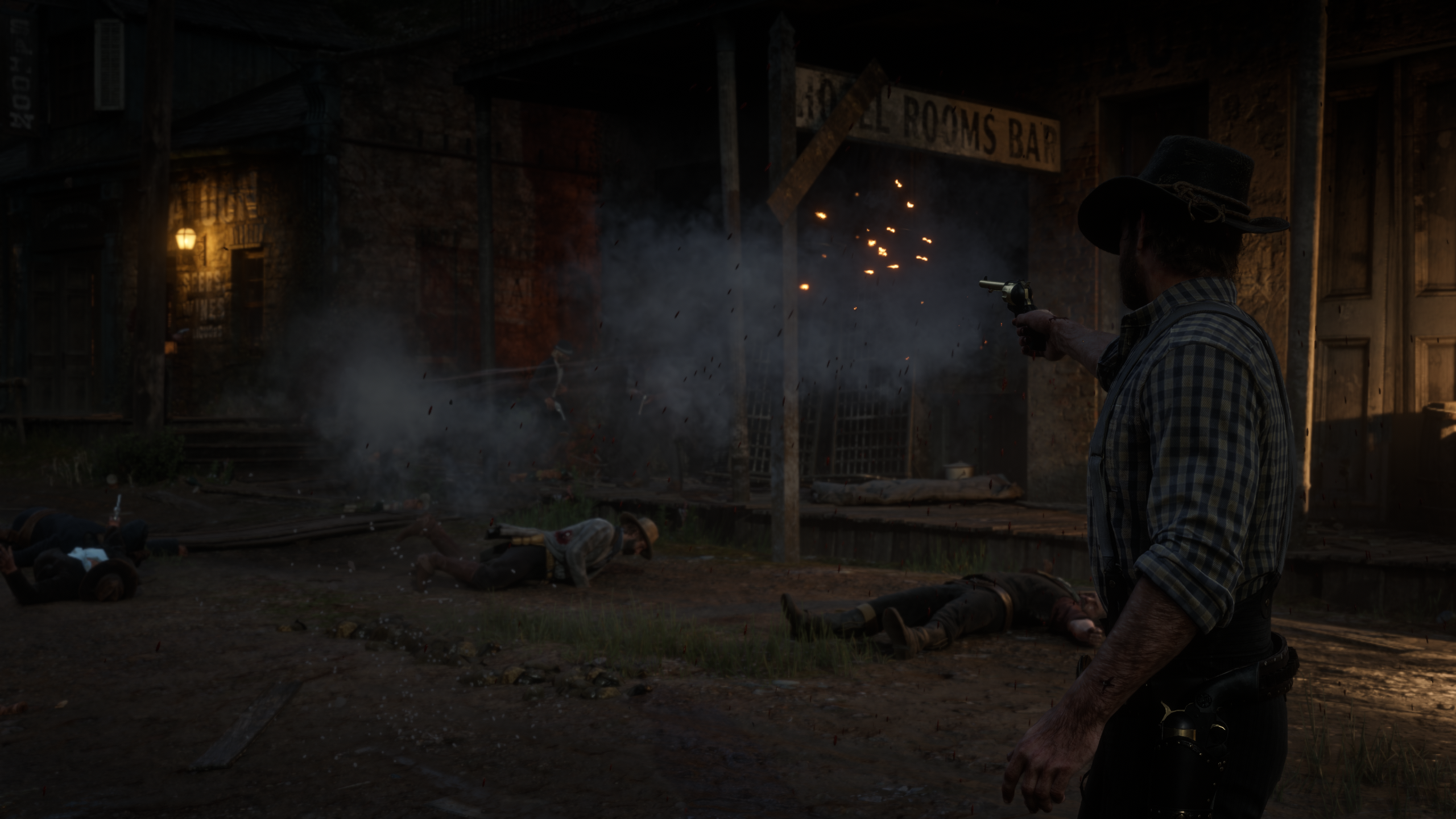
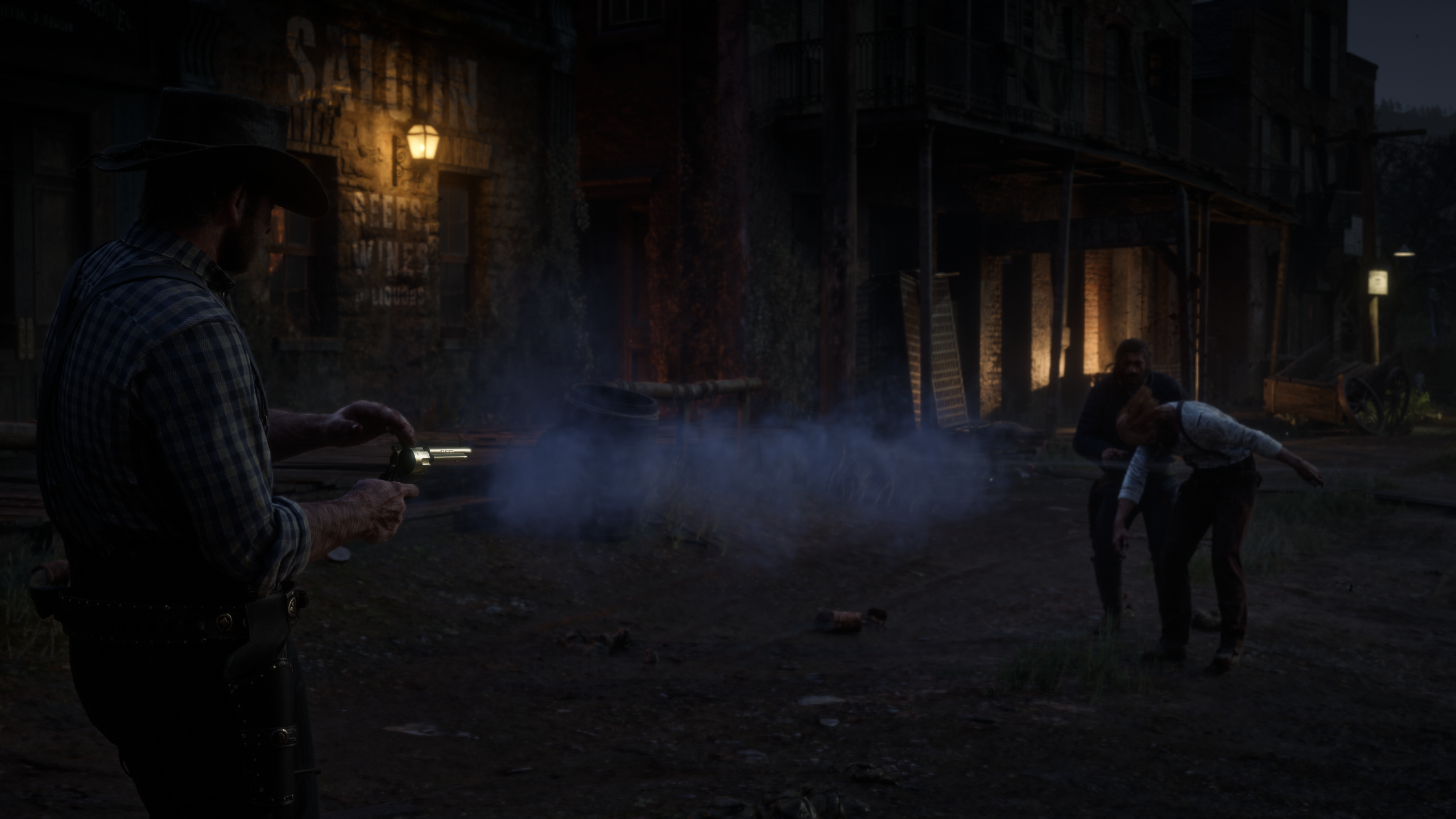
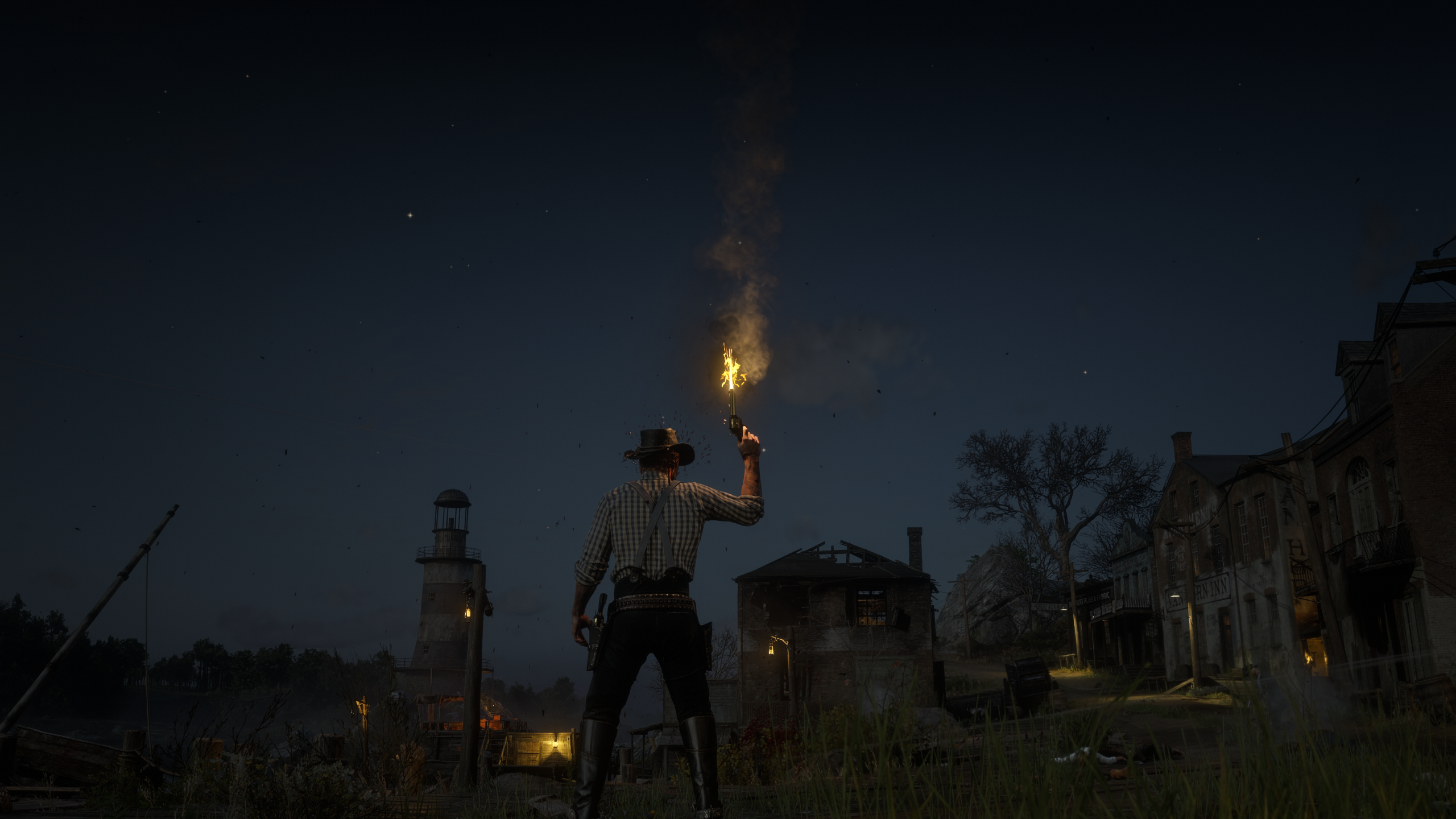
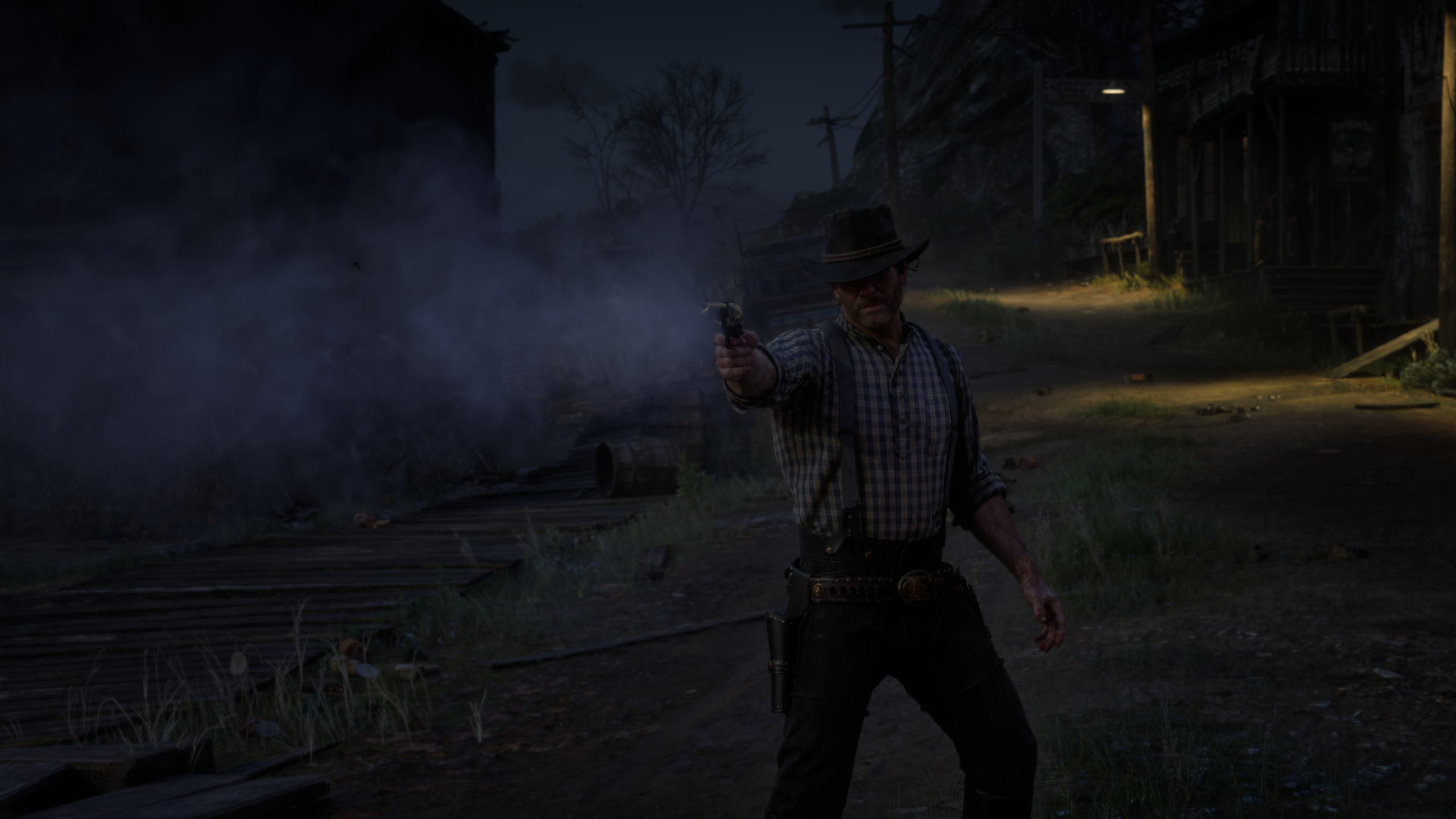
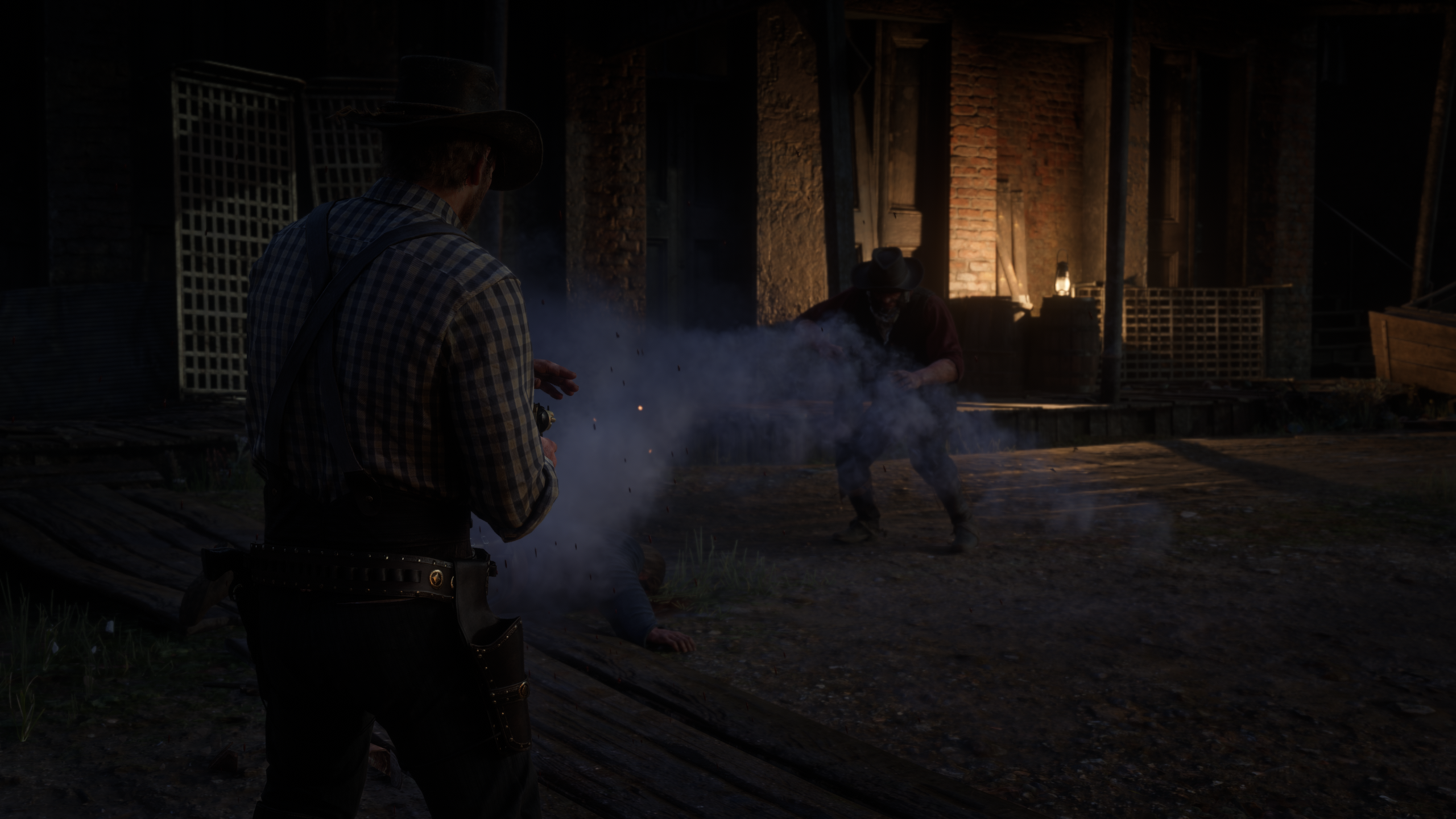
GUN SMOKE - spaghetti-western gun smoke for Red Dead Redemption 2
==============================================================================
Every shot throws out a big cloud of black-powder smoke, like an old western.
Smoke pours out of the barrel, hangs in the air where you fired, and keeps
curling off the gun afterwards. Each shot also gets a bigger muzzle flash and
a quick burst of light.
It works for you and for NPCs in a gunfight, and with revolvers, pistols,
rifles, repeaters and shotguns. Bows and thrown weapons are left alone.
Dual wielding is supported.
REQUIREMENTS
------------
- Script Hook RDR2 (by Alexander Blade)
- Story mode only (Script Hook mods don't run in Red Dead Online)
INSTALL
-------
1. Copy GunSmoke.asi into your Red Dead Redemption 2 game folder (the folder
with RDR2.exe in it).
2. Optional: copy GunSmoke.ini there as well. If you don't, the mod creates
one with the default settings the first time you start the game.
UNINSTALL
---------
Delete GunSmoke.asi, GunSmoke.ini and GunSmoke.log from the game folder.
KEYS
----
F9 Test: puffs smoke from the gun in your hand without firing, and
reloads GunSmoke.ini
F10 Turns the mod on and off
Both keys can be changed in GunSmoke.ini.
SETTINGS (GunSmoke.ini)
-----------------------
You can edit the INI while the game is running. Save it, and the changes
apply on your next shot. Every setting is explained inside the file.
The two main settings, under [General]:
SmokeMultiplier How BIG the smoke is. 0.5 = half, 2 = double,
0 = no extra smoke (the flash stays). The lingering
smoke has its own size: [Linger] Scale
DurationMultiplier How LONG it pours out. 0.5 = half, 2 = double
Other things you can adjust:
[Weapons] Extra or less smoke for handguns, rifles and shotguns
[Stream] Off by default. An extra blast of smoke thrown forward out of
the barrel (Enabled=1 to add it)
[Trail] Small puffs that keep trickling out of the barrel after a shot
[Linger] Extra smoke that hangs in the air long after the shot
[Plume] The smoke that keeps curling off the barrel after you fire
[Flash] Muzzle flash size and the burst of light (colour, brightness)
[General] AffectNPCs=0 keeps the extra smoke to your own guns only
To start over with the default settings, delete GunSmoke.ini and the mod
writes a fresh one the next time the game starts.
TROUBLESHOOTING
---------------
No extra smoke at all:
- Check that Script Hook RDR2 is installed and that GunSmoke.asi is in the
same folder as RDR2.exe.
- Look for GunSmoke.log in the game folder. If it's missing, the mod isn't
being loaded.
- Press F10 once. The mod may have been switched off.
Something looks wrong:
Set DebugLog=1 in GunSmoke.ini, fire a few shots, then check GunSmoke.log.
Set it back to 0 afterwards so the log stays small.
COMPATIBILITY
-------------
Gun Smoke only adds visual effects and doesn't change any game files. It has
been played alongside Smoking Complete, Dual Holster, Gun Tricks and Rampage.
UPDATES
-------------
V2:
New [Linger] layer:
Off-hand bug fix and plume work
Fixed the bug where a rifle carried in Arthur's left hand smoked when he fired his pistol. Only one-handed guns now count in the off hand.
Rifles and shotguns use the handgun barrel smoke for the plume, since their own versions vanished almost instantly.
Added plume logging, and the opt-in [Plume] RefreshMs.
Plume cleanup
Removed StackBonus, MaxStack and Layers. Stacking caused the upward smoke wall, and layers did nothing visible.
The plume is now one emitter per gun.
Stream off by default
The Stream is off by default, and its defaults are (ReachPuffs=8).
NPC lingering smoke
Linger smoke for NPCs is on by default.
Stream split
The Stream blast stays where you fired, controlled by the new StayInPlace. Moving or reloading no longer drags it into the air.
New [Trail] layer: short puffs that keep coming out of the barrel and follow the gun.
Linger also has StayInPlace, but its default behaviour is unchanged.
Edited by shaun9797
added tagline
What's New in Version 3.0.0
Released
In-game menu (F8)
A new F8 menu lets you tune the smoke while you play, with no more alt-tabbing to the INI.
Numpad controls: 8/2 move, 4/6 change a value (hold to change it faster), 5 select, 0 back. Num Lock must be on.
Every change applies instantly and is saved to GunSmoke.ini.
The menu only uses the numpad, so you can leave it open and keep firing with the mouse to watch the smoke change.
A help line explains whatever setting you're on.
Each page has "Reset this page", and the main page has "Reset all to defaults". Both ask you to press twice.
Looks
One-press looks: Subtle, Default, Heavy and Full Western.
Three save slots for your own looks. Saved looks then appear alongside the built-in ones.
"Custom" shows when you've tuned things yourself. Applying a look over unsaved settings asks you to press twice.
Weather and indoors
Indoors (saloons, houses, barns, caves, mines), the smoke is bigger and hangs around longer.
Rain and storms beat it down fast. Fog and mist make it linger. Snow shortens it slightly. Sandstorms, blizzards and hurricanes tear it away.
Each gunman is checked separately: someone firing inside a saloon gets indoor smoke even while you're out in the street.
Weather changes blend in smoothly.
Every value can be adjusted on the Environment page. A live readout there shows where you are, the current weather, and the final size your smoke gets.
Smoke Cover
Thick smoke is now real cover. Enemies who can't see you through the smoke shoot much worse, and that includes lawmen.
Your own smoke hides you too, so a long exchange of fire builds cover around you.
Settings: Strength (default 0.55) and Full cover at (how much smoke hides you completely).
The Smoke Cover page counts enemy shots at you and the hits you take, in the clear and through smoke.
Hidden enemies' accuracy goes back to normal once they stop fighting you.
For tinkerers, three extra settings are in the INI only: BallSize, ShowSmokeMap (draws the tracked smoke on screen) and TestFullCover.
Other
The INI now explains [Flash] Spacing.
Recommended Comments
Create an account or sign in to comment