Jump to content
View in the app

A better way to browse. Learn more.

RDR2Mods.com

A full-screen app on your home screen with push notifications, badges and more.

To install this app on iOS and iPadOS
  1. Tap the Share icon in Safari
  2. Scroll the menu and tap Add to Home Screen.
  3. Tap Add in the top-right corner.
To install this app on Android
  1. Tap the 3-dot menu (⋮) in the top-right corner of the browser.
  2. Tap Add to Home screen or Install app.
  3. Confirm by tapping Install.

Search 11413 components
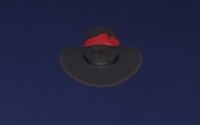

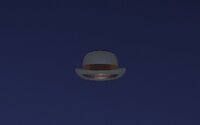
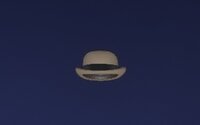
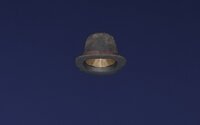
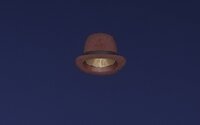
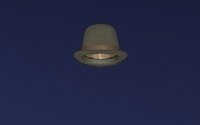
  1. 2CAA7F69
    Derby Hat

    Male Story Mode
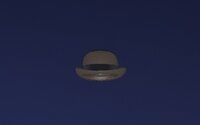
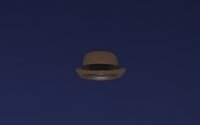
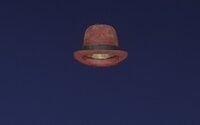
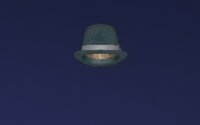
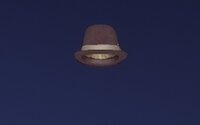
  2. 2D91813B
    Derby Hat

    Male Story Mode
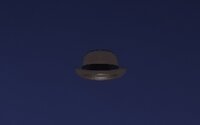
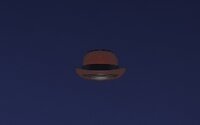
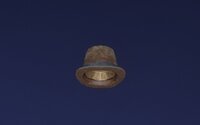
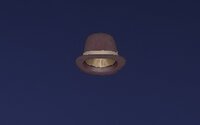
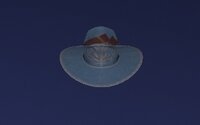
  3. F2EE0BF1
    Derby Hat

    Male Story Mode
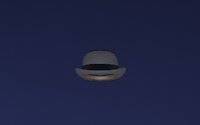
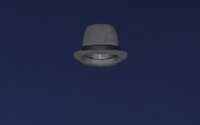
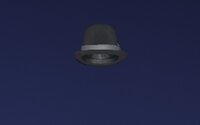
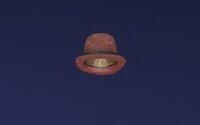
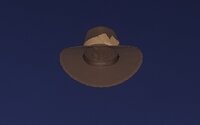
  4. FE6222D9
    Derby Hat

    Male Story Mode

  5. 48B1B78F
    Derby Hat

    Male Story Mode
  6. 566652F8
    Derby Hat

    Male Story Mode
  7. 5B57DCC7
    Derby Hat

    Male Story Mode
  8. 63336C92
    Derby Hat

    Male Story Mode

  9. 9EE27673
    Derby High Hat
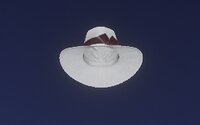
    Male Multiplayer
  10. AA7397DB
    Derby High Hat

    Female Multiplayer
  11. ADA41E48
    Derby High Hat

    Female Multiplayer
  12. B9282AFE
    Derby High Hat

    Male Multiplayer

  13. 11376561
    Derby High Hat

    Female Multiplayer
  14. CAE6CE7B
    Derby High Hat

    Male Multiplayer
  15. 5F73ECF1
    Derby High Hat

    Male Story Mode
  16. 67508750
    Derby High Hat

    Male Multiplayer

  17. D835735E
    Derby High Hat

    Female Multiplayer
  18. D59BE3E5
    Derby High Hat

    Male Multiplayer
  19. DBE6FACD
    Derby High Hat

    Female Multiplayer
  20. 1FCC6EC
    Derby High Hat

    Female Multiplayer

  21. 72A31DCD
    Derby High Hat

    Male Multiplayer
  22. E0717968
    Derby High Hat

    Male Multiplayer
  23. E36209B7
    Derby High Hat

    Female Multiplayer
  24. 7BEE3063
    Derby High Hat

    Male Multiplayer

  25. F4A3AC3A
    Derby High Hat

    Female Multiplayer
  26. 94DE4EF3
    Descoteaux Hat

    Female Multiplayer
  27. F8F47E03
    Descoteaux Hat

    Male Multiplayer
  28. 3AF49B35
    Descoteaux Hat

    Female Multiplayer

  29. 40CCA6E5
    Descoteaux Hat

    Female Multiplayer
  30. 9D734702
    Descoteaux Hat

    Male Multiplayer
  31. 429F2A76
    Descoteaux Hat

    Female Multiplayer
  32. 40B9435
    Descoteaux Hat

    Male Multiplayer

  33. AF686AEC
    Descoteaux Hat

    Male Multiplayer
  34. 5B91DC6F
    Descoteaux Hat

    Female Multiplayer
  35. CAE621E7
    Descoteaux Hat

    Male Multiplayer
  36. 6D427FD0
    Descoteaux Hat

    Female Multiplayer

  37. 76F01317
    Descoteaux Hat

    Female Multiplayer
  38. E8A1DD5E
    Descoteaux Hat

    Male Multiplayer
  39. 7FCE8BB9
    Descoteaux Hat

    Male Multiplayer
  40. 16B5B989
    Descoteaux Hat

    Male Multiplayer

  41. 30300598
    Descoteaux Hat

    Female Multiplayer
  42. 25D3CBF6
    Diamondback Hat

    Male Multiplayer
  43. 3A7C1684
    Diamondback Hat

    Female Multiplayer
  44. 9BAB4EA
    Diamondback Hat

    Female Multiplayer

  45. 439828BC
    Diamondback Hat

    Female Multiplayer
  46. 43F98841
    Diamondback Hat

    Male Multiplayer
  47. 55E6CD59
    Diamondback Hat

    Female Multiplayer
  48. B76B6F23
    Diamondback Hat

    Male Multiplayer

  49. 5BD8B7FF
    Diamondback Hat

    Male Multiplayer
  50. 68B551B8
    Diamondback Hat

    Male Multiplayer
  51. 176D504F
    Diamondback Hat

    Female Multiplayer
  52. 71538432
    Diamondback Hat

    Female Multiplayer

  53. 12F02AD
    Diamondback Hat

    Male Multiplayer
  54. 7E6B7D24
    Diamondback Hat

    Male Multiplayer
  55. 2E4E7E11
    Diamondback Hat

    Female Multiplayer
  56. 2FC700D2
    Diamondback Hat

    Female Multiplayer

  57. 17812F51
    Diamondback Hat

    Male Multiplayer
  58. 88DBDDAF
    Dillehay Hat

    Male Multiplayer
  59. 38211EB2
    Dillehay Hat

    Female Multiplayer
  60. FC582719
    Dillehay Hat

    Female Multiplayer

Configure browser push notifications

Chrome (Android)
  1. Tap the lock icon next to the address bar.
  2. Tap Permissions → Notifications.
  3. Adjust your preference.
Chrome (Desktop)
  1. Click the padlock icon in the address bar.
  2. Select Site settings.
  3. Find Notifications and adjust your preference.