





Gumpter
-
Joined
-
Last visited
File Comments posted by Gumpter
-
-
Edited by Gumpter
It feels like no matter what I do I cannot get this mod to work. I've followed the installation instructions to the letter, and once that failed, I experimented with other possible solutions;
- Installing it both manually and through LML - doesn't work
- Both while and while not using dinput8.dll - doesn't work
- Simply throwing the entire "standard" subfolder into the LML folder - doesn't work, but expected
- Using a personalized .ini file and the default one with the mod - doesn't work
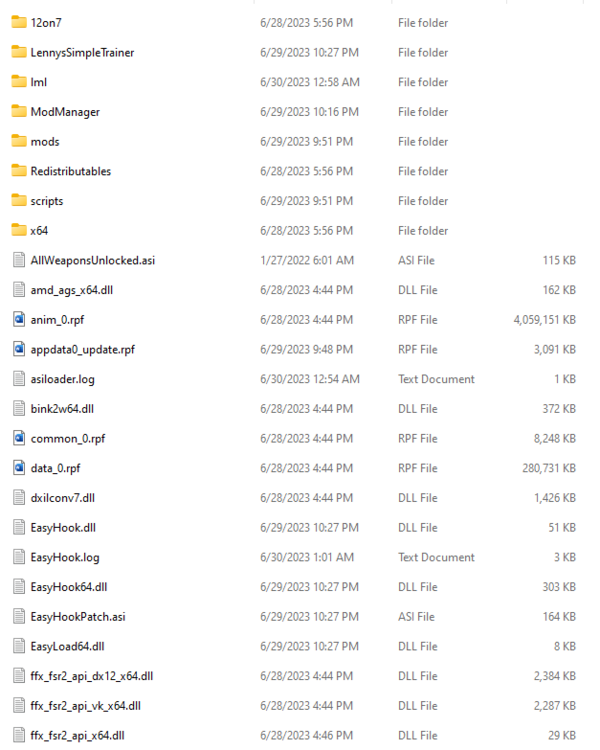
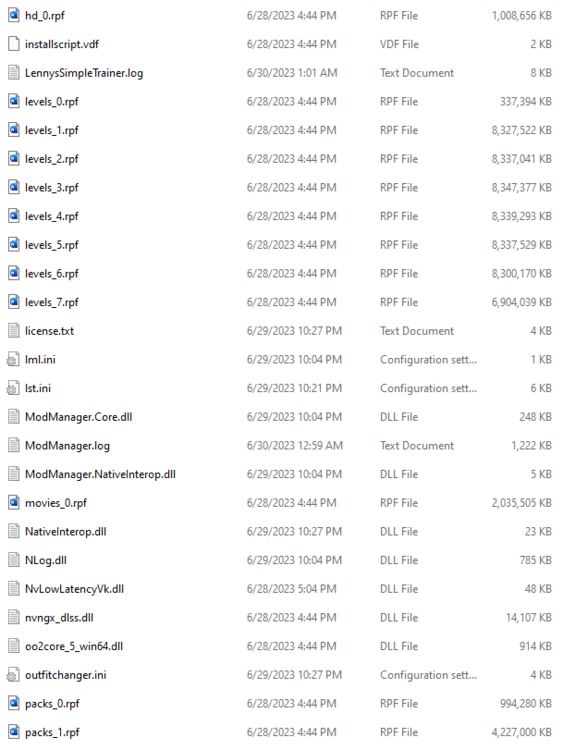
At the very end, I just did a fresh install of all of my mods and followed it - once again - to the letter, and it still just doesn't work, I keep getting the ".ini file not found". The only thing I could think of at this point is that there is some kind of incompatibility with another mod I have, so if it helps anyone, I'll provide a list of all of my used mods below;
- Lenny's Simple Trainer
- All Weapons Unlocked
- Lenny's Mod Loader
- Red Dead Offline
- WhyEm's DLC: Red Dead Offline edition
- W.E.R.O Euphoria (also made sure to download proper version of this mod, seen below)
- Gun Metal Rework
- Online Content Unlocker
- Gun Tricks
- Online Horses and Coats 2.0
- ScriptHook
- RDR2 Outfit Changer
-
Spoiler
Ped Damage Overhaul 2.0 BETA 7 (With Optional LML Files - Euphoria Mod Compatible).zip
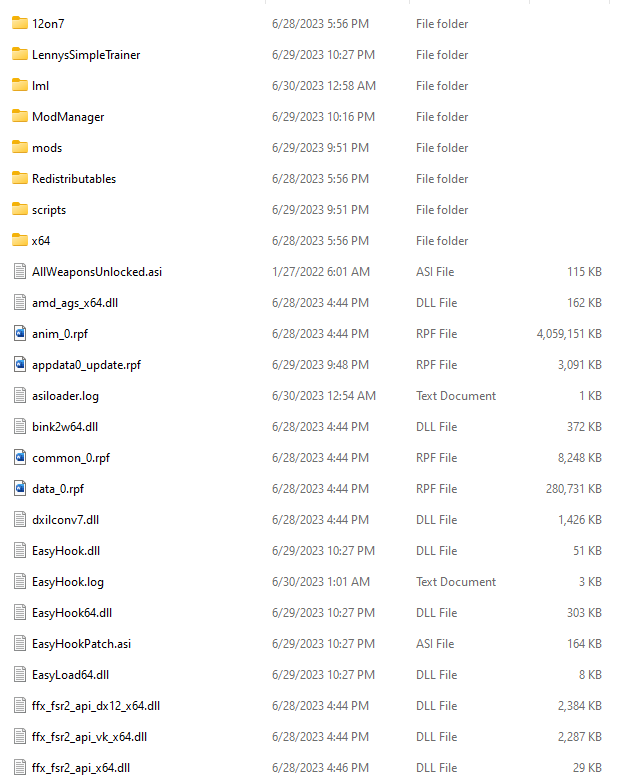
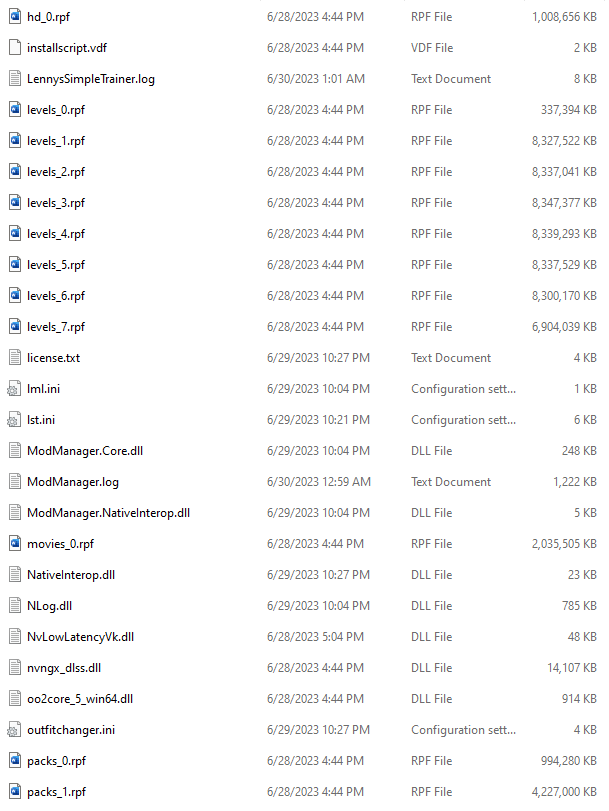
I'll also provide screenshots of my main RDR2 directory, the lml folder, and ModManager:
Any assistance is greatly appreciated, and with how long I've been at this I wouldn't be the least bit surprised if I just missed something small and stupid on account of my tiredness.
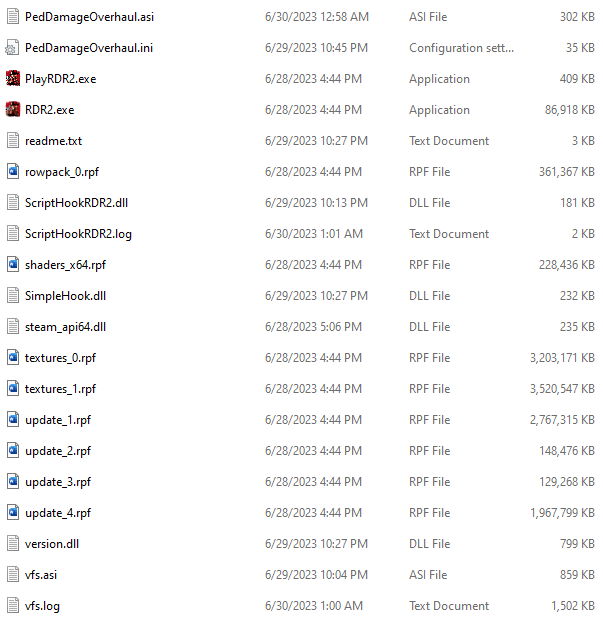
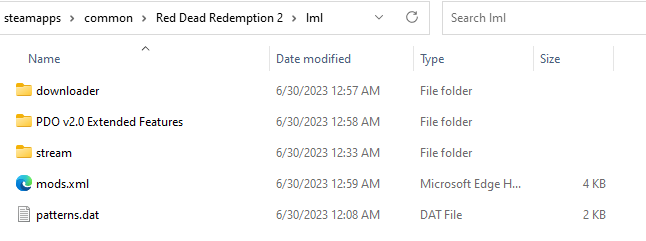
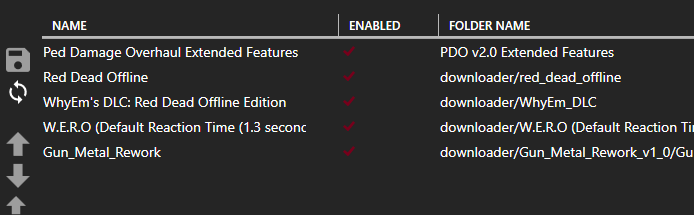
-
Edited by Gumpter
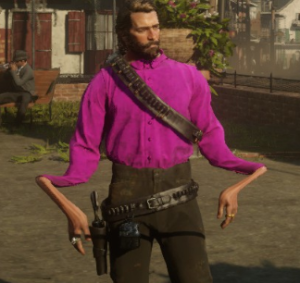
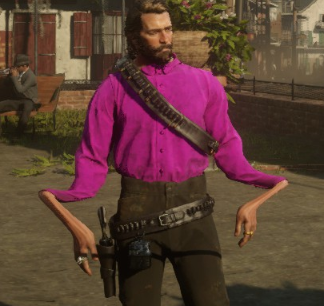
While I hate to have my first comment be a complaint, I was having a bit of an issue I was hoping others could give me some insight into. I'm honestly not sure if this is an issue caused by Outfit Changer, Eastern's Epic Extras, Red Dead Offline, or all three.
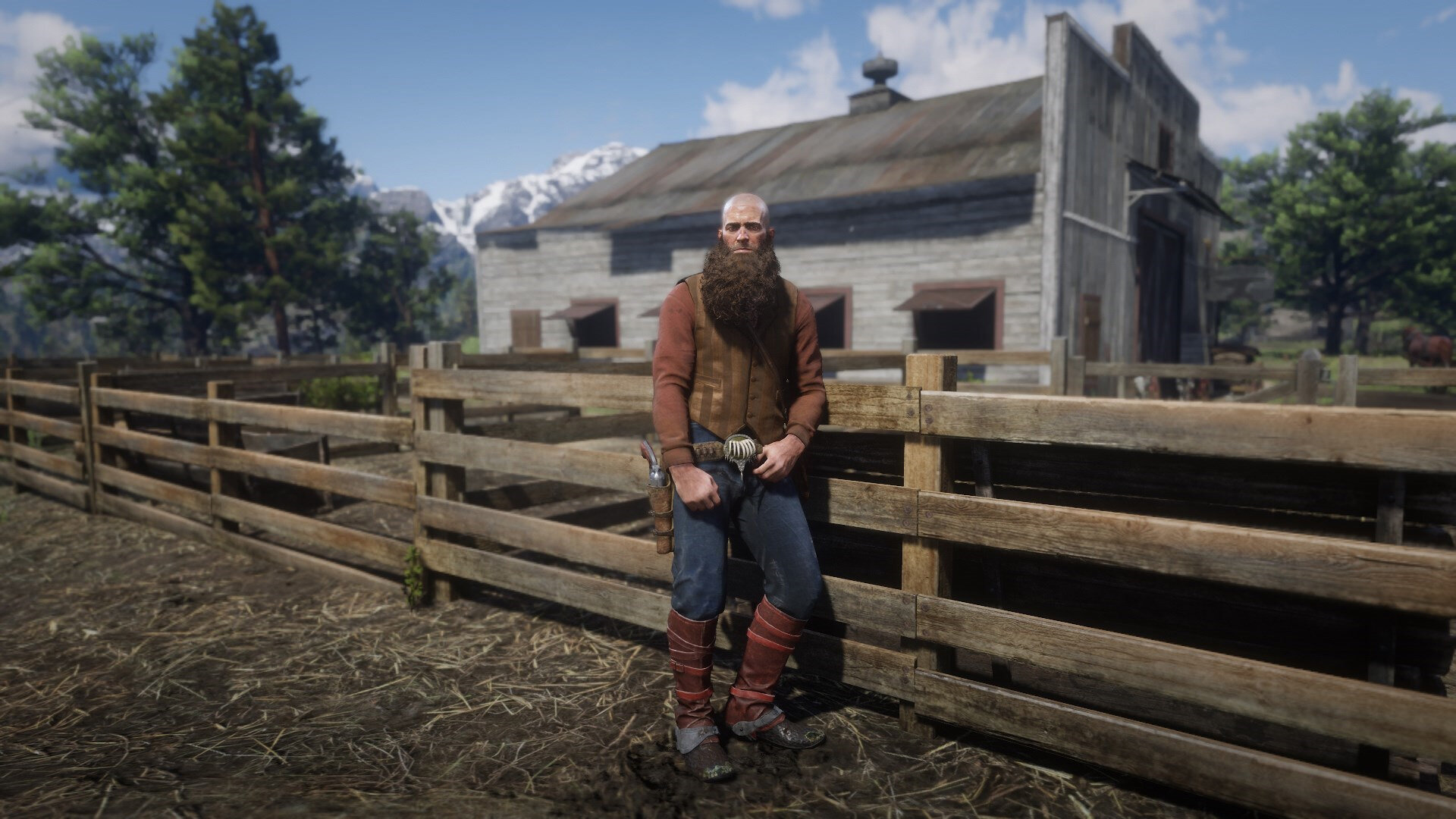
When trying to equip ANY mp shirts/coats/vests/etc, the forearms are always buggily stretched out as per the attached image. Every single top clothing item. I had seen in past comments that a lot of the visual errors can be fixed by selecting a different torso and the like, but the problem persists through every single one except Arthur's base game torso. Even with this, however, any mp clothing I try to equip still has that horrific-looking forearm stretch and I can barely use any of the clothing available.I've deleted and reinstalled all 3 mods multiple times trying to figure out if I did anything wrong during installation, but nothing I do fixes it. The sole reason I downloaded RDR2 on my PC was for the modding - namely the outfits and such - and I don't want the time I've spent trying to get this set up properly to go to waste because one or more of these mods just doesn't work.
[Edit: The issue is happening with the vast majority of all mp items]
Ped Damage Overhaul
in Scripts
Yeah, I noticed after a while that the gameplay didn't different, and enabling/disabling friendly-fire with F2 didn't work, so I tried disabling the mod and I got that message, and I got it for every subsequent attempt afterwards.