
Ryo Hazaki
Recognized Creator
-
Joined
-
Last visited
Files posted by Ryo Hazaki
-
Description
This mod lets you play your own custom .wav
files whenever cinematic mode is active in Red Dead Redemption 2. Add music, ambience, dramatic western themes, peaceful trail-riding tunes, or even funny sound clips to turn every ride across the frontier into your own personal movie scene. Drop in your audio, saddle up, enter cinematic mode, and let the soundtrack do the rest.
Installation instructions
Download the mod from the provided link.
You should receive a .zip
file named RED DEAD RIDE ALONG.
Unzip the file or copy its contents. Inside, you should find:
RedDeadRideAlong.asi
A folder named RideAlongMusic
Place both the RedDeadRideAlong.asi, and RideAlongMusic folder into your Red Dead Redemption 2 main directory.
Launch the game, enter cinematic mode, and enjoy your custom ride-along soundtrack.
Main features
Plays any .wav file placed inside the RideAlongMusic
folder.
Music automatically starts while using cinematic mode, giving your rides a custom soundtrack.
Supports multiple songs, so you can build your own trail-riding playlist.
Songs will crossfade as they change, helping the music flow more smoothly.
Works great for western themes, ambient tracks, peaceful riding music, or anything else you want to hear while roaming the frontier.
Important Notes
RDR2 may play custom music VERY LOUDLY, so it is highly recommended that you lower the volume of your .wav
files before adding them to the mod. You can adjust the volume using Audacity or another audio editor.
Volume tutorial: https://www.youtube.com/watch?v=7K_6E9C7WjA
The mod includes song crossfading. During a crossfade, the game may briefly pause for a split second. This is normal.
Crossfade tutorial: https://www.youtube.com/watch?v=pxVHpotU58I
Music may also briefly play during kill cams and when starting a camp.
The following pictures reflect the exact steps I use to convert files for this mod in Audacity.
The 1st pic shows how I personally adjust the volume level.
The 2nd shows the output settings to convert to .wav.
Requirements
Requirements
To use this mod, you will need the following installed first:
Ultimate ASI Loader
ScriptHookRDR2 V2
Make sure both requirements are installed correctly before adding Red Dead Ride Along to your RDR2 main directory. Once those are set up, place the mod files in your game folder and you’re ready to ride with your custom soundtrack.
Shout outs
A special thank you to minkoff. This mod would not be possible without him.
You can check out his mods here:
https://www.nexusmods.com/profile/minkoff/mods- 192 Downloads
Ryo Hazaki in MiscUpdated -
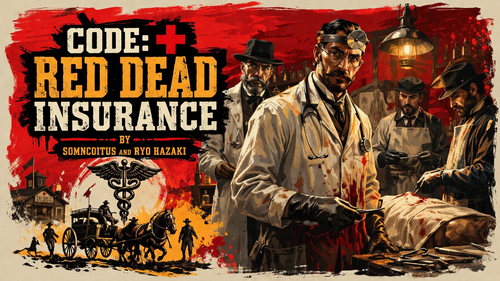
Ever come across a downed citizen in need of urgent care? Trust Code Red Dead Insurance to help connect you with a qualified medical professional when it matters most.
With Code Red Dead Insurance, you can request a doctor to respond to your location when you encounter a downed citizen.
Disclaimer: Code Red Dead Insurance makes no guarantee that medical services will be available, dispatched, delivered, or successfully rendered at any given time. Provider availability, network participation, travel conditions, hostile wildlife, gunfire, and general frontier misfortune may affect response and treatment.
Code Red Dead Insurance is not liable for delayed care, unavailable care, out-of-network complications, unsuccessful procedures, worsening conditions, or any outcome resulting from attempted or unattempted medical treatment.
By using Code Red Dead Insurance, you acknowledge responsibility for all applicable medical charges, fees, and services rendered until the agreed-upon deductible has been met. Once the deductible is satisfied, eligible covered services may be provided in accordance with your health plan, assuming you survives long enough to process the claim.
Installation Instructions
Download and unzip the mod file.
Place Code Red Dead.asi in your RDR2 main directory.
Place the Doctor Mod folder in your RDR2 main directory.
Make sure you have the required ScriptHookV2 and Ultimate ASI Loader, installed .
Launch the game and when you come upon downed enemies or peds. You may see the prompt of "Call Doctor."
Select the prompt and a doctor may come to your location to administer aid.
Meet the Staff (in alphabetical order)
Credits
Special thanks to somncoitus for taking the time to collaborate with me on this project. This would not be possible without him. This mod is a part of the coming Public Services Pack. What is it you ask? Quality of Life mods that also work while you patrol as a policeman in RDRFR.- 459 Downloads
Updated -
- 858 Downloads
Updated -
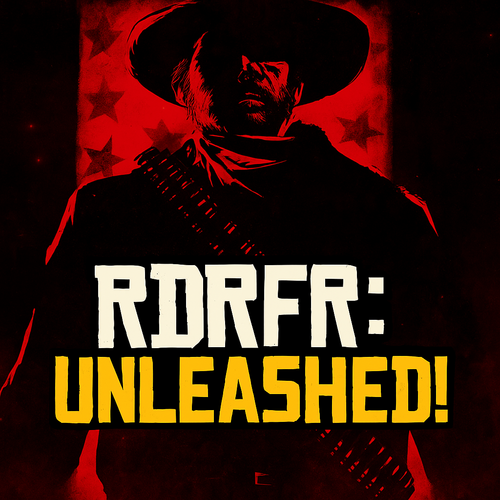
🎉 Saddle up, lawmen! Introducing RDRFR: Unleashed, my brand-new mod for Red Dead Redemption 2 that lets you patrol the entire map! With this mod, you can live out your Wild West sheriff dreams like never before.
🌟 Key Features:
- Free Roam as an Officer: You patrol is no longer limited to towns.
- You can now patrol the vast open world of RDR2 with the full RDRFR experience!
INSTRUCTIONS:
1. Ensure you already have RDRFR installed!
2. After you download the file, open the contents of the zip file, and place in MAIN DIRECTORY of RDR2. If you already have RDRFR installed it will be automatically be placed in the correct folder.
HOW TO PERSONALIZE YOUR BADGE?
-📍Go to: Red Dead Redemption 2\rdrfr\plugins\OfficerOverlay.ini, and open the .ini. The default is SheriffName=Arthur "Justice" Morgan. Change the text after the = sign to whatever you like.
🎮 How to Get Started:
1. Start the game.
2. Once in game, start your RAGE Plugin Hook for RDR2, and ensure it loads.
3. Head to any police station in-game, and go on duty.
4. You'll known when the mod is working as you'll see your custom badge in the upper left corner and an onscreen message at the bottom center to confirm the mod is active!
✅🔥 Get ready to enforce justice across the frontier with RDRFR: Unleashed!
Download the mod. Don’t forget to like, subscribe, and hit that bell 🔔 for more RDR2 modding content!
Special thanks to Rixus, Rededrunk, somncoitus, for coding inspiration, and the LawLine Discord Team for their dream of improving RDRFR.
Interested in seeing more future RDRFR projects? Please join the LawLine Discord @ https://discord.gg/vC7gs4A5AN.- 2355 Downloads
Updated
.thumb.png.8d3f6a8957aa31d1b73ecd3524ac0544.png)