




Leaderboard
-
- All areas
- Articles
- Article Comments
- Pages
- Page Comments
- Natives
- Native Comments
- Parameters
- Components
- Component Comments
- Voices
- Voice Comments
- Speech Lines
- Speech Line Comments
- Tutorials
- Tutorial Comments
- Peds
- Ped Comments
- Animations
- Animation Comments
- Releases
- Release Comments
- Guides
- Guide Comments
- Features
- Feature Comments
- Settings
- Setting Comments
- Files
- File Comments
- File Reviews
- Images
- Image Comments
- Albums
- Album Comments
- Topics
- Posts
-
-
Gunter Severloh
Recognized Creator1Points232Posts -
IcarusPhoenix
Members1Points1Posts

Popular Content
Showing content with the highest reputation since 02/20/2026 in File Comments
-
1 point
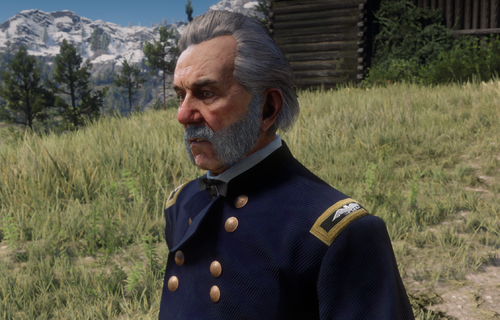 I know that it's years later, but I love that both Favours and Monroe have the right ranks now, but slight nitpick (which didn't prevent me from downloading this, and I'm only making because you went through so much trouble to also get the colors on Monroe's uniform correct); Favours' coat is still wrong. The eight pairs button arrangement is still something unique to a brigadier general. Majors and colonels should have two even rows of nine. Also, I'm guessing the decision to give him a staff officer's shoulder boards and trousers rather than infantry was intentional? Genuine curiosity here. Also, thank you for not putting anyone in those cursed Napoleonic-style metal dress helmets that some idiot decided to use in this era; those things were an abomination.1 point
 -
1 point
 Language Translation for the hired guns menu at saloons Just want to point out for those who dont speak/read English that there is translation file you can get on the nexus version of the mod in the file section. Its one file its titled Hired_Guns_Translation.dat just put that into your RDR2 directory, and be sure to choose the zip for your language. See the files here for them on the Nexus: https://www.nexusmods.com/reddeadredemption2/mods/4663?tab=files1 point