Jump to content
View in the app

A better way to browse. Learn more.

RDR2Mods.com

A full-screen app on your home screen with push notifications, badges and more.

To install this app on iOS and iPadOS
  1. Tap the Share icon in Safari
  2. Scroll the menu and tap Add to Home Screen.
  3. Tap Add in the top-right corner.
To install this app on Android
  1. Tap the 3-dot menu (⋮) in the top-right corner of the browser.
  2. Tap Add to Home screen or Install app.
  3. Confirm by tapping Install.
Trending Downloads
  1. You lose all items, money, weapons, ammo, food, etc upon dying and also your cores are reset.
    #1 trending in Red Dead Redemption 2
    • 149 Downloads
    • 4043 Views
    • 185.32 kB File Size
    Updated
  2. Have you been in a gunfight in RDRFR, and frantically searched for the N button on your keyboard for
    #2 trending in Red Dead Redemption 2
    • 231 Downloads
    • 6166 Views
    • 37.11 MB File Size
    Updated
    • 892 Downloads
    • 5178 Views
    • 10.67 kB File Size
    Updated
    • 677 Downloads
    • 15438 Views
    • 242.54 kB File Size
    Updated
  3. Unlocks Mp player voices in Story Mode!
    #5 trending in Red Dead Redemption 2
    • 1,365 Downloads
    • 35220 Views
    • 85.53 kB File Size
    • 5 Comments
    Updated
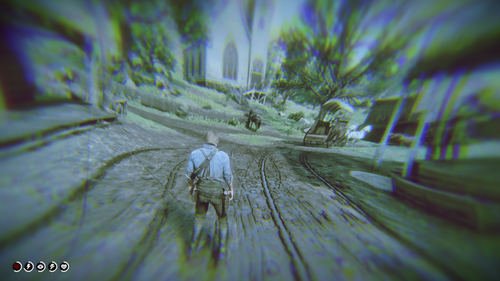
  4. small visual changes
    #6 trending in Red Dead Redemption 2
    • 1,834 Downloads
    • 25346 Views
    • 41.47 kB File Size
    Updated
  5. A mod for Red Dead Redemption 2 that adds a permanent bonfire to every location an NPC dies.
    #7 trending in Red Dead Redemption 2
    • 87 Downloads
    • 10250 Views
    • 5.13 MB File Size
    • 1 Comments
    Updated
    • 775 Downloads
    • 17411 Views
    • 3.94 MB File Size
    Updated
    • 287 Downloads
    • 7171 Views
    • 36.74 kB File Size
    Updated
    • 1,763 Downloads
    • 38130 Views
    • 18.14 MB File Size
    • 1 Comments
    Updated

Configure browser push notifications

Chrome (Android)
  1. Tap the lock icon next to the address bar.
  2. Tap Permissions → Notifications.
  3. Adjust your preference.
Chrome (Desktop)
  1. Click the padlock icon in the address bar.
  2. Select Site settings.
  3. Find Notifications and adjust your preference.