Skip to content
View in the app

A better way to browse. Learn more.

RDR2Mods.com

A full-screen app on your home screen with push notifications, badges and more.

To install this app on iOS and iPadOS
  1. Tap the Share icon in Safari
  2. Scroll the menu and tap Add to Home Screen.
  3. Tap Add in the top-right corner.
To install this app on Android
  1. Tap the 3-dot menu (⋮) in the top-right corner of the browser.
  2. Tap Add to Home screen or Install app.
  3. Confirm by tapping Install.

Faster Holstering Unholstering 1.1

(1 review)

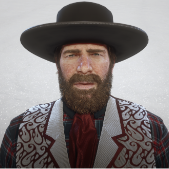
1 Screenshot

Makes weapons holster / unholster for the player at any desired speed.

You can change the speed for each weapon type and holster/unholster speeds separately in Holstering_Speeds.ini.
By default, unholstering is set at 1.5 speed and holstering is set at vanilla. Speed can be set to lower than 1.0 if desired.

Requires Script Hook.
For installation, put the .asi and .ini files inside the main RDR2 folder.


Version 1.1:

  • Mod now works with a script and allows fine-tuning the speeds in Holstering_Speeds.ini.


Edited by alfabravozapa

What's New in Version 1.1

Released

  • Mod now works with a script and allows fine-tuning the speeds in Holstering_Speeds.ini.

User Feedback

Recommended Comments

There are no comments to display.

Create an account or sign in to comment

Account

Navigation

Search

Search

Configure browser push notifications

Chrome (Android)
  1. Tap the lock icon next to the address bar.
  2. Tap Permissions → Notifications.
  3. Adjust your preference.
Chrome (Desktop)
  1. Click the padlock icon in the address bar.
  2. Select Site settings.
  3. Find Notifications and adjust your preference.