Jump to content
View in the app

A better way to browse. Learn more.

RDR2Mods.com

A full-screen app on your home screen with push notifications, badges and more.

To install this app on iOS and iPadOS
  1. Tap the Share icon in Safari
  2. Scroll the menu and tap Add to Home Screen.
  3. Tap Add in the top-right corner.
To install this app on Android
  1. Tap the 3-dot menu (⋮) in the top-right corner of the browser.
  2. Tap Add to Home screen or Install app.
  3. Confirm by tapping Install.
21 files
  1. Replace any game file!
    • 4,159,394 Downloads
    • 12561882 Views
    • 41.6 MB File Size
    • 777 Comments
    LMS in Tools
    Updated
  2. Load ASI files and custom code into the game.
    • 2,279,662 Downloads
    • 6139689 Views
    • 2.94 MB File Size
    • 161 Comments
    LMS in Tools
    Updated
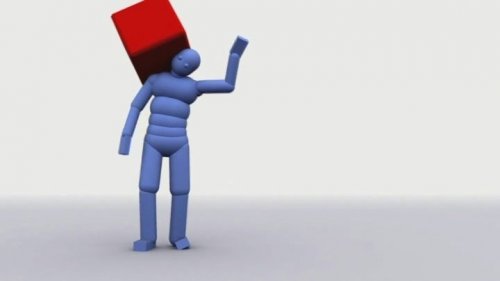
  3. Tutorial Euphoria Ragdoll Gore
    • 2,674 Downloads
    • 42792 Views
    • 1.89 MB File Size
    • 10 Comments
    Updated
  4. Unhashes YMT file member names and data contents.
    • 1,776 Downloads
    • 59927 Views
    • 1.34 MB File Size
    • 10 Comments
    Updated
  5. Easily develop mods using any .NET language!
    • 17,697 Downloads
    • 153465 Views
    • 8 Comments
    LMS in Tools
    Updated
  6. Easily convert photo-mode pictures!
    • 2,219 Downloads
    • 33741 Views
    • 17.5 MB File Size
    • 8 Comments
    Updated
  7. Explore RDR's files!
    • 9,096 Downloads
    • 97152 Views
    • 5 Comments
    LMS in Tools
    Updated
    • 24,999 Downloads
    • 167876 Views
    • 40.17 MB File Size
    • 4 Comments
    Updated
  8. A Blender Add-On for RDR2 Models.
    • 3,378 Downloads
    • 54907 Views
    • 332.49 kB File Size
    • 4 Comments
    Updated
    • 7,301 Downloads
    • 39134 Views
    • 37.31 MB File Size
    • 3 Comments
    Updated
  9. A tool forked off of Neodymium's GTA5 Texture Toolkit, that allows you to create RDR2 texture files
    • 3,558 Downloads
    • 48559 Views
    • 4.74 MB File Size
    • 1 Comments
    Updated
    • 273 Downloads
    • 6712 Views
    • 36.74 kB File Size
    Updated
    • 778 Downloads
    • 4568 Views
    • 10.67 kB File Size
    Updated
    • 645 Downloads
    • 37384 Views
    • 36.18 MB File Size
    Updated
    • 230 Downloads
    • 16750 Views
    • 832.68 kB File Size
    Miyu in Tools
    Updated
    • 251 Downloads
    • 18399 Views
    • 10 kB File Size
    Updated

Configure browser push notifications

Chrome (Android)
  1. Tap the lock icon next to the address bar.
  2. Tap Permissions → Notifications.
  3. Adjust your preference.
Chrome (Desktop)
  1. Click the padlock icon in the address bar.
  2. Select Site settings.
  3. Find Notifications and adjust your preference.