




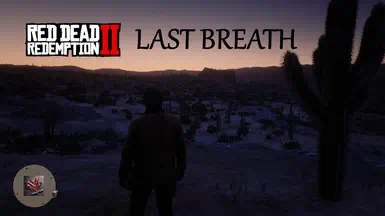
RED DEAD REDEMPTION II
LAST BREATH
YOU ARE NOW A MORTAL OUTLAW!
Description
A Natural Lifetime System
Last Breath – Entropy for Red Dead Redemption 2 brings a new level of challenge, immersion and flexibility to the world of the dying Wild West. It naturally follows the journey of Arthur Morgan and John Marston.
This mod gives you a limited amount of life and only a few chances to die before you have to restart the whole campaign.
Now all your decisions matter – even more. You now have a lifetime bar, and every time you mess up, it shrinks. One day you might get shot, and Arthur dies for good, once and for all. Then you will have to restart the story.
Sleep, eat, wash now and then or spend some time swimming to give yourself more time to finish the beautiful journey of Arthur Morgan and John Marston.
If you die to often, the story will restart from chapter 1.
This mod tracks what happens during gameplay – smoking, eating, fishing, drinking and, most importantly, dying – and applies it to your lifetime bar. In addition, your lifetime bar shrinks a little with every day you live.
The four phases
Your lifetime decreases in four phases over the course of the story:
Phase 1: In the first chapters, time is on your side, and Arthur still has all his life and fight left in him.
Phase 2: Once you finish the mission "Money Lending and Other Sins III" at the Downes Ranch and beat the sick Thomas Downes for his debts, Arthur catches tuberculosis. From then on, time runs faster: with every day you live, your lifetime drains faster.
Phase 3: Once you finish the mission "Welcome to the New World", Arthur is badly weakened. The disaster in Saint Denis, the shipwreck on Guarma, the fight for his life and the tropical climate under constant threat take a heavy toll on his health. Your lifetime drains faster and faster, and your maximum lifetime is capped.
Phase 4: When you start over as John Marston, your life is strong and your health is back. Feel good, feel free and explore the world – but be careful.
What decreases your lifetime
Dying (severe)
Dying in melee (average to severe)
Days and time passing by (average)
Taking a lot of damage (average)
Smoking, drinking (light)
Using a lot of Dead Eye (light)
What increases your lifetime
Several missions, including We Loved Once and True, fishing and similar ones … find out for yourself!
Washing now and then (average)
Staying in water for a longer time, which also washes you (average)
Sleeping regularly (average)
Eating a few times a day (average)
But you cannot escape Arthur's future and destiny …
Your lifetime is displayed when it changes and turns from green to dark red as it goes down. Once it hits zero, a new story starts automatically.
Instant permadeath is an option you can turn on.
Your existing save games are never modified or deleted.
NEWEST VERSION: 0.1.3 [OPEN BETA]
Requirements
Red Dead Redemption II (a valid copy)
Script Hook RDR2 (a working version): install it into your main game directory.
A program to unpack archives, like 7-Zip or WinRAR, to unzip the mod files.
Installation
Make sure Script Hook RDR2 is installed properly. A
ScriptHookRDR2.logshould appear in your main game directory once you start the game with it.
Unzip the RDR2 Entropy mod.
Copy or move the following files into your RDR2 root directory, right next to
RDR2.exeand
ScriptHookRDR2.dll:
RDR2_Entropy.asiRDR2_Entropy.ini(If you cannot find the RDR2 root directory, open it through the Steam options ("Browse local files"), find your local SteamLibrary, follow the desktop shortcut, or search your PC for
RDR2.exe.)
If you like, open
RDR2_Entropy.iniand change the values to your personal liking.
Start the game as usual.
If the mod is running properly, a log file and a save file are created.
This mod was built for RDR2 version 1.0.1491.50, but it is intended to work with all RDR2 versions.
Options
The most important settings in the INI file:
Enable/Disable: turns the mod on or off
Hardcore Mode: on/off
Key to pause the mod while playing: default Backspace + K, hold for 3 seconds
Instant permadeath: on/off
Dynamic or fixed HUD, HUD options: when and how your remaining lifetime is displayed
Logging level: 0 – none, 1 – basic, 2 – detailed
These settings do not affect your save games and can be changed before every start of RDR2.
Changelog
Version 0.1.3 (v0.1.3.26.11.01.1.1491.50 b) [Open Beta]
Initial release
Support for Red Dead Redemption 2 version 1.0.1491.50
The mod is fully functional but will stay in open beta until more testing is done.
Bugs, Errors
If you run into any bugs, errors or crashes, feel free to report them. For the best support, join the Discord, describe your issue and upload your log file.
Last tested: 01 November 2026 (26-11-01)
VENATORMODS
Discord for direct support & questions: https://discord.gg/7eSBQfa3 | VMods channel on Discord
YouTube: https://www.youtube.com/@VenatorMods | VenatorMods on YouTube
GTA5-mods.com author: https://www.gta5-mods.com/users/Venator | Venator on GTA5-mods.com
Nexus Mods: https://next.nexusmods.com/profile/VenatorsMods/mods?gameId=893 | VenatorMods on Nexus Mods
E-mail: VenatorMods.GTAV@outlook.de
Happy to get your feedback, suggestions and bug reports!
Credits
License, Third Parties
License
Do not re-upload this main mod without my permission, or until 5 years after its last update on nexusmods.com. All rights reserved.
Third Parties
Red Dead Redemption II (RDR2) by Rockstar Games, Take-Two Interactive
Script Hook RDR2 by Alexander Blade and others
Artificial Intelligence
Artificial intelligence was used to assist with planning, building and releasing this project: feedback, coding assistance, coding, research and data support.
Recommended Comments
Create an account or sign in to comment