





.png.39091beca8cc51c4e28d546d5d7e638e.png)
.png.6686ab1111dc8e0846f410a179224fe0.png)
.png.25fb0f48c8b36e51eb2c17093e536457.png)
Pasted content
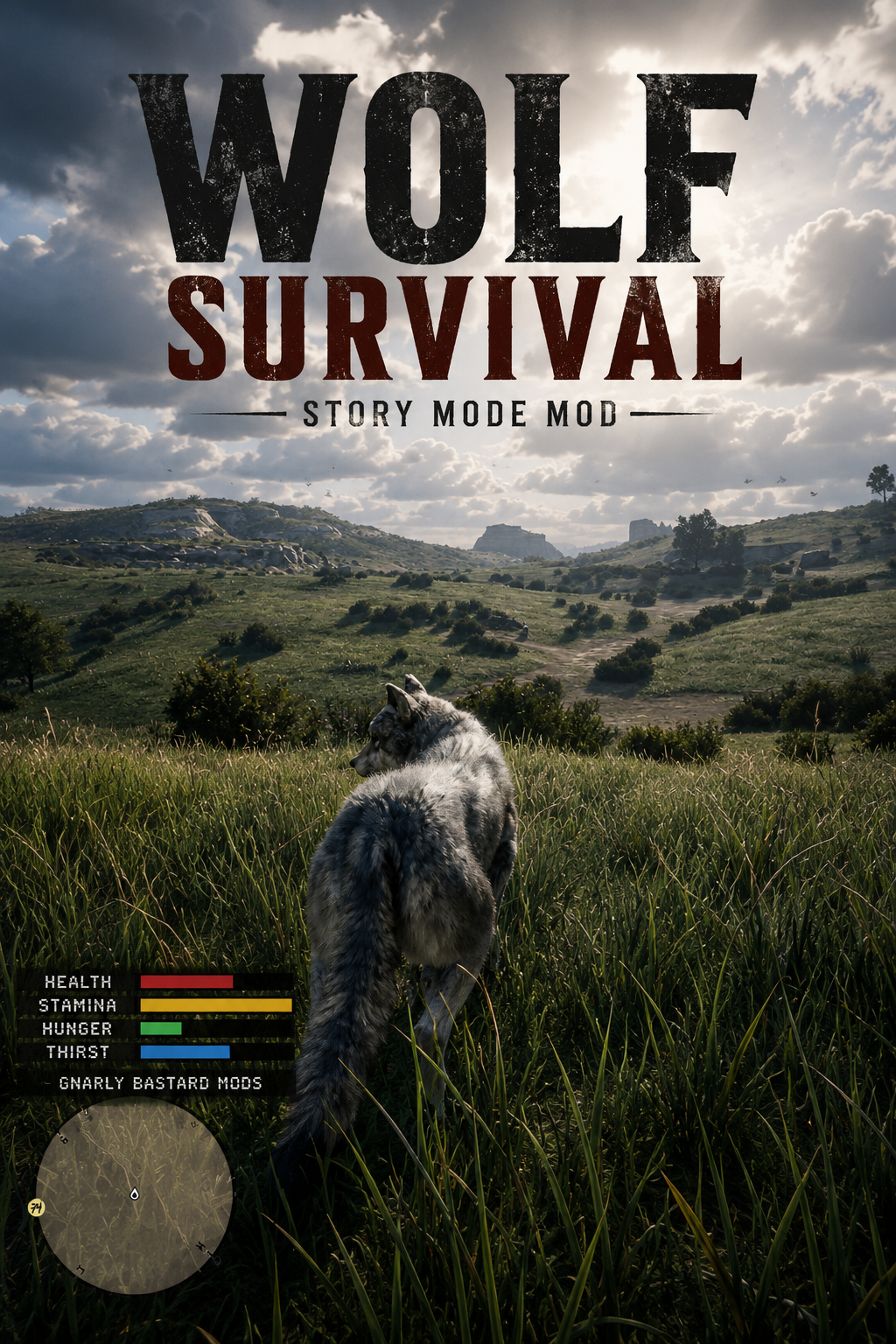
WOLF SURVIVAL
Created by Gnarly Bastard Mods
Become the predator.
Wolf Survival transforms Red Dead Redemption 2 Story Mode into a
hardcore animal survival experience. Play as a wolf, hunt wildlife and
humans, feed from carcasses, drink from natural water sources, manage
four survival bars, and rest to recover from injuries.
This is not simply a player-model swap. Wolf Survival adds a complete
gameplay loop built around surviving as an animal in RDR2's open world.
BACK UP YOUR SAVE FILES BEFORE INSTALLING-
======================================================================
FEATURES
======================================================================
- Play as a fully controllable wolf in Story Mode free roam.
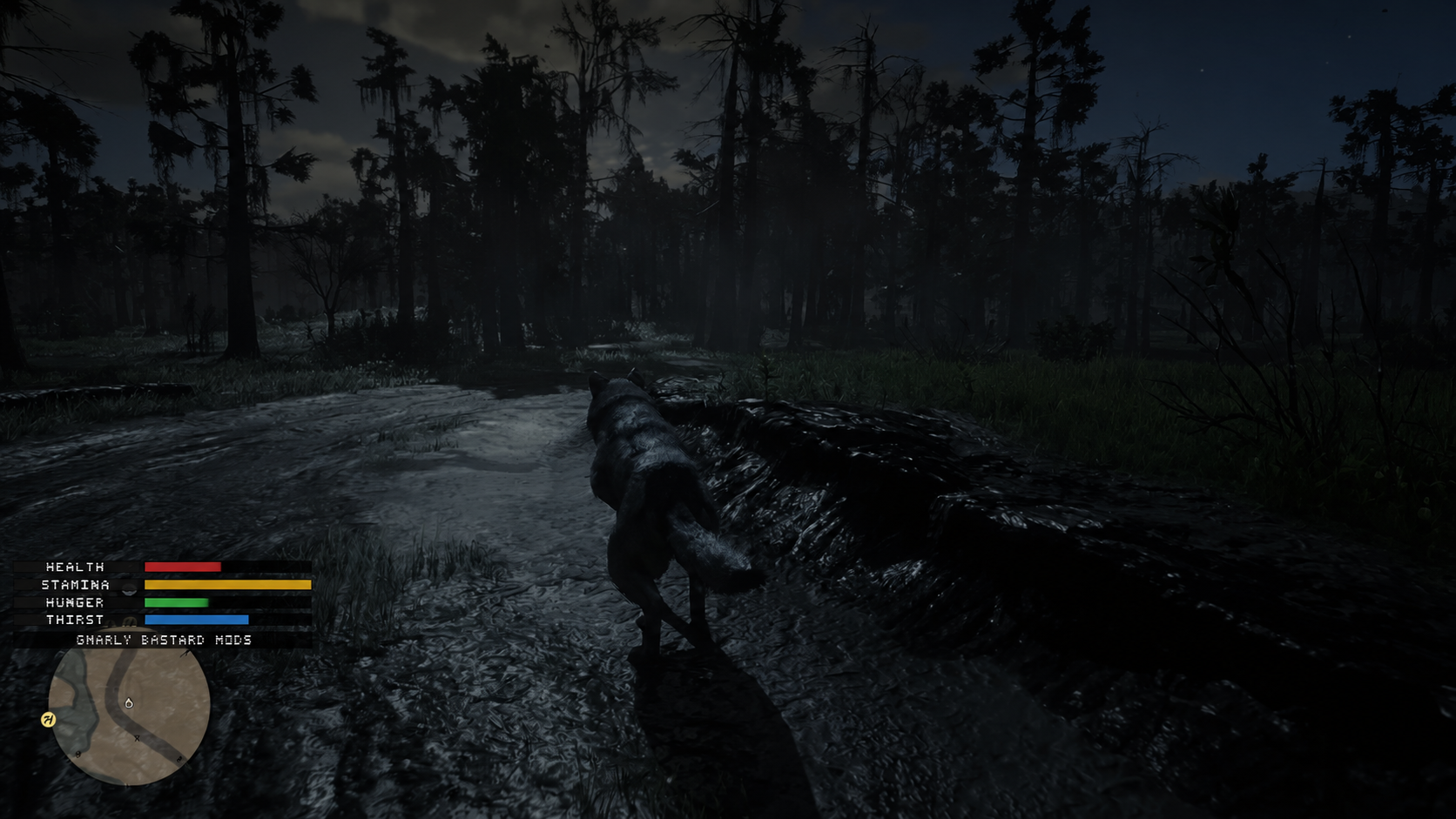
- Custom health, stamina, hunger, and thirst HUD.
- Clearly labeled survival bars displayed above the minimap.
- Scripted wolf bite and lunge attacks.
- Hunt both animals and humans.
- Feed from animal and human carcasses.
- Carcass food values based on animal size.
- Large game restores no more than approximately 30% hunger.
- Limited health recovery from feeding.
- Drink from rivers, lakes, ponds, and shallow natural water.
- Wolf feeding and drinking animations.
- Working drinking audio.
- Howling animation and vocalization.
- Hunting/resting position activated with Z.
- Resting is the primary way to recover health.
- Healing pauses when hunger or thirst is too low.
- Starvation and dehydration damage.
- Faster survival drain for active hunting gameplay.
- Configurable hunger and thirst timers.
- New wolves begin at 50% hunger and 50% thirst.
- Civilians flee from the wolf instead of speaking to it like a person.
- Arthur or John's horse is dismissed while Wolf Survival is active.
- Persistent survival values and new-life reset handling.
- Configurable controls and balance settings.
- Runtime INI reloading.
- Emergency Arthur/John restoration key.
- GNARLY BASTARD MODS branding in the HUD and F7 status display.
- Story Mode only.
======================================================================
THE SURVIVAL LOOP
======================================================================
A new wolf begins with full health and stamina but only 50% hunger and
thirst.
Hunger and thirst continuously decrease. The default configuration drains
a full bar in approximately 12 real minutes, meaning the starting 50%
bars last about six minutes.
You must actively hunt, feed, and search for water.
Small animals provide only a small meal. Medium animals provide more.
Large game can restore approximately 30% hunger at most. Human remains
are also edible when enabled.
Feeding restores only a limited amount of health. The best way to heal
is to find a safe location, press Z, and rest.
Resting cannot overcome starvation or dehydration. When food or water is
too low, healing pauses and the mod tells the player what is missing.
======================================================================
DEFAULT CONTROLS
======================================================================
F8
Enable or disable Wolf Survival.
F
Wolf bite or lunge attack.
Left Mouse
Additional attack input.
E
Hold beside a dead animal or person to feed.
Hold while facing shallow natural water to drink.
H
Howl.
Z
Enter or leave the hunting/resting position.
Left Shift
Sprint and safely exit the resting position.
F7
Display exact survival values and mod status.
F10
Reload WolfSurvival.ini.
F11
Emergency Arthur/John restoration.
All keyboard controls can be changed in WolfSurvival.ini.
======================================================================
HUNTING AND FEEDING
======================================================================
Approach a target, face it, and press F.
The wolf plays a bite or lunge animation and damages the person or animal
when it is within range.
After the kill, stand near the carcass and hold E to feed.
Default maximum hunger recovery:
Small animals: approximately 5%
Medium animals: approximately 15%
Large game: approximately 30%
Human remains: approximately 20%
Each carcass contains a limited amount of food.
======================================================================
THIRST AND WATER
======================================================================
Natural rivers, lakes, ponds, and shallow water are valid drinking
sources.
Approach the shoreline, face the water, stop moving, and hold E.
The wolf lowers its head and drinks while the blue thirst bar fills.
Drinking is blocked while swimming or deeply submerged.
======================================================================
RESTING AND HEALING
======================================================================
Press Z while standing still to enter the hunting/resting position.
Resting:
- Regenerates stamina faster.
- Slowly restores health.
- Leaves the wolf vulnerable.
- Requires sufficient hunger and thirst.
If healing is blocked, the mod displays a clear notification:
Healing paused - hunger is too low. Hunt and eat first
Healing paused - thirst is too low. Find water first
Healing paused - hunger and thirst are too low
Healing resumes automatically when the requirements are met.
======================================================================
CONFIGURATION
======================================================================
WolfSurvival.ini allows players to change:
- Every keyboard control
- Wolf model
- Attack damage and range
- Human targeting
- Maximum and starting survival values
- Hunger and thirst drain timers
- Starvation and dehydration damage
- Food values by carcass size
- Feeding and drinking speed
- Resting and healing balance
- HUD position, scale, labels, and branding
- Civilian fear radius
- Horse dismissal
- Respawn values
- Tutorial messages
Default full-bar timers:
[Survival]
HungerMinutesFromFullToEmpty=12
ThirstMinutesFromFullToEmpty=12
Press F10 after editing the INI.
======================================================================
INSTALLATION
======================================================================
Requirements:
- Red Dead Redemption 2 for PC
- ScriptHookRDR2
- ASI loader such as dinput8.dll
Place these files beside RDR2.exe:
WolfSurvival.asi
WolfSurvival.ini
Remove every older WolfSurvival ASI before installing a new version.
Load Story Mode free roam and press F8.
======================================================================
COMPATIBILITY AND WARNINGS
======================================================================
Wolf Survival is designed for free-roam Story Mode gameplay.
Changing the player model may interfere with:
- Missions
- Cutscenes
- Saving
- Outfits
- Shops
- Human inventory systems
- Scripts that expect Arthur or John
Back up your save before installing or testing.
Do not use this mod in Red Dead Online.
Other trainers or animal-control mods may conflict with Wolf Survival's
controls or player-model management.
======================================================================
TROUBLESHOOTING
======================================================================
Press F7 to view current health, stamina, hunger, thirst, water detection,
resting state, and configuration status.
Press F11 if Arthur or John does not restore correctly after leaving Wolf
Survival.
Make sure only one WolfSurvival.asi exists in the game directory.
A detailed player README is included with the download.
======================================================================
CREDITS
======================================================================
Wolf Survival
Created and tested by Gnarly Bastard Mods
Survive. Hunt. Drink. Rest. Become the wolf.
WolfSurvival_v0.14.0_Player_Package.zip WolfSurvival_v0.15.0_Player_Package.zip
Edited by Gnarly Bastard
V0.14 is for Keyboard and mouse and sets left click as attack v0.15 is for controllers
What's New in Version 1.0.0
Released
Controller and keyboard update
Recommended Comments
Create an account or sign in to comment