Skip to content
View in the app

A better way to browse. Learn more.

RDR2Mods.com

A full-screen app on your home screen with push notifications, badges and more.

To install this app on iOS and iPadOS
  1. Tap the Share icon in Safari
  2. Scroll the menu and tap Add to Home Screen.
  3. Tap Add in the top-right corner.
To install this app on Android
  1. Tap the 3-dot menu (⋮) in the top-right corner of the browser.
  2. Tap Add to Home screen or Install app.
  3. Confirm by tapping Install.

Simple Ragdoll 2.0

(2 reviews)
    [[Template core/front/global/tag is throwing an error. Please report this to the site administrator.]]

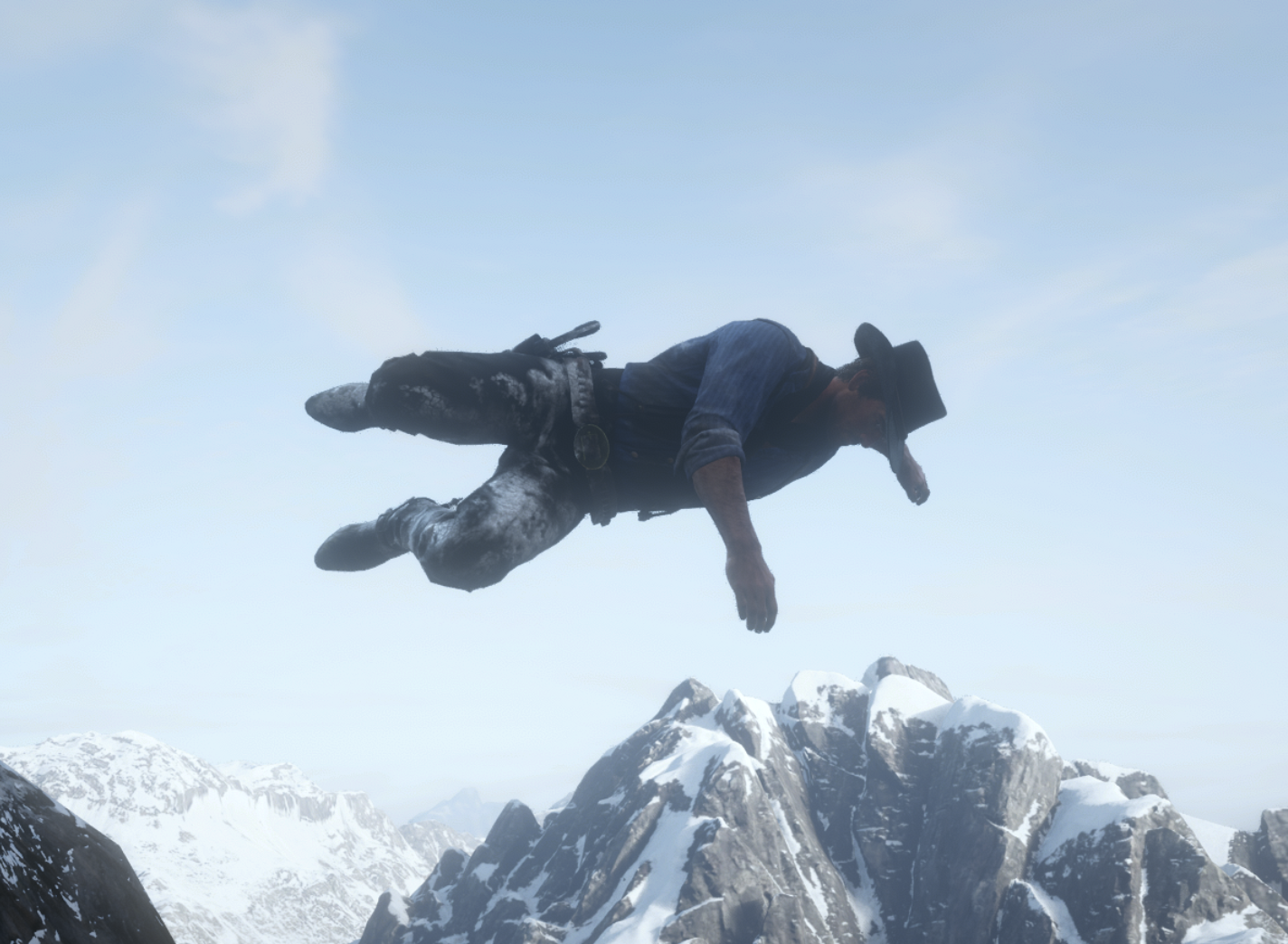
1 Screenshot

This script is as simple as it sounds, it allows you to ragdoll your character.


Alexander Blade's ScriptHook needed: http://www.dev-c.com/rdr2/scripthookrdr2/


To go into ragdoll, press and hold K. You will stay in ragdoll until you release the key.


If you find any issues, please let me know. I'm relatively new to scripting 🙂


PLEASE DON'T RE-UPLOAD ANYWHERE ELSE

What's New in Version 2.0

Released

Added support to change the keybinding.


To change, just edit the value in the ini file.

SimpleRagdoll.rar

User Feedback

[[Template downloads/front/view/comments is throwing an error. Please report this to the site administrator.]]

Account

Navigation

Search

Search

Configure browser push notifications

Chrome (Android)
  1. Tap the lock icon next to the address bar.
  2. Tap Permissions → Notifications.
  3. Adjust your preference.
Chrome (Desktop)
  1. Click the padlock icon in the address bar.
  2. Select Site settings.
  3. Find Notifications and adjust your preference.