Skip to content
View in the app

A better way to browse. Learn more.

RDR2Mods.com

A full-screen app on your home screen with push notifications, badges and more.

To install this app on iOS and iPadOS
  1. Tap the Share icon in Safari
  2. Scroll the menu and tap Add to Home Screen.
  3. Tap Add in the top-right corner.
To install this app on Android
  1. Tap the 3-dot menu (⋮) in the top-right corner of the browser.
  2. Tap Add to Home screen or Install app.
  3. Confirm by tapping Install.
120 files
    • 34909 Downloads
    • 224849 Views
    • 39.02 kB File Size
    • 7 Comments
    Updated
    • 57 Downloads
    • 14935 Views
    • 52.19 kB File Size
    Updated
    • 681 Downloads
    • 45162 Views
    • 30.69 kB File Size
    Updated
    • 10727 Downloads
    • 64513 Views
    • 64.23 kB File Size
    • 3 Comments
    Updated
    • 1096 Downloads
    • 5483 Views
    • 1.66 MB File Size
    Updated
    • 149817 Downloads
    • 488372 Views
    • 43.57 MB File Size
    • 12 Comments
    Updated
  1. Get everything from the trapper with much less grind
    • 7178 Downloads
    • 51401 Views
    • 1.6 MB File Size
    • 7 Comments
    Updated
    • 1800 Downloads
    • 154159 Views
    • 2.65 MB File Size
    Updated
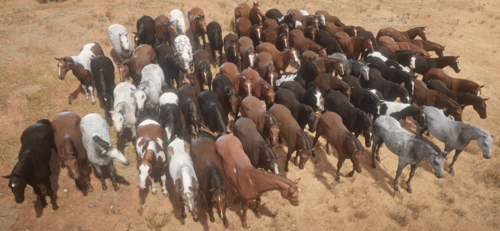
  2. Every horse available fresh out of Chapter 2!
    • 13613 Downloads
    • 104403 Views
    • 23 MB File Size
    • 17 Comments
    Updated
    • 16056 Downloads
    • 154560 Views
    • 66.09 MB File Size
    • 17 Comments
    Updated
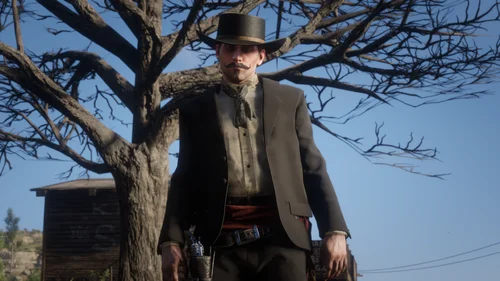
  3. Custom Ped
    • 1188 Downloads
    • 31170 Views
    • 45.81 kB File Size
    • 3 Comments
    Updated
  4. Learn how to create LML mods!
    • 14731 Downloads
    • 117666 Views
    • 2.84 MB File Size
    • 1 Comments
    LMS in Misc
    Updated
    • 118050 Downloads
    • 500270 Views
    • 14.24 MB File Size
    • 194 Comments
    Updated
    • 6932 Downloads
    • 54488 Views
    • 96.67 MB File Size
    • 1 Comments
    Updated
    • 6566 Downloads
    • 29318 Views
    • 1.02 MB File Size
    Updated
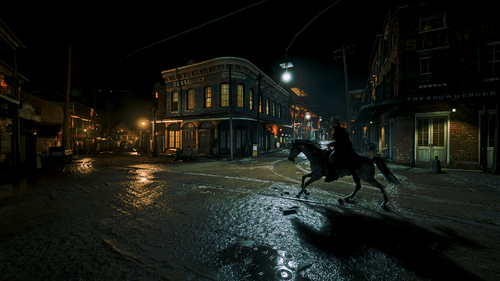
  5. This mod makes the nights darker and more realistic.
    • 74531 Downloads
    • 270961 Views
    • 1.67 MB File Size
    • 49 Comments
    Updated

Account

Navigation

Search

Search

Configure browser push notifications

Chrome (Android)
  1. Tap the lock icon next to the address bar.
  2. Tap Permissions → Notifications.
  3. Adjust your preference.
Chrome (Desktop)
  1. Click the padlock icon in the address bar.
  2. Select Site settings.
  3. Find Notifications and adjust your preference.