Skip to content
View in the app

A better way to browse. Learn more.

RDR2Mods.com

A full-screen app on your home screen with push notifications, badges and more.

To install this app on iOS and iPadOS
  1. Tap the Share icon in Safari
  2. Scroll the menu and tap Add to Home Screen.
  3. Tap Add in the top-right corner.
To install this app on Android
  1. Tap the 3-dot menu (⋮) in the top-right corner of the browser.
  2. Tap Add to Home screen or Install app.
  3. Confirm by tapping Install.
119 files
    • 67 Downloads
    • 931 Views
    • 30.69 kB File Size
    Updated
    • 120 Downloads
    • 1083 Views
    • 1.66 MB File Size
    Updated
  1. Add your own soundtrack to the frontier! This mod plays custom `.wav` files during cinematic mode!
    • 71 Downloads
    • 2856 Views
    • 384.14 MB File Size
    Updated
    • 1,216 Downloads
    • 148344 Views
    • 2.65 MB File Size
    Updated
    • 5,156 Downloads
    • 22735 Views
    • 1.02 MB File Size
    Updated
    • 178 Downloads
    • 6676 Views
    • 860 B File Size
    Updated
    • 6,488 Downloads
    • 47938 Views
    • 96.67 MB File Size
    • 1 Comments
    Updated
    • 13,130 Downloads
    • 62295 Views
    • 198.52 kB File Size
    Updated
  2. small visual changes
    • 2,039 Downloads
    • 28934 Views
    • 41.47 kB File Size
    Updated
    • 1,220 Downloads
    • 11068 Views
    • 2.93 GB File Size
    Updated
  3. reduces taa intensity
    • 1,342 Downloads
    • 21206 Views
    • 59.26 kB File Size
    Updated
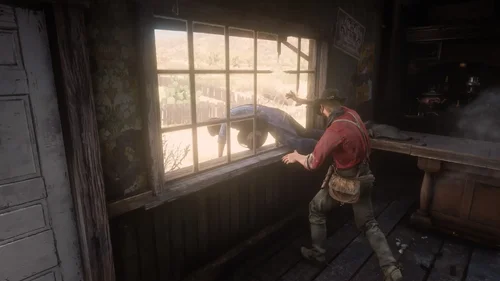
  4. euphoria ragdoll realistic live leak
    • 24,936 Downloads
    • 132545 Views
    • 81.67 kB File Size
    • 2 Comments
    Updated
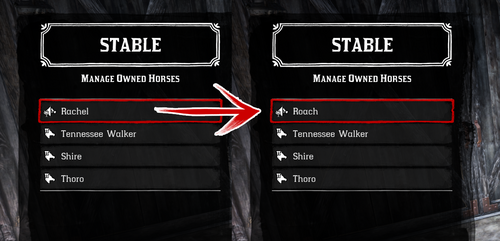
  5. Every horse available fresh out of Chapter 2!
    • 12,748 Downloads
    • 97000 Views
    • 23 MB File Size
    • 17 Comments
    Updated
  6. Removes the whistle sound effect used by the police in Saint Denis when you are wanted.
    • 276 Downloads
    • 198562 Views
    • 2.19 kB File Size
    Updated
  7. Removes the sound effect played whenever you lose honor.
    • 1,041 Downloads
    • 210607 Views
    • 46.93 MB File Size
    • 1 Comments
    Updated
    • 1,376 Downloads
    • 12906 Views
    • 323.26 kB File Size
    Updated

Account

Navigation

Search

Search

Configure browser push notifications

Chrome (Android)
  1. Tap the lock icon next to the address bar.
  2. Tap Permissions → Notifications.
  3. Adjust your preference.
Chrome (Desktop)
  1. Click the padlock icon in the address bar.
  2. Select Site settings.
  3. Find Notifications and adjust your preference.