Skip to content
View in the app

A better way to browse. Learn more.

RDR2Mods.com

A full-screen app on your home screen with push notifications, badges and more.

To install this app on iOS and iPadOS
  1. Tap the Share icon in Safari
  2. Scroll the menu and tap Add to Home Screen.
  3. Tap Add in the top-right corner.
To install this app on Android
  1. Tap the 3-dot menu (⋮) in the top-right corner of the browser.
  2. Tap Add to Home screen or Install app.
  3. Confirm by tapping Install.
121 files
    • 180 Downloads
    • 2471 Views
    • 30.79 kB File Size
    Updated
    • 64 Downloads
    • 15870 Views
    • 52.19 kB File Size
    Updated
    • 742 Downloads
    • 46357 Views
    • 30.69 kB File Size
    Updated
    • 1,352 Downloads
    • 6274 Views
    • 1.66 MB File Size
    Updated
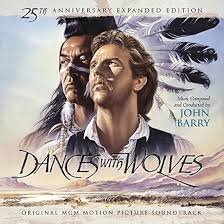
  1. Add your own soundtrack to the frontier! This mod plays custom `.wav` files during cinematic mode!
    • 200 Downloads
    • 43232 Views
    • 384.14 MB File Size
    Updated
    • 2,010 Downloads
    • 155959 Views
    • 2.65 MB File Size
    Updated
    • 7,256 Downloads
    • 31005 Views
    • 1.02 MB File Size
    Updated
    • 193 Downloads
    • 24586 Views
    • 860 B File Size
    Updated
    • 7,073 Downloads
    • 56004 Views
    • 96.67 MB File Size
    • 1 Comments
    Updated
    • 14,285 Downloads
    • 66597 Views
    • 198.52 kB File Size
    Updated
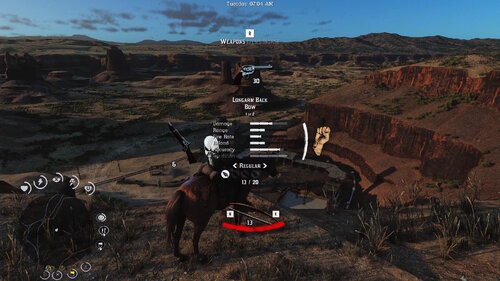
  2. small visual changes
    • 2,140 Downloads
    • 30687 Views
    • 41.47 kB File Size
    Updated
    • 1,299 Downloads
    • 11665 Views
    • 2.93 GB File Size
    Updated
  3. reduces taa intensity
    • 1,416 Downloads
    • 22122 Views
    • 59.26 kB File Size
    Updated
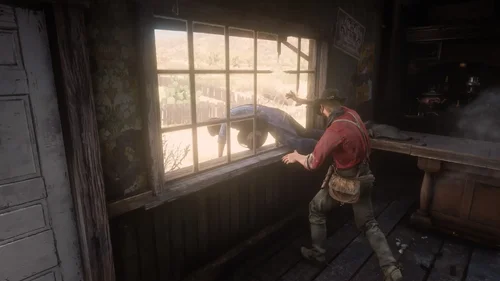
  4. euphoria ragdoll realistic live leak
    • 27,926 Downloads
    • 154042 Views
    • 81.67 kB File Size
    • 2 Comments
    Updated
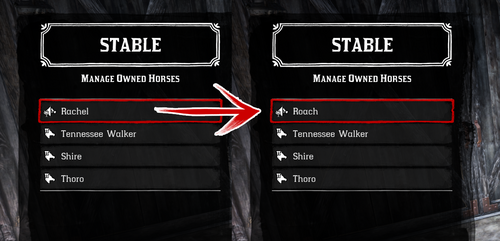
  5. Every horse available fresh out of Chapter 2!
    • 13,883 Downloads
    • 106173 Views
    • 23 MB File Size
    • 18 Comments
    Updated
  6. Removes the whistle sound effect used by the police in Saint Denis when you are wanted.
    • 296 Downloads
    • 202501 Views
    • 2.19 kB File Size
    Updated

Account

Navigation

Search

Search

Configure browser push notifications

Chrome (Android)
  1. Tap the lock icon next to the address bar.
  2. Tap Permissions → Notifications.
  3. Adjust your preference.
Chrome (Desktop)
  1. Click the padlock icon in the address bar.
  2. Select Site settings.
  3. Find Notifications and adjust your preference.