Skip to content
View in the app

A better way to browse. Learn more.

RDR2Mods.com

A full-screen app on your home screen with push notifications, badges and more.

To install this app on iOS and iPadOS
  1. Tap the Share icon in Safari
  2. Scroll the menu and tap Add to Home Screen.
  3. Tap Add in the top-right corner.
To install this app on Android
  1. Tap the 3-dot menu (⋮) in the top-right corner of the browser.
  2. Tap Add to Home screen or Install app.
  3. Confirm by tapping Install.
121 files
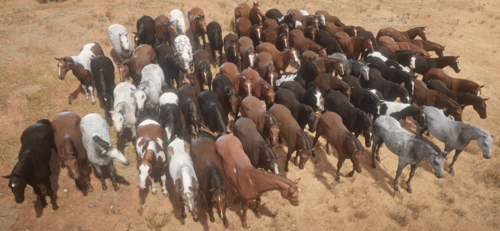
  1. Every horse available fresh out of Chapter 2!
    • 13,882 Downloads
    • 106169 Views
    • 23 MB File Size
    • 18 Comments
    Updated
    • 180 Downloads
    • 2469 Views
    • 30.79 kB File Size
    Updated
    • 35,432 Downloads
    • 227327 Views
    • 39.02 kB File Size
    • 7 Comments
    Updated
    • 64 Downloads
    • 15870 Views
    • 52.19 kB File Size
    Updated
    • 742 Downloads
    • 46357 Views
    • 30.69 kB File Size
    Updated
    • 10,798 Downloads
    • 64891 Views
    • 64.23 kB File Size
    • 3 Comments
    Updated
    • 1,352 Downloads
    • 6274 Views
    • 1.66 MB File Size
    Updated
    • 152,570 Downloads
    • 495651 Views
    • 43.57 MB File Size
    • 12 Comments
    Updated
  2. Get everything from the trapper with much less grind
    • 7,224 Downloads
    • 51701 Views
    • 1.6 MB File Size
    • 7 Comments
    Updated
    • 2,009 Downloads
    • 155956 Views
    • 2.65 MB File Size
    Updated
    • 16,312 Downloads
    • 156542 Views
    • 66.09 MB File Size
    • 17 Comments
    Updated
  3. Custom Ped
    • 1,194 Downloads
    • 32112 Views
    • 45.81 kB File Size
    • 3 Comments
    Updated
  4. Learn how to create LML mods!
    • 15,025 Downloads
    • 120202 Views
    • 2.84 MB File Size
    • 1 Comments
    LMS in Misc
    Updated
    • 119,093 Downloads
    • 503860 Views
    • 14.24 MB File Size
    • 194 Comments
    Updated
    • 7,073 Downloads
    • 56004 Views
    • 96.67 MB File Size
    • 1 Comments
    Updated
    • 7,252 Downloads
    • 31001 Views
    • 1.02 MB File Size
    Updated

Account

Navigation

Search

Search

Configure browser push notifications

Chrome (Android)
  1. Tap the lock icon next to the address bar.
  2. Tap Permissions → Notifications.
  3. Adjust your preference.
Chrome (Desktop)
  1. Click the padlock icon in the address bar.
  2. Select Site settings.
  3. Find Notifications and adjust your preference.