




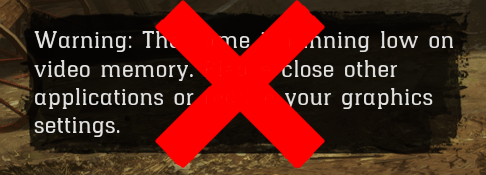
Removes the annoying VRAM message ingame.
If there is a virus detection on this software, it is a false positive. Refer to your antivirus documentation for information on how to exclude the file.
Code (Requires minhook and a pattern scanner to work):
static const char* (*g_origGetText)(void* theText, int a2, uint32_t* hash, int* a4);

static const char* GetText(void* theText, int a2, uint32_t* hash, int* a4)
{
	if (*hash == 0xA3774AB6) {
		return "";
	}

	return g_origGetText(theText, a2, hash, a4);
}

//Put this into the initalization code. CreateHookAndNotifyAnyError is MH_CreateHook but is a wrapper that alerts the user with a message box if
//something went wrong.
CreateHookAndNotifyAnyError(hook::get_pattern("48 81 C1 D0 00 00 00 E8 ? ? ? ? 48 8B CE 83 FB FF 74 ? 44 8B 44 24 50", -57), GetText, (void**)&g_origGetText)
-
 5
5
Recommended Comments
Create an account or sign in to comment