Skip to content
View in the app

A better way to browse. Learn more.

RDR2Mods.com

A full-screen app on your home screen with push notifications, badges and more.

To install this app on iOS and iPadOS
  1. Tap the Share icon in Safari
  2. Scroll the menu and tap Add to Home Screen.
  3. Tap Add in the top-right corner.
To install this app on Android
  1. Tap the 3-dot menu (⋮) in the top-right corner of the browser.
  2. Tap Add to Home screen or Install app.
  3. Confirm by tapping Install.
66 files
    • 729 Downloads
    • 27910 Views
    • 36.36 kB File Size
    Updated
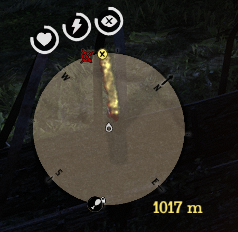
  1. This mod shows distance between waypoint and player.
    • 1,604 Downloads
    • 8067 Views
    • 62.48 kB File Size
    • 1 Comments
    Updated
    • 617 Downloads
    • 19436 Views
    • 3.65 kB File Size
    • 7 Comments
    Updated
    • 342 Downloads
    • 10060 Views
    • 956 B File Size
    • 2 Comments
    Updated
    • 2,583 Downloads
    • 28111 Views
    • 1.25 kB File Size
    • 1 Comments
    Updated
    • 1,104 Downloads
    • 26417 Views
    • 80.52 kB File Size
    • 2 Comments
    Updated
    • 1,228 Downloads
    • 32764 Views
    • 27.02 kB File Size
    Updated
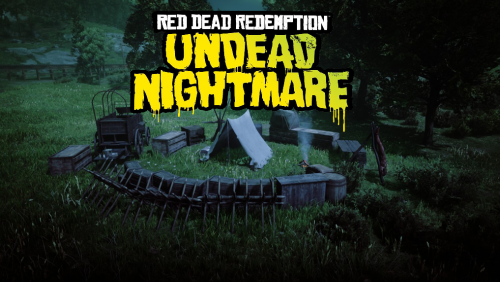
  2. Undead Nightmare
    • 1,272 Downloads
    • 25757 Views
    • 32.77 kB File Size
    Updated
  3. Undead Nightmare4
    • 1,083 Downloads
    • 21800 Views
    • 43.08 kB File Size
    Updated
    • 197 Downloads
    • 12266 Views
    • 884 B File Size
    Updated
    • 793 Downloads
    • 25562 Views
    • 39.22 kB File Size
    • 1 Comments
    Updated
    • 959 Downloads
    • 24144 Views
    • 118.67 kB File Size
    • 2 Comments
    Updated
    • 367 Downloads
    • 10509 Views
    • 7.46 kB File Size
    Updated
    • 7,230 Downloads
    • 73821 Views
    • 4.96 kB File Size
    Updated
    • 538 Downloads
    • 12107 Views
    • 41.42 kB File Size
    • 1 Comments
    Updated
    • 458 Downloads
    • 22022 Views
    • 4.71 kB File Size
    • 2 Comments
    Updated

Account

Navigation

Search

Search

Configure browser push notifications

Chrome (Android)
  1. Tap the lock icon next to the address bar.
  2. Tap Permissions → Notifications.
  3. Adjust your preference.
Chrome (Desktop)
  1. Click the padlock icon in the address bar.
  2. Select Site settings.
  3. Find Notifications and adjust your preference.