Skip to content
View in the app

A better way to browse. Learn more.

RDR2Mods.com

A full-screen app on your home screen with push notifications, badges and more.

To install this app on iOS and iPadOS
  1. Tap the Share icon in Safari
  2. Scroll the menu and tap Add to Home Screen.
  3. Tap Add in the top-right corner.
To install this app on Android
  1. Tap the 3-dot menu (⋮) in the top-right corner of the browser.
  2. Tap Add to Home screen or Install app.
  3. Confirm by tapping Install.
400 files
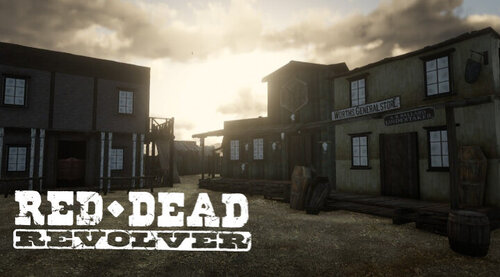
  1. Shoot it out with bandits, hunt down outlaws and walk the streets with a star.
    • 154,728 Downloads
    • 764026 Views
    • 17.34 MB File Size
    • 132 Comments
    LMS in RDRFR
    Updated
  2. Unhashes YMT file member names and data contents.
    • 1,871 Downloads
    • 61467 Views
    • 1.34 MB File Size
    • 10 Comments
    Updated
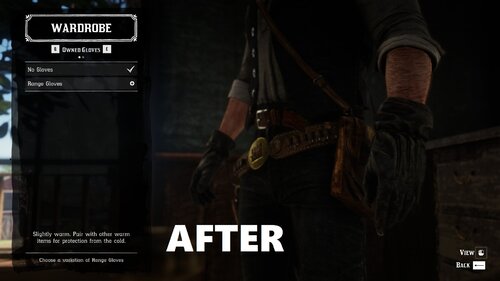
  3. This makes Arthur's gunslinger jacket and hat more worn so it looks older
    • 712 Downloads
    • 36778 Views
    • 8.62 MB File Size
    • 1 Comments
    Updated
    • 5,028 Downloads
    • 63582 Views
    • 18.92 kB File Size
    • 12 Comments
    Updated
  4. Deputy, you've got work to do! These callouts will make you feel like a true lawman in the Wild West
    • 19,966 Downloads
    • 159440 Views
    • 27.27 kB File Size
    • 28 Comments
    Updated
    • 729 Downloads
    • 27911 Views
    • 36.36 kB File Size
    Updated
    • 1,661 Downloads
    • 10261 Views
    • 10.67 kB File Size
    • 1 Comments
    Updated
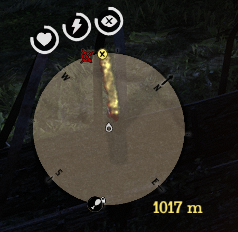
  5. This mod shows distance between waypoint and player.
    • 1,605 Downloads
    • 8069 Views
    • 62.48 kB File Size
    • 1 Comments
    Updated
  6. Control Character & Horse Walk Speed with Mouse-Wheel. Also has Auto-Walk.
    • 2,888 Downloads
    • 27675 Views
    • 623.5 kB File Size
    • 1 Comments
    Updated
    • 8,293 Downloads
    • 63295 Views
    • 191.49 kB File Size
    • 6 Comments
    Updated
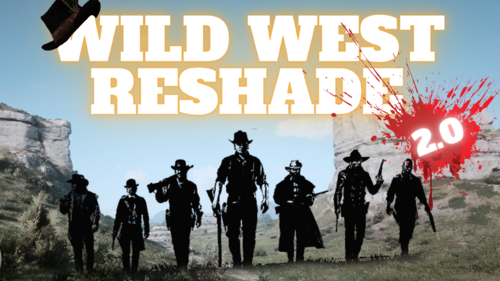
  7. small visual changes
    • 1,897 Downloads
    • 26793 Views
    • 41.47 kB File Size
    Updated
    • 12,577 Downloads
    • 97399 Views
    • 11.59 MB File Size
    Updated
    • 617 Downloads
    • 19438 Views
    • 3.65 kB File Size
    • 7 Comments
    Updated
    • 342 Downloads
    • 10063 Views
    • 956 B File Size
    • 2 Comments
    Updated
    • 2,583 Downloads
    • 28114 Views
    • 1.25 kB File Size
    • 1 Comments
    Updated
    • 20,753 Downloads
    • 143981 Views
    • 49.7 kB File Size
    • 7 Comments
    Updated

Account

Navigation

Search

Search

Configure browser push notifications

Chrome (Android)
  1. Tap the lock icon next to the address bar.
  2. Tap Permissions → Notifications.
  3. Adjust your preference.
Chrome (Desktop)
  1. Click the padlock icon in the address bar.
  2. Select Site settings.
  3. Find Notifications and adjust your preference.