Skip to content
View in the app

A better way to browse. Learn more.

RDR2Mods.com

A full-screen app on your home screen with push notifications, badges and more.

To install this app on iOS and iPadOS
  1. Tap the Share icon in Safari
  2. Scroll the menu and tap Add to Home Screen.
  3. Tap Add in the top-right corner.
To install this app on Android
  1. Tap the 3-dot menu (⋮) in the top-right corner of the browser.
  2. Tap Add to Home screen or Install app.
  3. Confirm by tapping Install.
400 files
    • 120 Downloads
    • 10969 Views
    • 5.74 MB File Size
    Updated
    • 1,786 Downloads
    • 38750 Views
    • 18.14 MB File Size
    • 1 Comments
    Updated
  1. Makes dirt decals permanent
    • 1,043 Downloads
    • 32439 Views
    • 414.68 kB File Size
    • 17 Comments
    SAC in Misc
    Updated
    • 20,991 Downloads
    • 86656 Views
    • 296.77 kB File Size
    • 6 Comments
    Updated
    • 3,136 Downloads
    • 32249 Views
    • 46.62 kB File Size
    • 1 Comments
    Updated
    • 792 Downloads
    • 18277 Views
    • 1.61 MB File Size
    Updated
    • 1,997 Downloads
    • 20279 Views
    • 1.49 kB File Size
    • 2 Comments
    Updated
    • 951 Downloads
    • 16995 Views
    • 17.72 kB File Size
    • 1 Comments
    Updated
    • 3,153 Downloads
    • 36164 Views
    • 152.52 kB File Size
    Updated
    • 2,763 Downloads
    • 28208 Views
    • 139.58 kB File Size
    • 1 Comments
    Updated
    • 3,123 Downloads
    • 45969 Views
    • 164.57 kB File Size
    • 5 Comments
    Updated
    • 2,412 Downloads
    • 23339 Views
    • 136.96 kB File Size
    Updated
    • 2,571 Downloads
    • 29460 Views
    • 178.43 kB File Size
    • 1 Comments
    Updated
  2. Any random thing that came to mind is here.
    • 412 Downloads
    • 43843 Views
    • 168.1 kB File Size
    • 1 Comments
    Updated
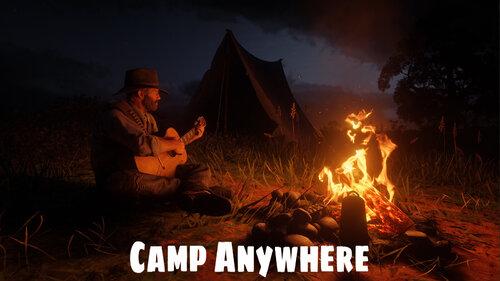
  3. Set up your camp anywhere you want. Build a permanent custom camp that you can place anywhere.
    • 10,061 Downloads
    • 80405 Views
    • 1.05 MB File Size
    Updated
    • 1,031 Downloads
    • 19890 Views
    • 132.18 kB File Size
    Updated

Account

Navigation

Search

Search

Configure browser push notifications

Chrome (Android)
  1. Tap the lock icon next to the address bar.
  2. Tap Permissions → Notifications.
  3. Adjust your preference.
Chrome (Desktop)
  1. Click the padlock icon in the address bar.
  2. Select Site settings.
  3. Find Notifications and adjust your preference.